Portfolio case study

AeroPrep: Pilot aptitude training mobile app

A cross-platform pilot aptitude training app that brings timed quiz practice, aircrew battery exercises, interview preparation, progress tracking, settings, and API-backed content into one mobile learning experience.

Name changed to respect NDA.

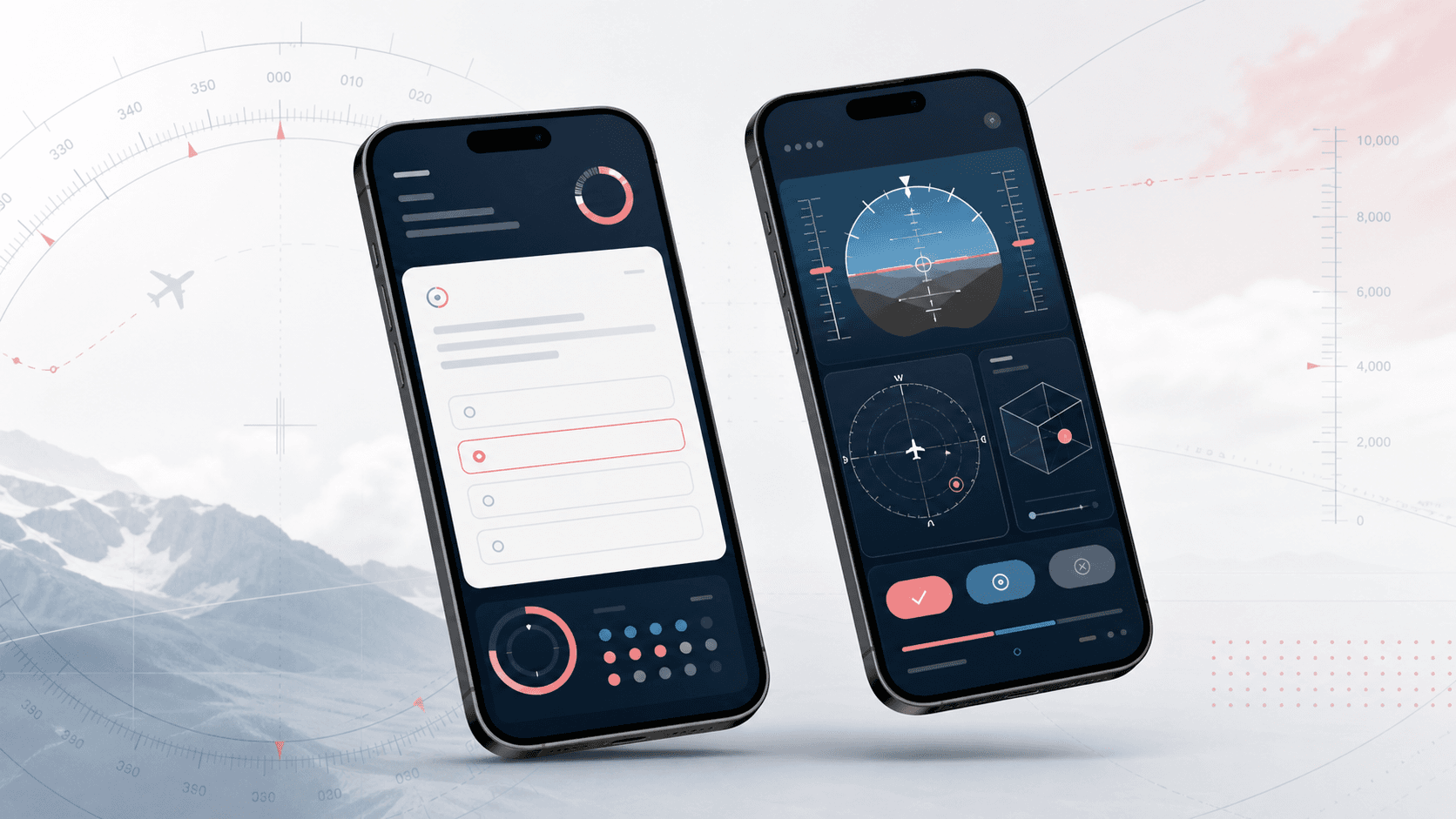
Abstract mobile pilot aptitude training app visual with timed quiz cards, progress rings, flight instrument practice panels, and spatial orientation exercises
Project scope

Cross-platform mobile product engineering across Flutter app architecture, quiz workflows, device-based onboarding, API integration, local settings, result tracking, and release packaging

5
training categories
58
Flutter screen files reviewed
API
quiz and settings content
iOS + Android
cross-platform mobile delivery

Timeline

Mobile learning app build, quiz workflow expansion, and ongoing content-led iteration

Pilot candidates needed structured practice on mobile

The app had to organize aviation aptitude preparation into clear categories while supporting timed tests, score review, settings, API-delivered questions, and mobile-first interactions that work across iOS and Android.

  • General ability, mathematics, aircrew battery, coordination, and interview practice needed separate but consistent learning flows
  • Timed tests required start, pause, stop, finish, score, review, and result-saving behavior across many question types
  • Question content and app settings needed to be fetched from backend APIs without making the learner manage accounts manually
  • Progress summaries, clock controls, score-recording preferences, and device-level onboarding had to feel simple inside a compact mobile UI

A focused mobile workspace for aviation aptitude practice

AeroPrep uses a Flutter codebase with provider-managed state, API repositories, local preferences, and category-specific routes so learners can move from topic selection to practice, scoring, and review in one app.

  • Topic hub for general ability, mathematics, aircrew battery tests, coordination practice, recruitment interview questions, and app information
  • Timed quiz flows for verbal reasoning, non-verbal reasoning, vocabulary, comprehension, arithmetic, number series, spatial orientation, and instrument interpretation
  • Device-based sign-up and token storage so learners can start quickly while the app keeps authenticated API access available
  • Results and settings surfaces for score summaries, clock toggles, score recording, user name storage, synchronization entry points, and logout controls

Product surfaces

What the platform brought together

The work spanned core product operations, daily user workflows, data-heavy coordination, and resilient platform management.

Training category navigation

The app turns a broad preparation syllabus into a mobile topic structure that candidates can scan and revisit quickly.

  • Home and topic selection screens route learners into general ability, mathematics, aircrew battery, coordination, interview, and information flows
  • Category-specific screens explain test expectations, allowed time, question counts, and performance bands before practice begins
  • Reusable app bars, buttons, bottom navigation, loading states, and branded visual components keep the mobile experience consistent

Timed quiz and practice engine

Multiple quiz families share the same core expectations around timed practice, answers, scoring, and review.

  • Verbal, non-verbal, vocabulary, comprehension, arithmetic, number series, spatial orientation, and instrument interpretation practice paths
  • Timer controls for clock display, countdown behavior, pause/resume, stop dialogs, finish actions, and score transitions
  • Answer selection, correctness calculation, unanswered counts, percentage scores, and saved result records for review

API-backed content and onboarding

Question sets, generated aviation exercises, and app settings are retrieved through a backend API while the mobile app manages session continuity locally.

  • Device-based sign-up and login flows with stored token state
  • Repository and controller layers for quiz questions, generated altitude-style exercises, instrument interpretation, and app settings
  • Dio-backed networking, typed response handling, loading states, and provider notifications for UI updates

Learner results and preferences

Practice history and settings give learners control over how the training app behaves during repeated use.

  • Results dashboard with total tests attempted, attempted and missed questions, correct and incorrect counts, and percentage summaries
  • Category filtering for saved results when multiple preparation areas are present
  • Local preferences for clock visibility, score recording, user name, synchronization status, and logout behavior

Buyer priorities

What mattered most to the people evaluating the platform

Prospective buyers want to know whether the work solved real workflow, adoption, reliability, data, and operations problems. These priorities shaped the product decisions.

Mobile learning clarity

The app needed to keep a large test-preparation catalog understandable on a small screen without burying learners in menus.

  • Topic cards group preparation areas into clear entry points
  • Test-introduction screens explain time limits and question counts before the learner begins
  • Shared visual components reduce friction as learners move between categories

Practice discipline

Aviation aptitude preparation depends on timed recall, repeated attempts, and honest feedback, so the app needed stronger practice mechanics than static content.

  • Countdown timers and stop/finish dialogs support realistic practice sessions
  • Score calculation and review flows turn completed attempts into measurable feedback
  • Settings allow learners to control clocks and result recording based on their study style

Content maintainability

Question banks and generated exercises needed to evolve without forcing every content update through a new app release.

  • API-backed quiz retrieval keeps content separate from the installed app binary
  • Generated spatial and instrument exercises can be loaded from backend endpoints
  • Local token and device state keep the learner experience lightweight while retaining API access

System model

How the platform connects roles, workflows, and product surfaces

The product architecture brings every role into the same operating model, with shared data moving cleanly between web, mobile, media, and notification layers.

Five practice areas

A topic map groups general ability, mathematics, aircrew battery, coordination, and interview preparation into clear mobile entry points.

Practice to score workflow

Learners move from topic choice to instructions, timed questions, answer review, saved results, and settings for repeated practice.

Mobile app and API foundation

Flutter screens, provider state, local preferences, and backend quiz APIs work together as one training system.

Technology

The Stack We Used And Why

The stack section is written for buyers who need to understand the product architecture, operational trade-offs, and long-term maintainability of the system.

Mobile app

Used to deliver one shared codebase for iOS and Android while maintaining native-feeling navigation, visuals, and input behavior.

FlutterDartMaterial widgetsCupertino supportLato fonts

State and navigation

Used to coordinate quiz loading, authentication, user state, timed tests, result flows, and route transitions across many screens.

ProviderChangeNotifierPageTransitionSharedPreferences

Networking and content

Used to fetch quiz questions, generated practice exercises, settings, and device-authenticated learner sessions from backend services.

DioRepository patternTyped response wrappersDevice-based API auth

Practice interactions

Used to support timed sessions, aviation-style coordination exercises, loading states, image caching, SVG assets, and external links.

Custom countdown timersensors_pluscached_network_imageflutter_svgurl_launcher

Release packaging

Used to prepare the app for real mobile distribution with platform-specific builds, assets, fonts, and versioned releases.

Android GradleiOS Runner projectPackage versioningAsset manifest

Why Flutter For The App

The product needed a consistent aviation-prep experience across iOS and Android without splitting the work into two native codebases.

  • Flutter kept quiz cards, timers, dialogs, and topic navigation consistent across platforms
  • A single UI layer made repeated category screens easier to maintain
  • Platform projects still allowed mobile release packaging for Android and iOS

Why API-Backed Questions

A training product depends on content freshness, so quiz data should not be locked entirely inside the app bundle.

  • Repository methods fetch quiz banks and generated aviation exercises from backend endpoints
  • Device-authenticated API access lets learners start without a heavy account flow
  • App settings can be updated from the backend as the product evolves

Why Local Preferences Matter

Repeated practice works better when learners can keep their session, settings, score preferences, and results between app launches.

  • SharedPreferences stores token, name, clock, score-recording, and result data locally
  • Settings screens expose learner-facing controls instead of hiding them in code
  • Result summaries make repeated attempts visible after each practice session

Delivery

How the product came together

The work moved from domain modeling to core platform delivery, mobile adoption, and operational hardening.

1

Structure the preparation syllabus

Break the product into mobile-friendly categories, routes, instructions, and reusable screens that match how candidates study.

2

Build timed practice flows

Create quiz experiences with countdowns, answer states, stop and finish behavior, scoring, and review screens.

3

Connect backend content

Wire the app to APIs for device onboarding, quiz retrieval, generated aviation exercises, and app settings.

4

Prepare for repeated mobile use

Add persistent preferences, result summaries, loading states, platform assets, and release configuration for iOS and Android.

Operational depth

What made the platform usable after launch

The strongest case studies are not only feature lists. They show how the system is operated, monitored, governed, and improved when real users depend on it.

Reusable quiz architecture

The app repeats similar practice expectations across many subjects while keeping each subject easy to explain and launch.

  • Shared test-introduction patterns for time, question count, and scoring guidance
  • Common answer, score, stop, pause, and review behaviors across quiz families
  • Provider-managed loading and data updates for API-backed question lists

Learner-controlled settings

Small preference controls matter in a training app because candidates may practice in different contexts and review patterns.

  • Clock visibility and score-recording preferences
  • Locally stored name, token, and result history
  • Settings and result screens available from the main mobile navigation

Platform-ready assets and packaging

The project included app assets, custom fonts, Android and iOS platform folders, and version metadata needed for real mobile releases.

  • Custom Lato fonts, SVG icons, image assets, and Lottie loader
  • Android Gradle and iOS Runner configuration
  • Versioned Flutter package setup for mobile distribution

Results

The measurable and observable lift from the work

The strongest improvements are the ones a buyer can connect to daily work: fewer disconnected tools, safer operations, clearer workflows, and more reliable product behavior.

5 areas

Training Coverage

The app organizes aviation preparation into general ability, mathematics, aircrew battery, coordination, and interview practice.

Timed

Realistic Practice

Question flows include countdowns, stop and finish behavior, score calculation, and result review for repeated test preparation.

API-backed

Maintainable Content

Quiz questions, generated spatial exercises, instrument interpretation sets, and settings are fetched from backend endpoints.

Cross-platform

Mobile Reach

A Flutter codebase supports the same preparation experience across Android and iOS release targets.

Outcome

A stronger operating system for pilot aptitude and aviation training app

The platform reduced tool fragmentation and gave each role a clearer path from live activity to day-to-day action.

A focused pilot aptitude preparation app instead of a static question bank or disconnected study notes

Mobile-first topic navigation covering general ability, mathematics, aircrew battery, coordination, and interview preparation

Timed quiz workflows with answer tracking, stop and finish behavior, score summaries, review paths, and saved results

A maintainable app foundation with API-backed content, provider-managed state, local preferences, custom assets, and platform release configuration

FAQ

Frequently Asked Questions About AeroPrep

Answers about the pilot aptitude and aviation training app scope, platform model, technology choices, operational workflows, and related build patterns.

What Kind Of App Does AeroPrep Represent?

AeroPrep represents a mobile pilot aptitude and aviation-preparation app with timed quizzes, spatial and instrument practice, interview preparation, score tracking, settings, and API-backed content.

Why Was A Custom Mobile App Useful For This Training Workflow?

A custom app was useful because the product needed category-specific tests, timers, scoring, saved results, generated aviation exercises, device onboarding, and learner preferences in one compact mobile experience.

How Does The Stack Support Ongoing Content Updates?

Flutter handles the installed app experience while repository-based API calls retrieve quiz banks, generated exercises, and settings from backend endpoints, allowing content to evolve without hard-coding every update into the app.

Can This Pattern Work For Other Exam Prep Or Training Products?

Yes. The same pattern can support certification prep, skill assessments, recruitment tests, compliance training, language practice, and other mobile learning products that need timed attempts, score history, and content updates.

Related services

Build a similarly ambitious product without starting from a blank page.

We can help scope the web, mobile, AI, media, and operating layers needed for your own platform.

Start a project inquiry