Portfolio case study

CounterFlow: Tablet POS and service packaging platform

A tablet-first POS packaging platform that helps staff assemble service bundles, compare recurring payment options, generate customer-ready summaries, and keep catalog, location, order, and access controls connected through an admin and API layer.

Name changed to respect NDA.

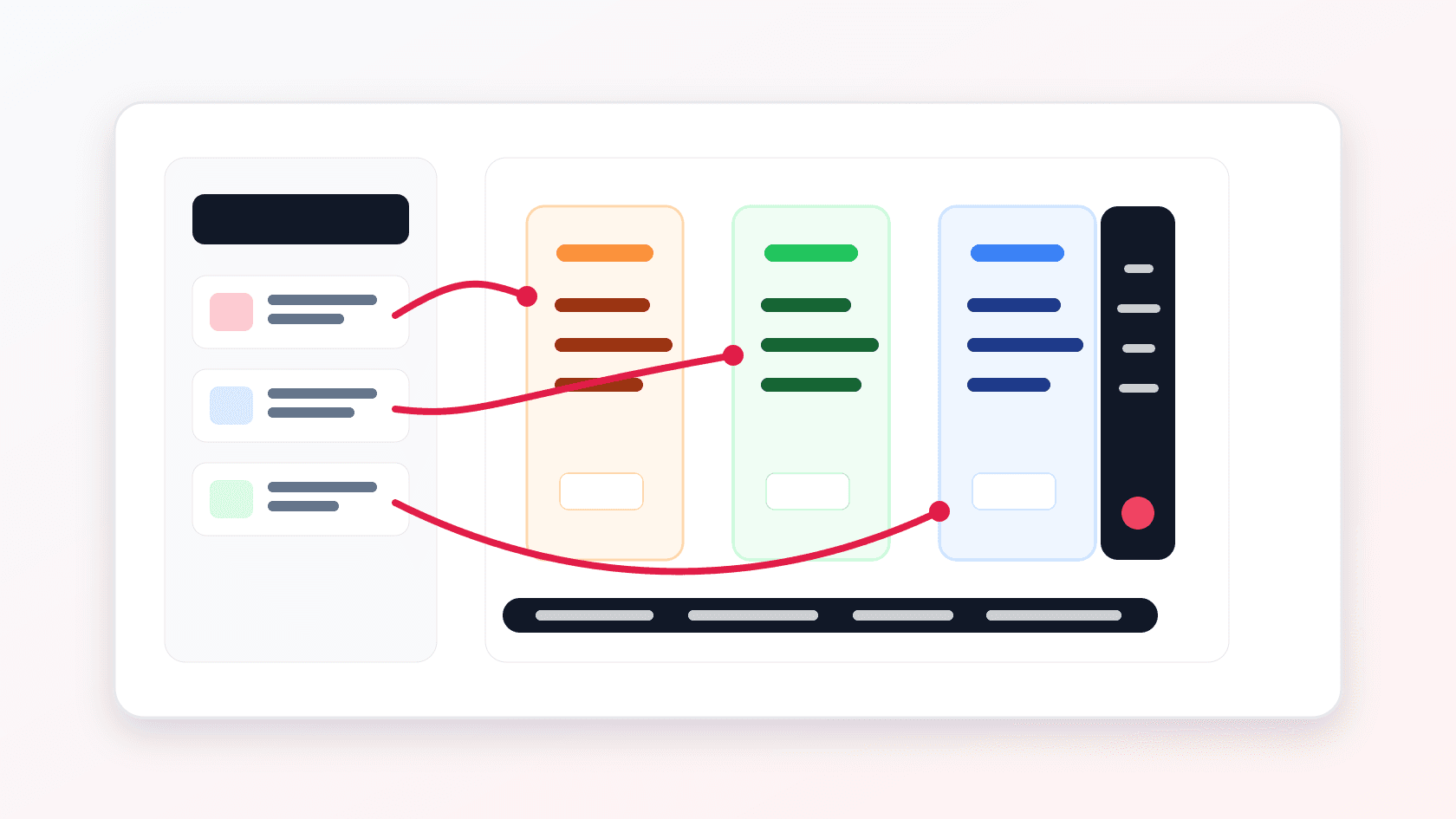
Tablet POS packaging platform visual with service tiles, package columns, recurring price options, and admin controls
Project scope

Product engineering, tablet POS workflow, React admin console, .NET API, catalog operations, location management, order tracking, and deployment support

3
connected product surfaces
4
recurring price views
2
admin role tiers
JWT
secured API access

Timeline

Multi-surface commerce operations build for in-location selling teams

Service selling needed a faster in-person package builder

The sales flow required staff to explain service bundles, package differences, recurring payment choices, complementary items, and final customer summaries while staying aligned with central catalog and location operations.

  • Frontline teams needed a tablet workflow that could assemble packages during a live sales conversation
  • Customers needed clear due-today, weekly, bi-weekly, monthly, and pay-in-full pricing before committing
  • Operators needed admin control over products, package pricing, order records, location setup, and staff access
  • The backend needed role-aware APIs so location users and super admins could work from the same product foundation

A guided POS suite for package comparison and operational control

CounterFlow pairs an Ionic tablet app for in-location selling with a React admin console and .NET API for catalog, package, location, file, user, and order operations.

  • Tablet app locks into landscape mode for a sales-counter experience with draggable service tiles and package columns
  • Package preview and summary flows show recurring price comparisons and customer-ready selected services
  • Admin console manages products, ordering, packages, locations, staff access, and order detail review
  • API layer centralizes JWT authentication, role checks, product pricing, package data, files, orders, locations, and Swagger-backed documentation

Product surfaces

What the platform brought together

The work spanned core product operations, daily user workflows, data-heavy coordination, and resilient platform management.

Tablet package builder

Staff can compose a customer package from a catalog while the interface keeps package contents and prices visible.

  • Drag-and-drop service assignment into package columns using a touch-friendly Ionic interface
  • Local cart and package state preserve selected services across home, preview, summary, and print flows
  • Complementary services are separated from paid services so savings can be shown without confusing totals

Recurring payment comparison

The pricing model supports multiple ways to explain cost without forcing staff into a single billing view.

  • Due-today, weekly, bi-weekly, monthly, and pay-in-full calculations are computed from selected service and package prices
  • Package-specific price cards make comparisons visible before the summary step
  • Summary and print views turn selections into a customer-facing membership breakdown

Catalog and package operations

Administrators can keep the product catalog, media, pricing, and display order aligned with what staff sell on the tablet.

  • Product forms cover name, description, alternate title, complementary status, images, base prices, and package-linked prices
  • Ordering tools let operators reorder products for the tablet experience
  • Package and product-price endpoints keep service bundles connected to payment-plan data

Location, order, and access control

The operations layer supports multiple locations, role-aware users, orders, and backend observability.

  • Super admins manage locations, social/contact details, staff access, and location cloning
  • Admins and super admins review orders and order items with status badges and deletion controls
  • JWT-secured APIs enforce admin and super-admin permissions while logging errors and exposing Swagger documentation

Module depth

Dedicated product blocks for the highest-value workflows

For large platforms, the conversion story depends on showing how each major module solves a specific operating problem, not only listing features.

Revenue

Guided Package Assembly

The tablet flow turns a service catalog into a structured selling surface where staff can build package options in front of the customer.

Source evidence includes the Ionic package builder, drag-and-drop package assignment, local service-package storage, and package preview flows.

  • Services can be selected and grouped by package during the sales conversation
  • Complementary and paid services remain visually distinct
  • Preview and summary screens reduce uncertainty before checkout or handoff

Pricing

Recurring Payment Clarity

The product makes payment cadence a first-class part of the buying conversation instead of hiding it after selection.

Source evidence includes due-today, weekly, bi-weekly, monthly, and pay-in-full fields across tablet, admin, API models, and product-price records.

  • Package totals update as services are added or removed
  • Recurring payment labels are visible in tablet cards and summary output
  • Admin-managed pricing keeps the tablet experience consistent with operations

Operations

Location-Aware Admin Control

The admin and API layers let a central operator manage products, locations, users, and orders without exposing super-admin controls to every user.

Source evidence includes role-gated admin routes, JWT authorization checks, location models, location cloning, product ordering, and order detail endpoints.

  • Admin users manage catalog and order workflows
  • Super admins manage locations and cross-location setup
  • API permission checks protect save, delete, and clone operations

Buyer priorities

What mattered most to the people evaluating the platform

Prospective buyers want to know whether the work solved real workflow, adoption, reliability, data, and operations problems. These priorities shaped the product decisions.

Counter-speed selling

The tablet app needed to support a real-time conversation where staff can move quickly without losing accuracy.

  • Landscape tablet layout keeps package columns, service cards, and price cards visible
  • Drag-and-drop interactions reduce form-heavy selling friction
  • Local state lets staff move between builder, preview, summary, and print views without rebuilding the package

Pricing trust

Customers need to understand what they owe now and what they owe later before selecting a package.

  • Recurring payment breakdowns make the purchase easier to explain
  • Complementary service labels show savings where relevant
  • Customer-ready summary views translate internal catalog data into a cleaner handoff

Operational control

The business needed a way to keep the tablet experience aligned with changing products, prices, packages, and location structures.

  • Admin catalog changes flow through API-backed product and package endpoints
  • Product ordering controls support merchandising and sales priority
  • Location and role controls keep multi-location operations manageable

System model

How the platform connects roles, workflows, and product surfaces

The product architecture brings every role into the same operating model, with shared data moving cleanly between web, mobile, media, and notification layers.

From catalog to package

A workflow diagram shows services moving from catalog tiles into package columns, price cards, preview, and summary output.

Three product surfaces

The tablet app, admin console, and API foundation share catalog, pricing, location, and order data.

Role-aware operations

Admin and super-admin roles separate catalog/order workflows from location and cross-location control.

Technology

The Stack We Used And Why

The stack section is written for buyers who need to understand the product architecture, operational trade-offs, and long-term maintainability of the system.

Tablet app

Used for the in-location package building workflow where staff need a touch-friendly, landscape-first sales surface.

Ionic ReactCapacitorTypeScriptReact Routeri18nextDragula

Admin console

Used for product, package, pricing, order, location, and staff access management by admin and super-admin users.

ReactTypeScriptCoreUIReact Hook FormReduxReact Sortable HOC

Backend API

Used for authenticated catalog, pricing, location, user, file, package, order, and order-item operations.

ASP.NET CoreC#JWT Bearer AuthNPocoSwaggerFluentValidation

Operations and observability

Used to support deployment, diagnostics, profiling, API documentation, and operational troubleshooting.

MiniProfilerElmahCoreCORS policiesStatic file upload handlingPublish scripts

Why Ionic And Capacitor

The tablet app needed a web-powered codebase that could still package for device deployment and use native helpers.

  • Ionic supported a touch-first interface with mobile-style navigation and slides
  • Capacitor enabled Android packaging and native screen-orientation behavior
  • React kept the tablet workflow close to the admin front-end stack

Why A Separate Admin Console

Catalog and location operations are different from the staff-facing sales workflow, so they needed a denser management surface.

  • Admins could manage products, pricing, images, package order, and order records away from the sales counter
  • Super-admin location controls stayed out of the tablet app
  • Role-gated routes kept operational workflows aligned with permissions

Why A .NET API Layer

The product needed a stable transactional API for pricing, locations, orders, files, users, and role-aware operations.

  • JWT authorization let tablet and admin clients call protected endpoints
  • NPoco repositories kept catalog, pricing, and order models explicit
  • Swagger, logging, and profiling supported API inspection and maintenance

Delivery

How the product came together

The work moved from domain modeling to core platform delivery, mobile adoption, and operational hardening.

1

Map the selling workflow

Define how staff should move from login to service selection, package comparison, preview, summary, and print handoff.

2

Build the operational model

Create product, package, product-price, location, user, order, order-item, and file models that could support both clients.

3

Connect admin and API controls

Wire role-gated admin screens to protected endpoints for product, order, package, location, and user operations.

4

Prepare for device and operations use

Package the tablet app, add diagnostics, expose API documentation, and support publish/deployment routines.

Operational depth

What made the platform usable after launch

The strongest case studies are not only feature lists. They show how the system is operated, monitored, governed, and improved when real users depend on it.

Location cloning and staff access setup

Super admins could create and manage location records, staff access, and cloned setup patterns for expansion.

  • Location model covers address, social handles, website, phone, and file references
  • Location detail screens show admin and staff access handling
  • Clone endpoint supports repeating setup from an existing location

Order detail review

The admin console exposes order detail and order-item workflows so operations can inspect what was sold.

  • Order records include total, tax, user, status, customer, and location context
  • Order item lists can be reviewed and cleaned up by authorized users
  • Status badges make order state scannable inside the admin panel

Results

The measurable and observable lift from the work

The strongest improvements are the ones a buyer can connect to daily work: fewer disconnected tools, safer operations, clearer workflows, and more reliable product behavior.

Tablet first

Sales Workflow

The primary staff surface was shaped for in-person selling rather than back-office data entry.

Package led

Pricing Model

Service selections, complementary items, and recurring price choices were organized around package comparison.

Role gated

Operations

Admin and super-admin routes separated catalog, order, and location control without fragmenting the platform.

Outcome

A stronger operating system for tablet pos and service packaging platform

The platform reduced tool fragmentation and gave each role a clearer path from live activity to day-to-day action.

A tablet POS workflow with login, service catalog, package builder, package preview, summary, print path, local cart state, and recurring payment calculations

A React admin console for products, product ordering, packages, package pricing, locations, staff access, orders, and order-item review

A .NET API covering JWT authentication, users, roles, locations, products, product prices, packages, files, orders, order items, Swagger documentation, logging, and profiling

A public-safe POS platform case study that connects buyer value to in-person selling speed, recurring pricing clarity, catalog governance, location operations, and role-aware control

FAQ

Frequently Asked Questions About CounterFlow

Answers about the tablet pos and service packaging platform scope, platform model, technology choices, operational workflows, and related build patterns.

What Kind Of POS Product Does This Case Study Represent?

It represents a tablet-first service packaging POS suite where staff assemble service bundles, compare recurring payment options, and hand off customer-ready summaries while admins manage products, locations, and orders.

Why Build A Tablet POS Instead Of Only An Admin Portal?

A tablet interface supports live in-person selling. Staff can build package options with the customer present, while the admin portal remains focused on catalog, pricing, order, and location management.

Can This Pattern Support Multi-Location Service Businesses?

Yes. The same architecture can support gyms, studios, clinics, salons, memberships, field service packages, and other service businesses that need location-aware catalogs and recurring payment options.

What Should A Buyer Prepare Before Building A Similar Platform?

Useful inputs include service catalog rules, package tiers, payment cadences, complementary item logic, location hierarchy, staff roles, order lifecycle, receipt or summary format, and device deployment needs.

Related services

Build a similarly ambitious product without starting from a blank page.

We can help scope the web, mobile, AI, media, and operating layers needed for your own platform.

Start a project inquiry