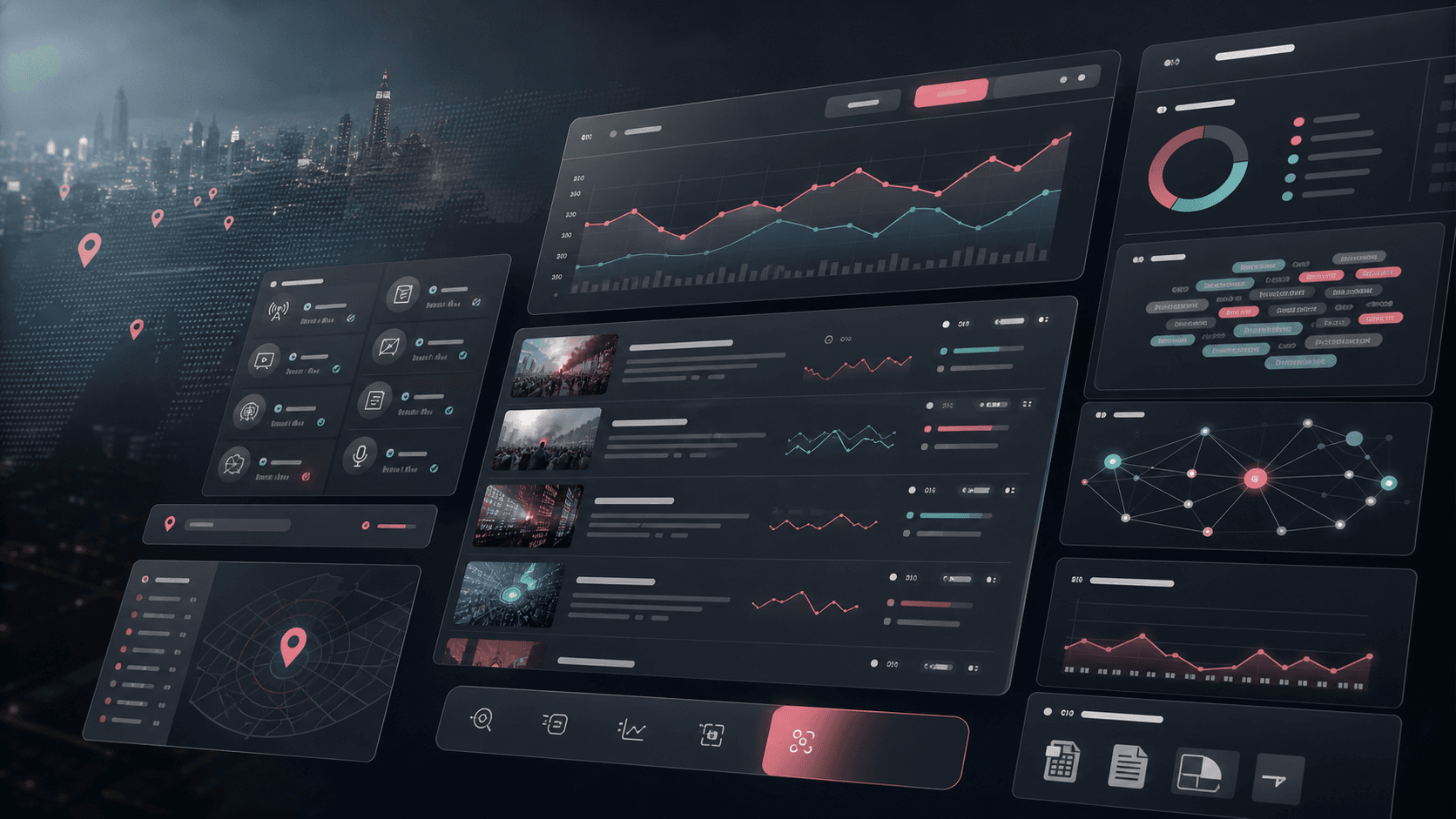
SignalWise: Media monitoring and trend analysis platform
A full-stack media intelligence dashboard that monitors news and social sources, runs scheduled scraping, identifies emerging topics with AI, and turns fast-moving content streams into exportable trend analysis.
Full-stack product engineering across React dashboards, source management, scraping workflows, AI trend analysis, export tooling, PostgreSQL schema design, and deployment-ready Node services
3
content source types
4
operator workspaces
AI
topic clustering and mention analysis
Excel
exportable intelligence reports
Timeline
Rapid analytics platform build with scraping, AI enrichment, dashboard workflows, and operational controls
Media teams needed trend signals before the conversation moved on
Editors, analysts, and communications teams needed one place to monitor fast-moving news and social activity, separate city-specific signals from noise, and package findings without manually stitching together sources.
News websites and social profiles had to be monitored from one configurable source list
Raw posts needed trend grouping, source counts, engagement context, and related content links
Locality-focused monitoring required filtering Mumbai-related stories without letting unrelated market news dominate the feed
Operators needed manual scrape controls, automated background jobs, and exportable reports for follow-up work
A focused media intelligence workspace for sources, content, and trends
SignalWise combines a dense React dashboard with an Express API, scheduled scraping, AI trend analysis, source governance, city filters, and spreadsheet exports so teams can move from raw content to actionable monitoring views.
Dashboard surfaces for article volume, active sources, trend counts, source distribution, and recent content activity
Source management workflows for websites and social profiles with activation controls and URL keyword filtering
AI-assisted trend extraction that maps topics back to related posts across news, X/Twitter, and Instagram-style sources
Mumbai-focused filtering, manual scrape windows, scraper enablement controls, and Excel exports for operational reporting
Product surfaces
What the platform brought together
The work spanned core product operations, daily user workflows, data-heavy coordination, and resilient platform management.
Monitoring dashboard
A command-center view turns incoming content into metrics, charts, trend cards, and recent article context.
Metric cards for total articles, trending topics, active sources, and engagement context
Seven-day content activity charts and source distribution visualizations using Recharts
Trend cards that connect topic velocity, platform counts, and related article or post records
Source governance
Operators can add, edit, activate, pause, and narrow monitored sources without code changes.
Source CRUD endpoints and UI dialogs for websites and social media profiles
Activation toggles that let teams pause noisy sources without deleting configuration
Allowed-path and URL keyword filters for section-level monitoring, including city or locality-specific coverage
Scraping and enrichment pipeline
Scheduled jobs collect content, deduplicate URLs, enrich publication timestamps, and prepare posts for trend analysis.
Sitemap discovery, HTML article parsing, date extraction, and User-Agent-aware HTTP fetching
Duplicate URL filtering during bulk insert so recurring jobs do not inflate the feed
Manual scrape windows for the last 1, 2, 3, 6, 12, or 24 hours when teams need fresh analysis on demand
Trend analysis and reporting
AI topic analysis and export tools help turn content feeds into shareable intelligence outputs.
OpenAI-backed topic extraction with mention counts, platform breakdowns, and related post indices
Mumbai trend endpoint that filters source posts before running city-specific topic analysis
Excel export for full or Mumbai-filtered content feeds with titles, sources, platforms, URLs, dates, excerpts, and engagement fields
Buyer priorities
What mattered most to the people evaluating the platform
Prospective buyers want to know whether the work solved real workflow, adoption, reliability, data, and operations problems. These priorities shaped the product decisions.
Signal quality
The product needed to separate meaningful local trends from high-volume but irrelevant content so teams could trust what they saw.
Mumbai locality and city-term filters elevated local stories while excluding common financial-market noise
Related post mapping kept AI trend cards tied to actual source content
Source-level URL filters reduced irrelevant scraping before content reached the dashboard
Operator control
Media monitoring workflows change quickly, so non-technical users needed controls for sources, scrape timing, and exports.
Source management let operators add websites, social profiles, and URL filters directly from the UI
Scraper on/off settings and manual run controls supported both scheduled and event-driven monitoring
Excel export made the dashboard useful for editorial planning, reporting, and offline review
Data clarity
The interface had to make dense monitoring data scannable instead of burying users in raw feeds.
Dashboard metrics, charts, source distribution, trend cards, and content cards gave each information type a clear home
Search, sorting, and platform filters helped operators narrow the content feed quickly
A Carbon-inspired design system kept the product professional, compact, and readable under data load
System model
How the platform connects roles, workflows, and product surfaces
The product architecture brings every role into the same operating model, with shared data moving cleanly between web, mobile, media, and notification layers.
Sources to signals workflow
Configured websites and social sources move through scraping, deduplication, AI topic extraction, dashboard review, and report export.
Operator workspaces
Dashboard, sources, trends, and content views give monitoring teams separate workspaces without splitting the underlying data.
Monitoring platform foundation
React screens, API routes, relational records, scheduled jobs, AI analysis, and export services work together as one intelligence platform.
Technology
The Stack We Used And Why
The stack section is written for buyers who need to understand the product architecture, operational trade-offs, and long-term maintainability of the system.
Dashboard frontend
Used for dense monitoring workspaces, source administration, trend browsing, filtered content feeds, charts, and responsive operator controls.
Used to model monitored sources, scraped posts, trend records, scraper settings, and typed insert validation.
PostgreSQLDrizzle ORMDrizzle ZodNeon-ready schemaUUID records
Scraping and AI
Used to collect article data, parse source pages, find publish dates, deduplicate content, and extract trend topics from posts.
AxiosCheerionode-cronOpenAI APISitemap parsingX/Twitter API v2 integration path
Product operations
Used to support scheduled monitoring, manual scrape windows, city filters, export flows, theme persistence, and deployment builds.
Vite production buildesbuild server bundleEnvironment variablesLight and dark themes
Why React And TanStack Query
The dashboard needed fast, stateful screens where source lists, trend cards, charts, and content feeds update after operator actions.
React component patterns fit repeated cards, dialogs, filters, charts, and dashboard modules
TanStack Query handled server-state caching and invalidation after scrapes, source edits, and settings changes
Vite kept development fast for an interface with several dense monitoring pages
Why Express And PostgreSQL
The product needed clear API boundaries and relational records for sources, posts, trends, and settings.
Express kept the route layer simple while supporting JSON APIs, export streams, and background-job triggers
PostgreSQL and Drizzle modeled source-to-post relationships, cascade behavior, arrays, timestamps, and typed inserts
A storage interface kept data operations isolated from route handlers as the platform moved from prototype to database-backed operation
Why AI Was Added To The Pipeline
Manual topic grouping does not scale when many articles and posts arrive at once, so AI was used to convert raw feeds into trend summaries.
Structured JSON responses made topic names, mention counts, platform splits, and related post indices usable in the UI
Fallback behavior kept the application stable when no posts existed or AI analysis failed
City-specific filtering before AI analysis produced a more focused local trend view
Delivery
How the product came together
The work moved from domain modeling to core platform delivery, mobile adoption, and operational hardening.
1
Define monitoring workflows
Map what operators needed to see, configure, filter, analyze, and export during daily media monitoring.
2
Build the data foundation
Create the source, post, trend, and settings models with API endpoints that keep monitoring data structured.
3
Add scraping and AI analysis
Layer in sitemap discovery, article parsing, scheduled jobs, duplicate filtering, city-specific logic, and AI topic extraction.
4
Ship operator controls
Connect manual scrape actions, source editing, search and filters, theme support, settings, and Excel exports into the dashboard.
Operational depth
What made the platform usable after launch
The strongest case studies are not only feature lists. They show how the system is operated, monitored, governed, and improved when real users depend on it.
Scraper governance
Monitoring systems need controls that let operators balance automation with manual oversight.
Global scraper enablement setting for pausing automated collection
Manual scrape duration windows for event-driven monitoring
Per-source active toggles and keyword filters to tune noisy feeds
Local trend precision
City-specific analysis was built as an operational feature instead of a cosmetic dashboard toggle.
Locality and Mumbai-specific term matching across title and excerpt fields
Exclusion terms for broad stock-market stories that often mention Mumbai without being local civic news
Separate Mumbai trend analysis endpoint that only sends filtered posts into topic extraction
Reporting handoff
The dashboard supports the point where monitoring work leaves the application and becomes a briefing, spreadsheet, or planning artifact.
Excel exports for all content or Mumbai-filtered feeds
Readable columns for title, source, platform, URL, date, excerpt, likes, and shares
Content search, sort, and filters before export or review
Results
The measurable and observable lift from the work
The strongest improvements are the ones a buyer can connect to daily work: fewer disconnected tools, safer operations, clearer workflows, and more reliable product behavior.
3 source types
Unified Monitoring Input
News, X/Twitter-style, and Instagram-style source paths were modeled in one monitoring system instead of separate review flows.
4 workspaces
Operational Clarity
Dashboard, sources, trends, and content views gave each monitoring task a focused interface while sharing the same data foundation.
City filter
More Focused Local Signals
Mumbai-specific filtering moved teams from broad national feeds toward locality-aware trend views and exports.
AI grouped
Faster Topic Review
AI analysis converted raw post lists into structured topics with mention counts, platform breakdowns, and related content references.
Outcome
A stronger operating system for media intelligence and trend monitoring platform
The platform reduced tool fragmentation and gave each role a clearer path from live activity to day-to-day action.
A connected media monitoring workspace instead of separate spreadsheets, website checks, social profile checks, and manual trend notes
A source governance layer that lets operators add, pause, edit, and narrow monitored feeds without developer involvement
A trend analysis flow that ties AI-generated topics back to actual articles and posts for review confidence
A reporting foundation with manual scrape windows, city-specific filtering, dashboard charts, searchable content, and Excel exports
FAQ
Frequently Asked Questions About SignalWise
Answers about the media intelligence and trend monitoring platform scope, platform model, technology choices, operational workflows, and related build patterns.
What Kind Of Platform Does SignalWise Represent?
SignalWise represents a media intelligence and trend monitoring platform for teams that need to collect content from news and social sources, identify emerging topics, inspect related posts, and export monitoring data.
Why Was Custom Software Needed For This Monitoring Workflow?
The workflow required source governance, scheduled scraping, city-specific filtering, AI topic extraction, dashboard visualizations, content search, and spreadsheet exports in one operating system rather than a loose collection of tools.
How Does The Stack Support Real-Time Monitoring?
React and TanStack Query support interactive dashboards and source controls, while Express APIs, PostgreSQL records, scheduled jobs, scraper services, and AI analysis keep incoming content structured and reviewable.
Can This Pattern Be Adapted To Other Intelligence Products?
Yes. The same pattern can support brand monitoring, public affairs dashboards, competitor intelligence, local news rooms, creator monitoring, crisis response, or any workflow that combines sources, filters, AI summaries, and reports.
Related services
Build a similarly ambitious product without starting from a blank page.
We can help scope the web, mobile, AI, media, and operating layers needed for your own platform.