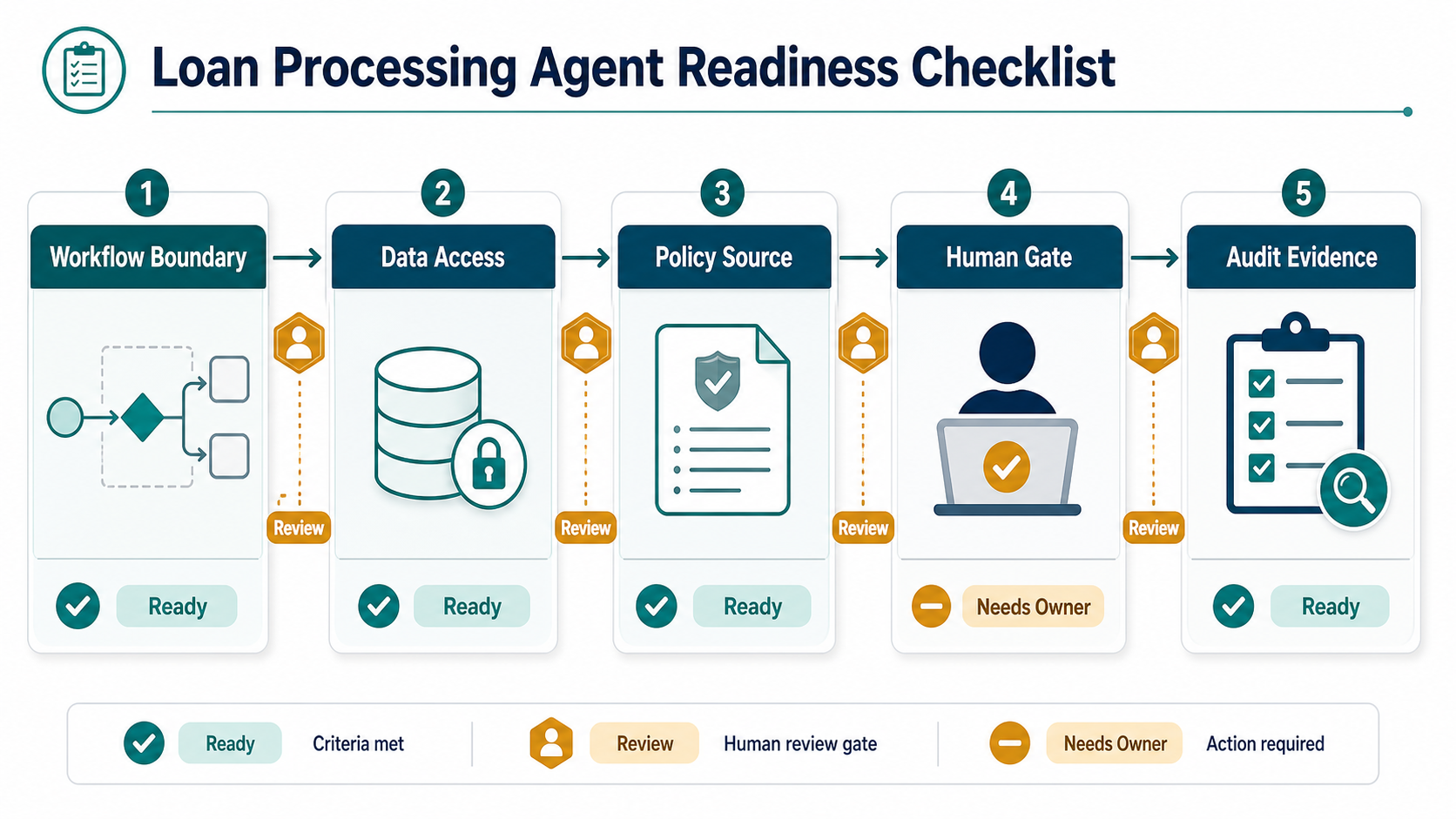

RPA development cost depends on the workflow being automated, the number of applications touched, bot count, exception handling, document processing, licensing, security, testing, and support model. A small attended bot for a stable rules-based task can be scoped quickly. An enterprise automation that reads documents, updates ERP or CRM records, handles exceptions, and runs under audit controls needs deeper discovery and validation.
The useful budgeting question is not “What does one bot cost?” It is “Which repeatable workflow is stable enough to automate, what systems must the bot touch, what happens when the process breaks, and how will the business measure payback?”
Quick Answer: RPA Development Cost
RPA development cost is driven by process complexity, systems touched, data quality, exception rate, bot runtime, licensing, deployment environment, QA effort, security review, monitoring, and ongoing maintenance. Budget planning should start with a workflow inventory, effort baseline, automation candidate score, integration map, test evidence, and ROI model.
| Cost Driver | What Raises Cost | Evidence To Collect |
|---|---|---|
| Process scope | Many variants, unclear rules, frequent policy changes, or manual judgment. | Process map, rule list, sample cases, volume by variant. |
| Systems touched | Legacy applications, unstable screens, MFA, VPN, ERP, CRM, spreadsheets, email, or portals. | Application inventory, access method, integration owner, test accounts. |
| Data and documents | Unstructured PDFs, invoices, emails, scanned files, OCR, extraction, or enrichment. | Document samples, field list, accuracy target, exception examples. |
| Exceptions | Frequent edge cases, missing data, approvals, customer-specific rules, or human review. | Exception log, escalation owner, fallback workflow. |
| Operations | Multiple environments, schedules, monitoring, audit logs, release process, and support SLAs. | Runbook, test plan, monitoring needs, support model. |
If the workflow is still being selected, use the Workflow Automation Opportunity Finder to rank candidates before estimating a build.
Why RPA Cost Ranges Are Usually Misleading
Flat RPA price ranges can hide the real work. Two automations can both be called “invoice processing,” but one may download a spreadsheet and update one system, while another may read vendor emails, extract data from inconsistent PDFs, validate purchase orders, update ERP records, route exceptions, and produce audit evidence.
Cost also changes when a bot must behave like an operations workflow, not a script. Production RPA needs credentials, environment separation, retries, error handling, monitoring, documentation, and release governance. These are not optional extras when the bot touches finance, customer data, payroll, procurement, or regulated records.
For broader budgeting context, compare RPA estimates with the workflow-first approach in the custom software development cost guide. Both are shaped by integration depth, business rules, data quality, and validation effort.
2026 RPA Platform And Licensing Budget Checks
Licensing is not the whole RPA budget, but it can change the shape of the estimate. In 2026, buyers commonly compare per-user attended automation, per-bot unattended automation, hosted runners, process mining, document extraction, orchestration, and enterprise governance add-ons. Treat vendor pricing as an input to the model, not as the estimate itself.
| Budget Area | What To Check | Why It Changes Cost |
|---|---|---|
| Attended automation | Named users, desktop-flow rights, premium connectors, and whether a human starts or supervises the run. | Useful for analyst or back-office assistive workflows, but savings depend on adoption and task frequency. |
| Unattended bots | Bot/month pricing, runner capacity, scheduling, queues, and whether hosted infrastructure is included. | Directly affects high-volume operations, overnight jobs, and queue-processing automations. |
| Orchestration and governance | Robot management, credential vaulting, logs, approvals, release controls, monitoring, and audit reports. | Enterprise controls can be mandatory when bots touch finance, HR, customer, or regulated records. |
| Process mining and discovery | Mining add-ons, task mining, event-log access, and process-owner review time. | Can improve candidate selection, but it is separate from building and operating the bot. |
| Document and AI add-ons | OCR, extraction, confidence thresholds, review queues, model evaluation, and exception routing. | Turns simple RPA into an intelligent-document workflow with validation and governance overhead. |
For example, Microsoft lists Power Automate Premium, Process, Hosted Process, and Process Mining plans publicly, while UiPath and Automation Anywhere often require quote-level review for enterprise packaging, robot units, cloud robots, orchestration, document processing, and agentic automation features. A practical estimate should show both the vendor license assumption and the implementation work needed to make the automation reliable.
RPA Cost Drivers Worksheet
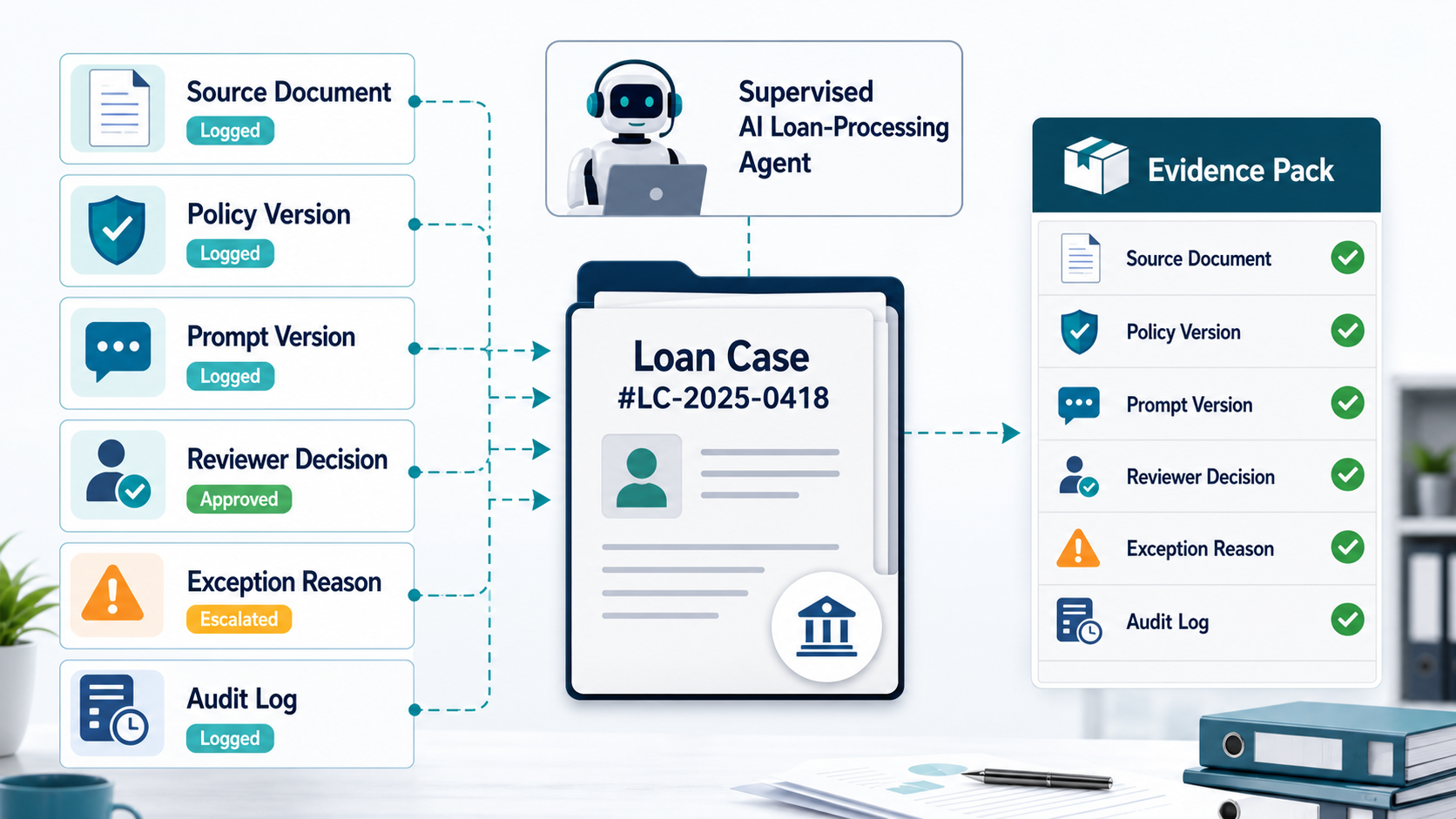
A cost worksheet turns a vague automation idea into a scope that finance, operations, and IT can discuss. Each candidate process should show owner, volume, current manual effort, rule stability, applications touched, data sources, exception rate, security needs, expected savings, and support owner.
| Worksheet Section | Questions To Answer | Why It Matters |
|---|---|---|
| Manual baseline | How many transactions, hours, handoffs, errors, and rework cycles exist today? | Creates the ROI baseline. |
| Process rules | Which rules are deterministic, which require judgment, and which change often? | Separates automation-ready logic from review-heavy work. |
| Applications | Which systems are read, updated, logged into, or reconciled? | Defines integration and access effort. |
| Exceptions | What causes the process to stop and who resolves it? | Prevents bots from failing silently. |
| Operations | Who monitors, updates, tests, and supports the bot after launch? | Turns the bot into a maintainable service. |
1. Process Scope And Rule Complexity
The fastest RPA candidates are repeatable, rule-based, high-volume, stable, and measurable. They usually have clear inputs, predictable decisions, consistent screens, limited exceptions, and an owner who can approve rules quickly.
Cost rises when the process has many variants, business judgment, inconsistent source data, seasonal rules, customer-specific handling, or frequent policy changes. In those cases, discovery should document the current-state workflow, rule hierarchy, sample transactions, failure cases, and acceptance criteria before development starts.
When the workflow includes AI-assisted decisions or multi-step orchestration across teams, the architecture may look closer to AI workflow automation than traditional screen automation. That distinction matters because AI workflows need model evaluation, human review, and governance in addition to bot execution.
2. Applications, Integrations, And Access Patterns
RPA is cheaper when the target systems are stable, accessible, and well documented. It becomes more expensive when bots must work across legacy desktop apps, browser portals, ERP screens, CRM records, email inboxes, spreadsheets, SFTP folders, scanned files, and systems with changing layouts or strict authentication flows.
Discovery should identify whether each system has an API, database export, stable UI, test environment, service account, audit requirement, and owner. If APIs are available, a hybrid automation may be better than pure UI automation: APIs can handle system updates while bots handle the pieces that cannot be integrated cleanly.
For enterprise-grade automation and integration work, NextPage often combines RPA with controlled agents, workflow orchestration, and API integrations from its AI development services practice.
RPA Versus API Automation, Workflow Software, And AI Agents
RPA is not always the cheapest or safest automation path. It is usually strongest when a stable process must work through systems that do not expose clean APIs or where UI-based work is unavoidable. If the target system has reliable APIs, a workflow service or integration-first build may be more maintainable than screen automation.
| Option | Use It When | Budget Risk |
|---|---|---|
| RPA bot | The workflow is repetitive, rule-based, high-volume, and depends on stable screens or legacy applications. | Screen changes, credentials, queue failures, and exception handling can raise support cost. |
| API automation | Systems expose documented APIs, webhooks, exports, or database-safe integration paths. | Integration ownership, rate limits, data mapping, and test environments shape the timeline. |
| Workflow software | The team needs role-based approvals, dashboards, queues, documents, and auditable state beyond a bot run. | More upfront design, but often lower long-term fragility for operational workflows. |
| AI agent or copilot | The process needs interpretation, summarization, prioritization, knowledge lookup, or supervised judgment. | Evaluation, permissions, model behavior, and human review must be budgeted separately. |
If the decision is broader than one bot, compare the candidate with business process automation services and the Custom Software Cost Estimator. That prevents a narrow RPA estimate from hiding a workflow platform, integration, or AI governance need.
3. Bot Count, Runtime, And Environment Needs
Bot count is not just a pricing unit. It affects concurrency, scheduling, license needs, queue management, infrastructure, support, and monitoring. One unattended bot that runs nightly is different from multiple bots processing queues throughout the day while users expect near-real-time results.
Estimate runtime by transaction volume, average processing time, retry rate, peak windows, system throttling, and exception handling. Then decide whether the automation needs attended bots, unattended bots, development and test environments, production runners, credential vaulting, scheduler access, and business continuity coverage.
If the automation platform choice is still open, the Custom Software Cost Estimator can help compare RPA against workflow software, internal tools, and integration-first approaches.
4. OCR, Documents, And AI Add-Ons
Document-heavy RPA needs extra scrutiny. Reading invoices, claims, purchase orders, onboarding forms, emails, or scanned PDFs introduces extraction accuracy, confidence thresholds, exception queues, review screens, and audit evidence. OCR and AI can reduce manual keying, but they also create validation and governance work.
Before adding OCR or AI, collect representative document samples, field definitions, required accuracy, low-confidence handling, reviewer roles, privacy constraints, and downstream validation rules. If the document formats are inconsistent, the first project phase should prove extraction reliability before full automation build-out.
5. Exception Handling And Human Review
Exception handling is where many RPA estimates are too optimistic. A bot must know what to do when data is missing, a screen changes, a customer record conflicts, an approval is required, an external portal is down, or an extracted value falls below confidence.
Good automation does not hide exceptions. It routes them to the right owner, keeps context, logs the reason, allows correction, and resumes when possible. That may require an exception queue, notification rules, retry policy, reviewer dashboard, and daily operational report.
For higher-risk automations, reuse governance patterns from enterprise AI agent governance: permissions, human review, monitoring, rollback, and clear owner accountability.
6. Testing, Security, Monitoring, And Compliance
Production RPA should be tested like operational software. The test plan should cover happy paths, common exceptions, bad input, access failures, timeout behavior, duplicate transactions, audit logs, rollback, alerts, and release approval. Security review should cover credential storage, least privilege, data exposure, logging, and change control.
Monitoring affects both cost and reliability. Teams need to know whether the bot started, completed, skipped work, retried, failed, or produced exceptions. Without monitoring, small bot failures become business-process failures.
RPA Development Timeline By Delivery Phase
A practical RPA timeline usually moves through discovery, process documentation, solution design, bot development, integration and document extraction work, testing, UAT, deployment, and stabilization. The sequence matters because unclear rules and missing test access create delays later.
| Phase | Typical Work | Timeline Risk |
|---|---|---|
| Discovery | Workflow inventory, volume baseline, candidate scoring, ROI model. | Unclear owner or weak manual-effort data. |
| Design | Rules, systems, access, exceptions, security, test plan, runbook. | Undocumented edge cases or missing test accounts. |
| Build | Bot logic, integrations, extraction, queues, logging, alerts. | Unstable screens, data quality, or authentication blockers. |
| Validate | QA, UAT, sample transaction review, rollback and support readiness. | Business users find rules that were not documented. |
| Stabilize | Monitoring, defect fixes, runbook updates, support handoff. | Ownership gaps after launch. |
How To Estimate RPA ROI Before Building
RPA ROI starts with the current manual baseline: transaction count, handling time, rework rate, error cost, SLA impact, compliance exposure, and seasonal peaks. Then subtract development, licensing, infrastructure, support, monitoring, and change-management costs.
Use the AI Automation ROI Calculator for an early savings model. The calculator is useful before detailed estimation because it forces the team to quantify repeatable work, time saved, labor cost, and automation confidence.
High-ROI candidates usually have stable volume, measurable manual effort, low judgment complexity, clean inputs, manageable exceptions, and a clear owner. Low-ROI candidates often look painful but are too rare, too variable, too politically sensitive, or too dependent on messy upstream data.
RPA Support Model And Change Control
The first production month often reveals whether the RPA estimate was realistic. Budget for a support model that watches schedules, credentials, queue depth, application changes, failed transactions, duplicate submissions, exception backlog, and release impact from connected systems.
| Support Control | Owner | Evidence To Maintain |
|---|---|---|
| Bot run monitoring | Automation support or operations owner | Run logs, queue counts, start/finish status, failure reason, and daily exception summary. |
| Credential and access review | IT/security | Least-privilege accounts, password rotation plan, MFA handling, vault records, and audit access. |
| Regression checks | QA or process owner | Smoke tests for key screens, sample records, duplicate prevention, rollback behavior, and UAT signoff. |
| Change intake | Business process owner | Application release calendar, rule-change requests, exception trends, and owner-approved changes. |
| Value tracking | Finance or transformation lead | Hours saved, error reduction, SLA improvement, rework avoided, and monthly support cost. |
NextPage treats this as part of robotic process automation services, not an afterthought. The same operating discipline appears in production workflow projects such as the ClearRoute case study, where capture, processing, review, and exception visibility had to work together.
How NextPage Scopes RPA Development
NextPage scopes RPA projects by starting with automation suitability, not tooling, then shaping the estimate around delivery risk, support ownership, and measurable payback. We identify candidate workflows, score automation readiness, map applications and access paths, estimate exception handling, decide where APIs are better than UI automation, and build an ROI-backed implementation plan.
The output is a practical RPA cost and timeline estimate: process scope, bot architecture, integration map, licensing assumptions, test plan, security notes, support model, phased roadmap, and ROI review path. For AI-heavy automation, the AI development services team can extend the roadmap into supervised agents, document intelligence, and model evaluation. For teams comparing RPA with broader IT automation, the IT process automation guide explains where scripts, workflow engines, bots, and AI agents each fit.