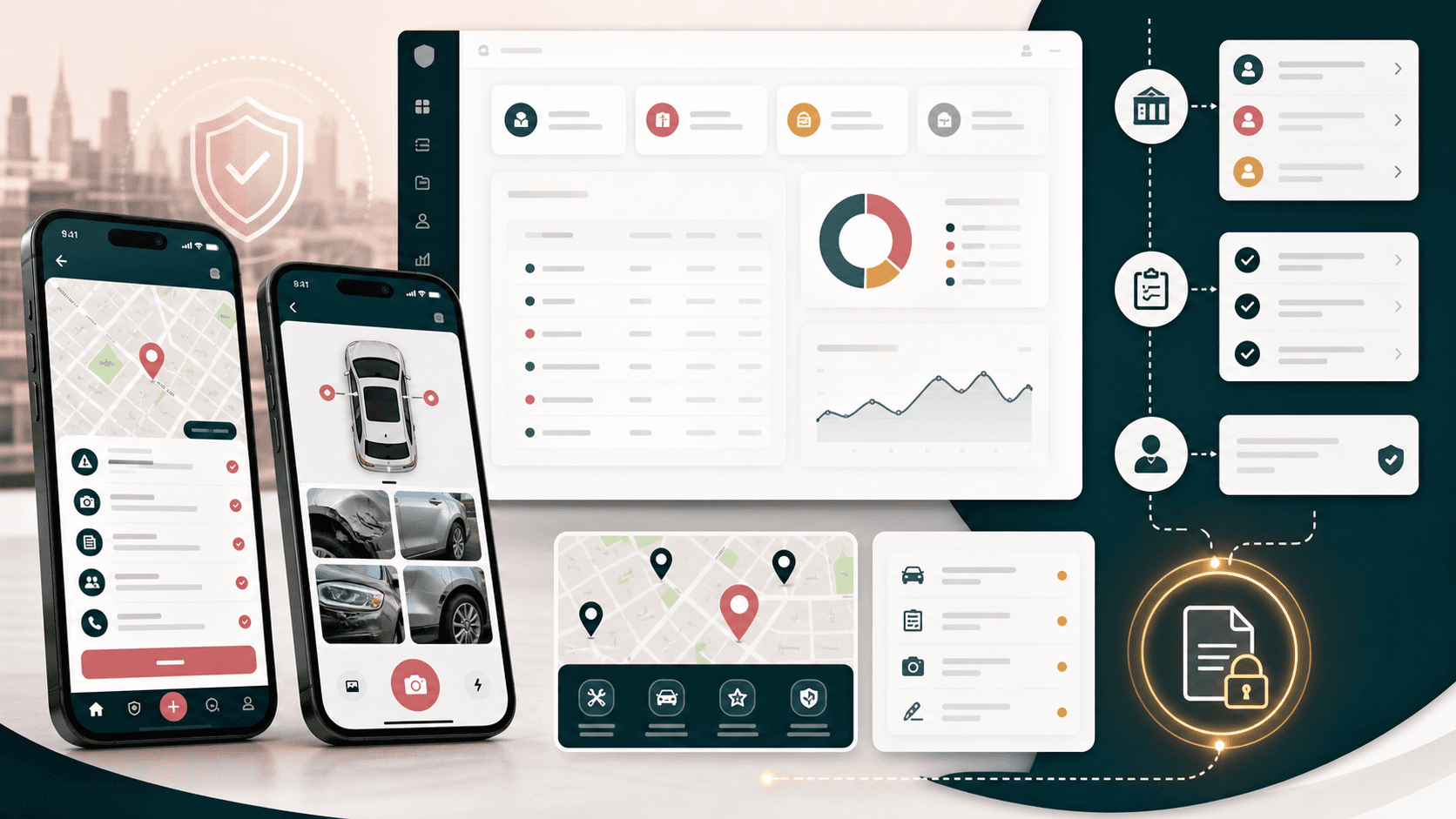
A mobile-first auto incident assistance platform that guides drivers through accident documentation, vehicle records, driver details, passenger and witness capture, repair-shop context, and back-office insurance operations.
Mobile app engineering, admin console delivery, incident workflow design, and operations tooling
2
connected product surfaces
5
driver-side workflow areas
Admin
users, companies, ads, and witness oversight
Photo-led
vehicle damage documentation
Timeline
Connected mobile and admin platform build
Accident details were easy to lose at the worst moment
Drivers needed a structured way to capture vehicle, driver, passenger, witness, repair, and accident details while administrators needed a reliable operations surface to review users, companies, ads, and platform activity.
Drivers had to collect time-sensitive information while dealing with a stressful incident
Vehicle damage photos, location details, repair information, and passenger context needed one guided flow
Insurance-company and user data needed a searchable back-office console
The platform needed mobile behavior without forcing every workflow into a dense desktop interface
A guided claims companion backed by an admin command center
ClaimTrack pairs an Ionic/Capacitor mobile app with a React admin panel so drivers can document incidents step by step while operations teams manage users, insurance companies, advertising inventory, dashboard counts, and support context.
Mobile routes guide users through accidents, vehicles, drivers, passengers, witnesses, repair shops, and profile management
Photo capture and upload workflows support structured vehicle damage documentation
Post-accident forms collect repairer details, driving conditions, prior incidents, and witness/passenger context
Admin dashboards and data tables expose users, insurance companies, ads, witness counts, and company lists
Product surfaces
What the platform brought together
The work spanned core product operations, daily user workflows, data-heavy coordination, and resilient platform management.
Incident intake and accident history
The mobile app turns accident reporting into a guided workflow instead of a blank form.
Accident list, add-accident, detail, and post-accident routes
Date, time, location, vehicle, driver, passenger, road condition, property damage, and repairer fields
Local draft state to preserve in-progress accident data during multi-step capture
Vehicle and driver records
Users can maintain the records needed before, during, and after an incident.
Vehicle list, add, edit, and detail workflows
Driver listing and driver-detail management
Profile and primary-vehicle editing for account-level context
Evidence and supporting-party capture
The platform captures the surrounding evidence that often determines how smoothly a claim can move.
Vehicle-part image slots for front, back, top, side, and internal damage photos
Passenger fields for identity, contact, address, injury symptoms, and trip purpose
Witness and other-vehicle flows connected to the active accident context
Repair and service context
Repair-shop context sits directly inside the accident-support experience.
Nearest repair-shop route with map-oriented UI
Repairer name, address, email, phone, and repair-estimate fields in post-accident capture
Navigation structure that keeps repair context close to accident, vehicle, and driver records
Admin operations console
Back-office teams get a searchable web console for the entities that support the mobile product.
Dashboard cards for users, insurance companies, ads, and witness counts
Insurance company data tables with search, edit, contact, address, and alternate-number fields
Admin routes for users, insurance companies, ads, dashboard views, and authenticated login
Module depth
Dedicated product blocks for the highest-value workflows
For large platforms, the conversion story depends on showing how each major module solves a specific operating problem, not only listing features.
Mobile intake
Accident Documentation Flow
Drivers are guided through accident basics, vehicle selection, driver assignment, damage descriptions, photos, passenger context, and post-accident details.
Source review showed accident, after-accident, passenger, other-vehicle, vehicle, driver, and camera-image components in the mobile app.
Stepwise incident capture reduces the chance of missing claim-critical details
Photo slots map damage capture to vehicle areas instead of dumping images into one gallery
Draft preservation helps users continue a report across screens
Back office
Insurance And Platform Administration
The admin panel gives staff a denser web interface for platform-wide counts, user lists, insurance company records, advertising inventory, and related operations.
Source review showed dashboard, users, insurance-company, ad, company-view, and data-table modules in the admin console.
Dashboard cards summarize platform activity for quick operational scanning
Insurance company records support contact and address updates
Searchable tables help admins work through larger operational lists
Service handoff
Repair And Claim Context
Repair-shop discovery and repairer details are connected to the accident record, keeping field service context close to the claim packet.
Source review showed nearest repair-shop navigation plus repairer details inside the post-accident form.
Repair-shop context stays accessible from the main mobile navigation
Repairer contact fields make follow-up easier for administrators and insurers
Incident, damage, and repair data can travel together as one case context
Buyer priorities
What mattered most to the people evaluating the platform
Prospective buyers want to know whether the work solved real workflow, adoption, reliability, data, and operations problems. These priorities shaped the product decisions.
Driver confidence during stressful moments
The product had to reduce cognitive load when a driver is trying to document a collision.
Guided screens organize accident, vehicle, driver, passenger, witness, and repair details
Photo capture makes damage evidence part of the normal flow
Mobile navigation keeps high-frequency actions within reach
Operational review for insurers and platform teams
The admin console needed to make platform entities visible without squeezing complex data tables into the mobile app.
Admin dashboards expose key counts for quick scanning
Data-table screens support users, insurance companies, and advertising operations
Authenticated admin routes separate operational work from driver-side reporting
Structured evidence instead of scattered notes
Claims move better when photos, repair details, parties, time, place, and vehicle context are captured in predictable fields.
Damage image slots attach evidence to vehicle areas
Passenger and witness fields preserve supporting-party context
Repairer details and post-accident questions create a richer claim packet
System model
How the platform connects roles, workflows, and product surfaces
The product architecture brings every role into the same operating model, with shared data moving cleanly between web, mobile, media, and notification layers.
Mobile claim packet
A workflow visual shows a driver moving from accident details to vehicle photos, passenger/witness context, repairer details, and admin review.
Driver app and admin console
A platform visual connects the mobile incident capture surface with the web operations console and shared API layer.
Evidence roles
A role visual separates drivers, passengers, witnesses, repair partners, insurance administrators, and platform operators.
Technology
The Stack We Used And Why
The stack section is written for buyers who need to understand the product architecture, operational trade-offs, and long-term maintainability of the system.
Mobile app
Used for the driver-side incident capture experience where native-feeling navigation, camera/image handling, and Android packaging mattered.
Ionic ReactTypeScriptCapacitorReact RouterAxios
Admin web
Used for searchable operational screens, dashboards, tables, and authenticated back-office workflows.
Used to connect mobile and admin surfaces to accident, vehicle, driver, repair, user, company, and advertising records.
Axios API clientsREST endpointsAuthenticated route guardsRuntime configuration
Why Ionic And Capacitor
The driver experience needed mobile packaging and camera-adjacent workflows while keeping delivery speed high.
Ionic provided a mobile UI foundation for routes, content surfaces, menus, and forms
Capacitor supported Android packaging from the React app
A shared web technology base kept the mobile app easier to evolve alongside the admin console
Why A Separate Admin Console
Operational users need dense tables, search, and dashboard summaries that would slow down a consumer mobile experience.
React admin screens could focus on dashboard and data-table ergonomics
Insurance-company and advertising operations stayed separate from accident intake
Authenticated routes protected back-office workflows from the driver app surface
Why Structured Capture Matters
Auto incident reporting is only useful if the evidence is captured in a way insurers, repair partners, and support staff can understand later.
Dedicated fields preserve details such as repairer contacts, road conditions, passengers, and witnesses
Vehicle-part image slots add context to damage photos
Accident-specific routes keep evidence linked to the active case
Delivery
How the product came together
The work moved from domain modeling to core platform delivery, mobile adoption, and operational hardening.
1
Map the claim journey
Identify the details a driver needs to capture before the incident becomes hard to reconstruct.
2
Build the mobile flow
Create Ionic screens and routes for the high-pressure driver workflows.
3
Add back-office control
Give administrators searchable dashboards and management screens for the supporting business entities.
4
Prepare for handoff
Connect repairer details, photos, post-accident questions, and admin visibility into a coherent case context.
Operational depth
What made the platform usable after launch
The strongest case studies are not only feature lists. They show how the system is operated, monitored, governed, and improved when real users depend on it.
The mobile app is organized around the incident, not the database
Navigation and route handlers keep accidents, vehicles, drivers, passengers, other vehicles, and after-accident details connected to the user task.
Accident-specific routing carries the active accident id across follow-up screens
Header and menu behavior adapts around detailed entry flows
Local state helps keep multi-step forms from feeling brittle
Admin screens support quick scanning
Dashboard cards and searchable data tables give operators the faster surfaces they need for platform management.
User, insurance-company, ad, and witness counts appear in the dashboard
Insurance company tables support search and row-level editing
Side navigation separates dashboard, users, companies, and ads
Evidence capture is specific
Damage photos and post-accident details are modeled as structured evidence rather than generic notes.
Post-accident forms capture repairer and driving-condition details
Passenger and witness objects preserve supporting-party data
Results
The measurable and observable lift from the work
The strongest improvements are the ones a buyer can connect to daily work: fewer disconnected tools, safer operations, clearer workflows, and more reliable product behavior.
2 surfaces
Mobile And Admin Coverage
The platform includes a driver-facing Ionic/Capacitor app and a React admin console for operations oversight.
5 workflows
Driver-side Capture
Accidents, vehicles, drivers, repair shops, and profile workflows anchor the mobile navigation.
6 image slots
Damage Documentation
Vehicle damage capture is structured by vehicle area to make incident evidence easier to review.
Admin dashboard
Operations Visibility
Users, insurance companies, ads, witnesses, and company lists are surfaced for platform administrators.
Outcome
A stronger operating system for auto incident assistance and claims operations platform
The platform reduced tool fragmentation and gave each role a clearer path from live activity to day-to-day action.
A driver-facing mobile app for accident capture, vehicle records, driver records, passenger/witness context, repair-shop context, profile management, and damage photo workflows
A React admin console for dashboard counts, user management, insurance-company records, advertising operations, and authenticated back-office access
A structured accident packet that keeps time, location, vehicle, driver, passenger, witness, repairer, damage, and post-accident details close to the active case
A public-safe portfolio page that positions the work as a complete auto incident assistance platform without exposing real repository names, private assets, mobile signing material, API hosts, screenshots, or implementation-only identifiers
FAQ
Frequently Asked Questions About ClaimTrack
Answers about the auto incident assistance and claims operations platform scope, platform model, technology choices, operational workflows, and related build patterns.
What Kind Of Platform Does ClaimTrack Represent?
ClaimTrack represents an auto incident assistance and claims operations platform with a mobile accident-documentation app and a web admin console for users, insurance companies, ads, and operational visibility.
Why Pair A Driver App With An Admin Console?
Drivers need a focused mobile flow for stressful incident capture, while administrators need dashboards, searchable tables, and operational controls that are better suited to a desktop web console.
How Does The Platform Help With Accident Evidence?
The workflow captures accident basics, vehicle and driver records, passenger and witness context, damage photos by vehicle area, repairer details, and post-accident questions in structured fields.
Can This Pattern Support Insurance Or Fleet Workflows?
Yes. The same pattern can support insurers, brokers, fleet operators, mobility platforms, and repair networks that need structured field evidence plus back-office review tools.
Related services
Build a similarly ambitious product without starting from a blank page.
We can help scope the web, mobile, AI, media, and operating layers needed for your own platform.