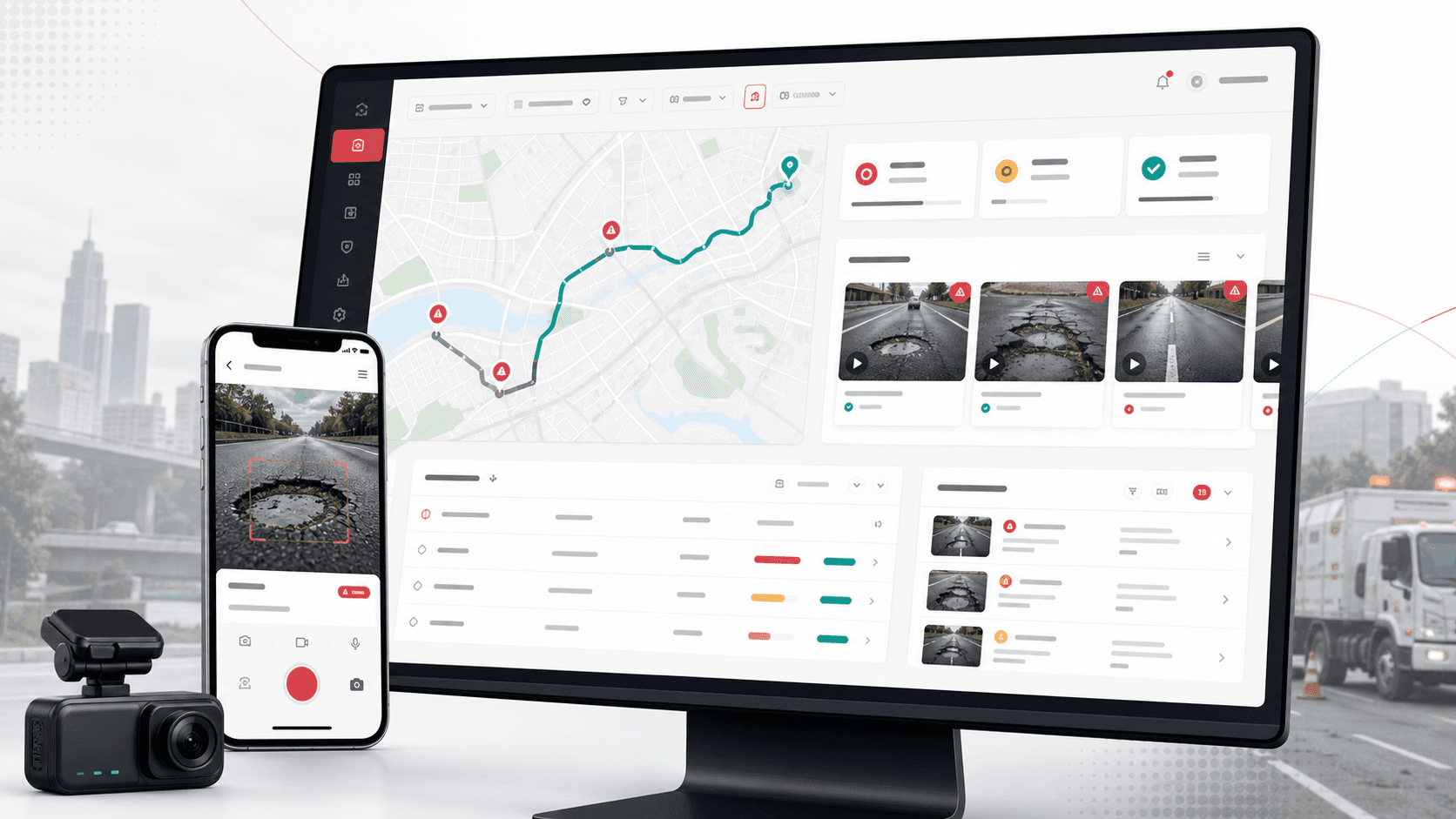
A road-condition intelligence platform that turns GPS-linked field video into reviewed road-defect evidence, map context, user workflows, and operational dashboards for infrastructure teams.
Product engineering across Android field capture, React administration console, ASP.NET API, video processing, defect detection, mapping, and operational review workflows
3
connected product surfaces
GPS
field video capture context
YOLO
computer vision defect detection
Map
route and location review layer
Timeline
Multi-surface road inspection platform delivery
Road inspections needed structured evidence, not loose field footage
Road condition teams needed a way to capture drive video, preserve GPS context, process footage for defects, and review results from an operations console instead of manually stitching videos, maps, and spreadsheets together.
Field teams needed a mobile workflow for recording road footage with location context
Uploaded video had to become searchable inspection evidence rather than unmanaged files
Operations users needed user management, video logs, defect review, and map-backed detail views
The platform needed a processing layer that could detect and store road defects for follow-up
A connected field capture, processing, and review platform
ClearRoute pairs an Android GPS video logger with an ASP.NET processing API and a React operations console so road footage can move from mobile capture to defect detection and review.
Android app for login, GPS fix handling, drive/walk capture modes, camera recording, GPX route generation, playback, file selection, and upload
Backend APIs for users, roles, files, video logs, uploads, processing status, and pothole records
Computer vision pipeline using FFmpeg, OpenCV, and YOLO model assets to process video frames and store defect evidence
React admin console for dashboard access, users, video logs, upload workflows, detail views, and map-based inspection review
Product surfaces
What the platform brought together
The work spanned core product operations, daily user workflows, data-heavy coordination, and resilient platform management.
Mobile road capture
Field crews can record road footage with GPS context and prepare captured journeys for upload to the inspection platform.
Camera recording with GPS fix checks, drive and walk modes, and route sampling cadence
Local GPX-style route data generation to keep movement context tied to captured video
File picker, upload queue, playback, and route-map review screens for field operators
Video and defect processing API
Uploaded footage moves through a backend workflow that stores video metadata, processing status, location context, and detected defect frames.
Video upload endpoint with latitude, longitude, user, status, and file metadata handling
Processing endpoint that reads frames, runs object detection, outputs reviewed media, and records defect evidence
Pothole APIs for paginated review, detail access, validation, saving, and deletion
Operations console
Administrators can manage users and review inspection videos from a browser-based dashboard instead of working directly from mobile devices.
React routes for dashboard, video logs, video details, users, and user forms
Shared endpoint contracts for users, roles, files, video logs, saves, and deletes
Map and image viewer controls that support review of road evidence and location context
Detection and review loop
The platform closes the loop between field capture, automated detection, human review, and operational follow-up.
YOLO model configuration and weights integrated into the backend processing layer
OpenCV frame analysis with confidence thresholds and non-maximum suppression logic
Stored processed videos and defect frames for later review, filtering, and operations reporting
Buyer priorities
What mattered most to the people evaluating the platform
Prospective buyers want to know whether the work solved real workflow, adoption, reliability, data, and operations problems. These priorities shaped the product decisions.
Field usability
Inspection tools only work if crews can capture evidence while moving through real road conditions.
The mobile app handled GPS readiness, recording controls, capture modes, and local journey files
Playback connected video with route movement so captured evidence could be reviewed in context
Upload flows reduced the handoff from field device to central review system
Operational traceability
Infrastructure teams needed enough structure to move from raw footage to assigned, reviewable evidence.
Video records carried user, location, file, status, city, state, and country metadata
Defect records linked detections back to source videos and saved evidence frames
Admin views gave managers a browser layer for users, logs, details, and review workflows
Automation where it matters
Computer vision was applied to the expensive part of the workflow: finding road defects inside long inspection videos.
Frame extraction and processing converted passive footage into reviewable signals
YOLO and OpenCV provided a detection pipeline suitable for pothole-style defect review
Processing states helped the platform separate pending, processing, and processed media
System model
How the platform connects roles, workflows, and product surfaces
The product architecture brings every role into the same operating model, with shared data moving cleanly between web, mobile, media, and notification layers.
Field capture to review workflow
Road footage moves from GPS-enabled recording to upload, processing, defect detection, and operations review.
Three surfaces, one evidence loop
The Android app, API, and React admin console share video, user, location, and defect records.
Inspection roles and controls
Field users, administrators, and reviewers each get the workflows needed to keep inspection evidence moving.
Technology
The Stack We Used And Why
The stack section is written for buyers who need to understand the product architecture, operational trade-offs, and long-term maintainability of the system.
Mobile capture app
Used for field recording, GPS collection, route playback, local file handling, and upload from Android devices.
Used to connect captured video to route context, city/state metadata, maps, and inspection review.
Google Maps geocodingLatitude/longitude metadataGPX route dataMap controls
Why Native Android
The field app needed direct access to camera, storage, GPS, recording controls, and route playback on inspection devices.
Native Android APIs supported camera preview, media recording, and GPS update cadence
Retrofit kept upload and login flows aligned with the backend API contracts
Map and GPX tooling helped field footage stay tied to route movement
Why A Dedicated Processing API
Road videos are heavy operational evidence, so processing, status, files, and defect records needed backend ownership.
ASP.NET APIs centralized uploads, user authorization, logs, and detection records
FFmpeg and FFMediaToolkit handled media decoding and output generation
OpenCV and YOLO gave the platform a practical path from raw footage to defect evidence
Why A Web Review Console
Managers and analysts needed a larger-screen operating layer to review inspections and manage users.
React supported dense video logs, users, upload tools, and detail routes
Shared endpoints kept admin review close to the same records created by field uploads
Map and image controls made road evidence easier to evaluate than file lists alone
Delivery
How the product came together
The work moved from domain modeling to core platform delivery, mobile adoption, and operational hardening.
1
Map the inspection journey
Define how crews record road footage, preserve GPS context, upload files, and hand evidence to operations users.
2
Build capture and review surfaces
Create the Android field app and React admin console around recording, uploads, users, video logs, and details.
3
Connect the processing core
Implement video APIs, file storage flows, defect records, media processing, and model-backed frame analysis.
4
Prepare for operations
Add validation, logging, statuses, pagination, filters, and evidence records so the platform can support repeat inspections.
Operational depth
What made the platform usable after launch
The strongest case studies are not only feature lists. They show how the system is operated, monitored, governed, and improved when real users depend on it.
GPS-linked inspection evidence
The mobile app treated location data as part of the evidence package rather than a separate afterthought.
GPS fix handling before recording begins
Drive and walk frequency modes for different inspection contexts
Playback screen that combines video position with route-map movement
Processing status and media outputs
The backend separated uploaded, processing, and processed video states so teams could understand where each inspection stood.
Pending and processed video record states
Processed video output generation
Frame-level defect evidence saved only when detections are found
Admin-ready evidence review
The browser console gave operations teams a practical way to move beyond raw mobile files.
Video log list and detail routes
User and role administration
Map and image controls for evidence review context
Results
The measurable and observable lift from the work
The strongest improvements are the ones a buyer can connect to daily work: fewer disconnected tools, safer operations, clearer workflows, and more reliable product behavior.
3 surfaces
Connected Inspection Workflow
Mobile capture, backend processing, and admin review were connected around the same road inspection records.
GPS + video
Evidence Context
Captured footage retained route and location context so review teams could understand where defects appeared.
Vision pipeline
Automated Detection
YOLO and OpenCV helped convert long road videos into targeted defect evidence for human review.
Admin review
Operations Control
User management, video logs, uploads, and detail screens moved inspection work into a manageable console.
Outcome
A stronger operating system for road intelligence and field inspection platform
The platform reduced tool fragmentation and gave each role a clearer path from live activity to day-to-day action.
A field-to-office workflow for recording, uploading, processing, and reviewing road inspection video
GPS-aware capture and playback that keeps road evidence tied to route context
Backend processing that can extract frames, detect road defects, and store reviewable evidence
A public-safe infrastructure technology case study aligned to mobile, computer vision, and custom software services
FAQ
Frequently Asked Questions About ClearRoute
Answers about the road intelligence and field inspection platform scope, platform model, technology choices, operational workflows, and related build patterns.
What Kind Of Platform Does This Case Study Represent?
It represents a road-condition intelligence platform with mobile GPS video capture, backend video processing, automated defect detection, and a browser-based operations console.
Why Does Road Inspection Need A Custom App?
Inspection workflows depend on camera access, GPS context, uploads, playback, route maps, defect records, and review permissions that are difficult to coordinate with generic file-sharing tools.
Can This Pattern Work For Other Field Inspection Use Cases?
Yes. The same pattern can support asset inspection, utility patrols, construction checks, safety audits, fleet route review, and other workflows where mobile evidence needs structured review.
What Should A Buyer Prepare Before Building A Similar Product?
Useful inputs include field capture workflows, route data needs, media quality requirements, defect categories, reviewer roles, reporting needs, and the operational action that follows a detected issue.
Related services
Build a similarly ambitious product without starting from a blank page.
We can help scope the web, mobile, AI, media, and operating layers needed for your own platform.