Portfolio case study

VocalisIQ: Speech analytics web application

A speech analytics web platform that records browser audio, prepares voice samples for analysis, manages speaker enrollment, and turns scan responses into structured personality and coherence reports.

Name changed to respect NDA.

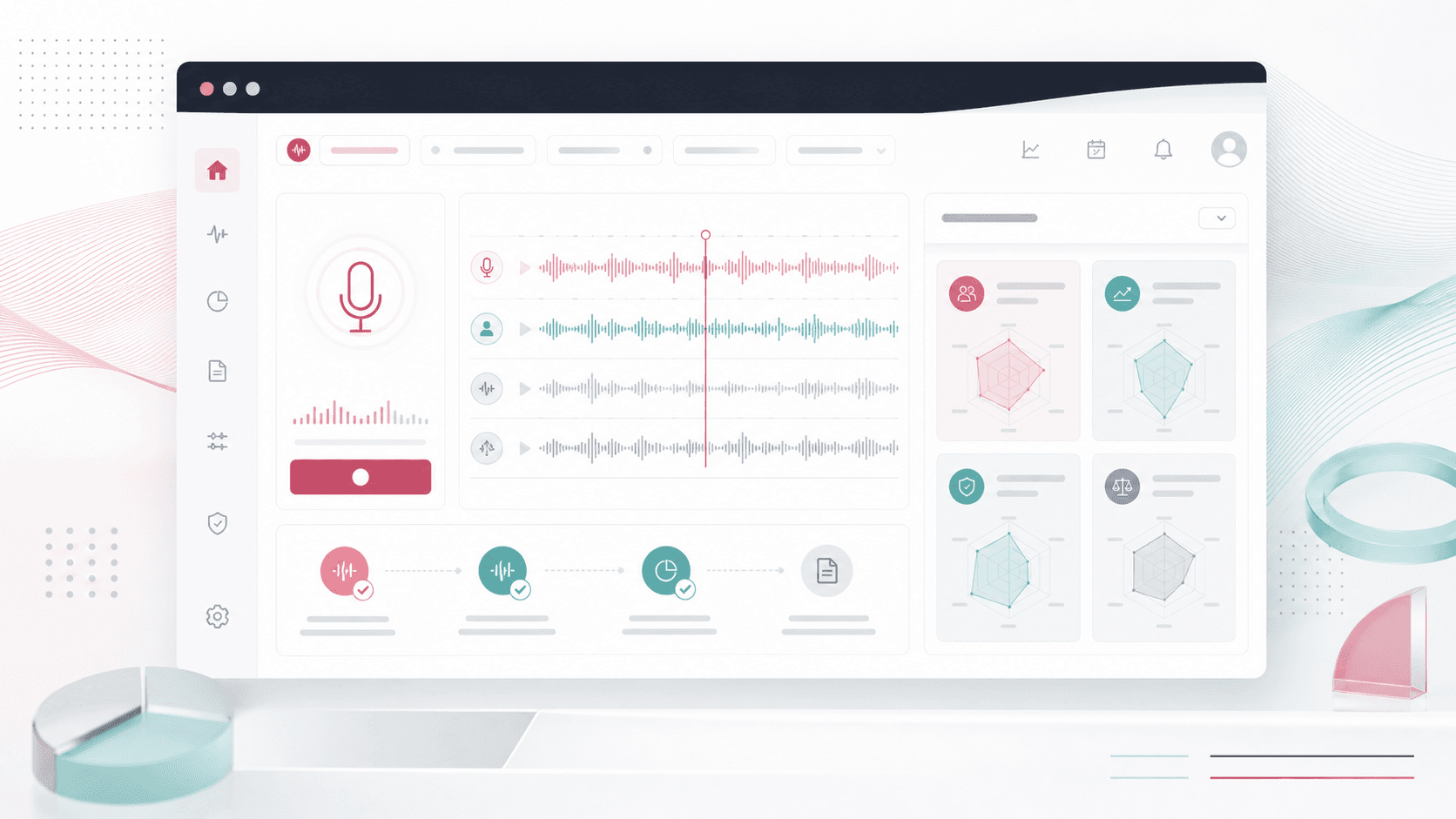
Speech analytics web platform visual with waveform capture, processing status, and anonymized report cards
Project scope

Web app engineering, audio processing workflow, voice API integration, report experience, and deployment support

Browser
audio capture workflow
16 kHz
analysis-ready WAV output
3
report surfaces
Cloud
file storage path

Timeline

Focused web product build for voice capture and analysis workflows

Voice analysis needed a guided browser workflow

The product needed to move a user from a simple microphone prompt into clean audio capture, processing, identity checks, and a readable report without forcing a manual upload or technical setup.

  • Browser recording had to guide users through timing, start/stop states, and playback confirmation
  • Raw microphone audio needed conversion into a format that downstream voice services could accept
  • Existing and new speaker profiles needed a practical enrollment and identification loop
  • Analysis results had to be translated into visual report sections that non-technical users could read

A web voice pipeline from recording to report

VocalisIQ combines an ASP.NET MVC web experience with browser audio recording, WAV conversion, speaker profile workflows, cloud file handling, and report screens for voice-derived insights.

  • A recording screen prompts users to count aloud, captures microphone input, shows a timer, and prepares a submission state
  • Server-side audio handling saves, converts, mono-mixes, and resamples WAV files for analysis-ready processing
  • Speaker enrollment and identification flows support repeat-user recognition and profile creation
  • Report pages render elements, archetypes, personality type, and coherence scoring in a visual interface

Product surfaces

What the platform brought together

The work spanned core product operations, daily user workflows, data-heavy coordination, and resilient platform management.

Guided voice capture

The front end manages microphone permission, timed recording, playback, submission, waiting states, and user feedback.

  • Start and stop controls with timer-driven recording guidance
  • WebAudioRecorder integration for browser-generated WAV audio
  • Playback and submit controls so users can confirm the captured sample before processing

Audio preparation pipeline

Uploaded audio is normalized into a cleaner WAV format before being sent into analysis and recognition workflows.

  • Server-side WAV save, stereo-to-mono handling, and 16 kHz resampling
  • Cloud blob upload support for durable scan assets and downstream processing
  • Temporary file generation for processed audio paths

Speaker profile workflow

The app supports profile creation, enrollment polling, speaker identification, and repeat-user messaging.

  • Identification profile creation and enrollment from recorded speech
  • Polling workflows for long-running recognition operations
  • Local profile tracking that distinguishes newly created and already recognized users

Voice report experience

Voice analysis output becomes a structured report with elements, archetypes, personality mapping, and coherence scoring.

  • Element-level report cards for air, fire, water, and earth style interpretation
  • Archetype and personality-type report areas with visual quadrant mapping
  • Coherence score rendering through a progress-style report component

Module depth

Dedicated product blocks for the highest-value workflows

For large platforms, the conversion story depends on showing how each major module solves a specific operating problem, not only listing features.

Acquisition

Microphone capture to analysis-ready audio

The workflow guides a user through recording, confirmation, conversion, resampling, and submission so a voice sample can be processed reliably.

Source review showed WebAudioRecorder usage, a dedicated conversion endpoint, NAudio mono/resampling code, and UI states for recording, playback, waiting, and submission.

  • Browser recorder
  • WAV conversion
  • Analysis submission

Recognition

Speaker enrollment and identification loop

The platform can enroll a new voice profile, poll for completion, identify returning speakers, and show a different outcome when a user has already been recognized.

Source review showed profile creation, enrollment, identify calls, polling routines, and client-side profile tracking around speaker recognition APIs.

  • Profile creation
  • Enrollment polling
  • Repeat-user detection

Insight

Report panels for non-technical users

The final experience turns voice scan responses into accessible visual panels instead of exposing raw API output.

Source review showed dedicated report screens, help copy, quadrant-style visual areas, dynamic archetype rendering, and coherence-score progress rendering.

  • Elements
  • Archetypes
  • Coherence score

Buyer priorities

What mattered most to the people evaluating the platform

Prospective buyers want to know whether the work solved real workflow, adoption, reliability, data, and operations problems. These priorities shaped the product decisions.

Low-friction capture

Voice products live or die on whether users can create a usable sample quickly inside the browser.

  • The workflow keeps recording, timing, playback, and submission in one page
  • The audio pipeline reduces format mismatch before downstream services receive the sample
  • Waiting and spinner states make longer processing moments feel intentional

Repeat-user recognition

A voice app needs to treat first-time enrollment and returning-user identification as different product moments.

  • New users can be enrolled into a speaker profile workflow
  • Returning users can be recognized and routed with a repeat-user message
  • Polling hides long-running API operations behind clear product behavior

Readable insight delivery

The output needed to feel like a report, not a developer console.

  • Report views organize analysis into named sections and visual groups
  • Progress and quadrant components help users interpret scores quickly
  • Help content turns abstract categories into user-facing explanations

System model

How the platform connects roles, workflows, and product surfaces

The product architecture brings every role into the same operating model, with shared data moving cleanly between web, mobile, media, and notification layers.

Record to report workflow

A voice sample moves from microphone capture through conversion, profile handling, analysis, and report rendering.

Voice platform roles

Users, returning speakers, support teams, and analysts each interact with a different layer of the voice workflow.

Audio app plus cloud services

The browser experience, MVC endpoints, audio processing, voice APIs, cloud storage, and reporting UI work as one platform.

Technology

The Stack We Used And Why

The stack section is written for buyers who need to understand the product architecture, operational trade-offs, and long-term maintainability of the system.

Web application

Used for server-rendered user journeys, authenticated account scaffolding, audio endpoints, and report pages.

ASP.NET MVCC#Razor ViewsBootstrapjQuery

Audio processing

Used to capture, convert, mix down, resample, and prepare user-recorded audio for external analysis services.

Web Audio APIWebAudioRecorderNAudioWAV processing

Voice intelligence

Used for speaker profile creation, enrollment, identification, polling, and voice analysis handoffs.

Speaker recognition APIsREST integrationsPolling workflowsProfile state

Storage and operations

Used to persist submitted audio assets, support cloud-hosted workflows, and observe production behavior.

Azure Blob StorageEntity FrameworkASP.NET IdentityApplication Insights

Why ASP.NET MVC

The product needed a practical server-rendered web app with C# audio handling, account scaffolding, and straightforward deployment.

  • Razor views kept the recording and report pages simple to ship
  • MVC endpoints handled audio conversion and upload responsibilities
  • ASP.NET Identity and Entity Framework provided an account-ready foundation

Why A Dedicated Audio Pipeline

Voice services are sensitive to audio format, so the app needed more than a plain file upload.

  • Browser-captured audio was converted into WAV output
  • Server-side processing normalized channel and sample-rate requirements
  • Cloud storage support separated durable audio files from the web request lifecycle

Delivery

How the product came together

The work moved from domain modeling to core platform delivery, mobile adoption, and operational hardening.

1

Define the scan journey

Map the user prompt, recording limits, processing wait state, and final report handoff.

2

Build audio handling

Connect browser recording to server-side file handling, conversion, mono mixing, resampling, and upload support.

3

Wire recognition services

Add profile creation, enrollment, identification, polling, and repeat-user status handling.

4

Shape the report UI

Render analysis categories, personality quadrants, archetype lists, help content, and coherence score feedback.

Operational depth

What made the platform usable after launch

The strongest case studies are not only feature lists. They show how the system is operated, monitored, governed, and improved when real users depend on it.

Long-running operation handling

Recognition and analysis workflows use polling and wait states so asynchronous service calls feel manageable to users.

  • Enrollment status polling after profile creation
  • Identification status polling before user routing decisions
  • Processing indicators during audio conversion and report preparation

Format-aware audio conversion

The app prepares voice samples for services that require consistent audio format and sample-rate expectations.

  • WAV output generation from browser recordings
  • Mono channel preparation for consistent analysis input
  • 16 kHz resampling path before downstream processing

Results

The measurable and observable lift from the work

The strongest improvements are the ones a buyer can connect to daily work: fewer disconnected tools, safer operations, clearer workflows, and more reliable product behavior.

Capture

Guided Browser Recording

Users can record, review, and submit a voice sample directly inside the web app.

Prepared

Analysis-Ready Audio

Server-side conversion normalizes recorded audio into a voice-service-friendly WAV format.

Profiled

Speaker Recognition Workflow

Enrollment and identification flows support both first-time and returning voice users.

Readable

Structured Voice Report

Analysis output is presented through elements, archetypes, personality panels, and coherence scoring.

Outcome

A stronger operating system for speech analytics and voice report platform

The platform reduced tool fragmentation and gave each role a clearer path from live activity to day-to-day action.

A browser-based voice recording workflow with timer, playback, submission, and processing states

A server-side WAV conversion and resampling path for speech-analysis integrations

Speaker profile enrollment and identification workflows with asynchronous polling

A visual report experience for voice-derived categories, archetypes, personality style, and coherence

FAQ

Frequently Asked Questions About VocalisIQ

Answers about the speech analytics and voice report platform scope, platform model, technology choices, operational workflows, and related build patterns.

What Kind Of Product Does VocalisIQ Represent?

VocalisIQ represents a web-based speech analytics platform that captures voice samples, prepares audio for analysis, manages speaker-recognition workflows, and presents interpreted report results.

Why Does Voice Analysis Need Custom Audio Processing?

Recorded browser audio often needs consistent file type, channels, and sample rate before recognition and analysis services can process it reliably.

Can This Pattern Support Modern AI Voice Products?

Yes. The same architecture can evolve into voice biometrics, coaching reports, wellness analysis, call-quality scoring, compliance review, and AI-assisted speech insight workflows.

Related services

Build a similarly ambitious product without starting from a blank page.

We can help scope the web, mobile, AI, media, and operating layers needed for your own platform.

Start a project inquiry