
Quick Answer: What Should An Application Migration Readiness Checklist Include?
An application migration readiness checklist should prove that dependencies, data, integrations, environments, QA evidence, cutover steps, rollback triggers, monitoring, and hypercare ownership are ready before a production move. The point is not to ask whether an app can be moved. The point is to know what can break, who owns each risk, and what evidence lets the team approve the migration window.
This checklist is for engineering managers, product owners, IT leaders, and migration sponsors preparing a legacy, SaaS, database, or cloud application migration. It complements application migration services by turning migration scope into a practical readiness gate that can be reviewed before build, rehearsal, and cutover.
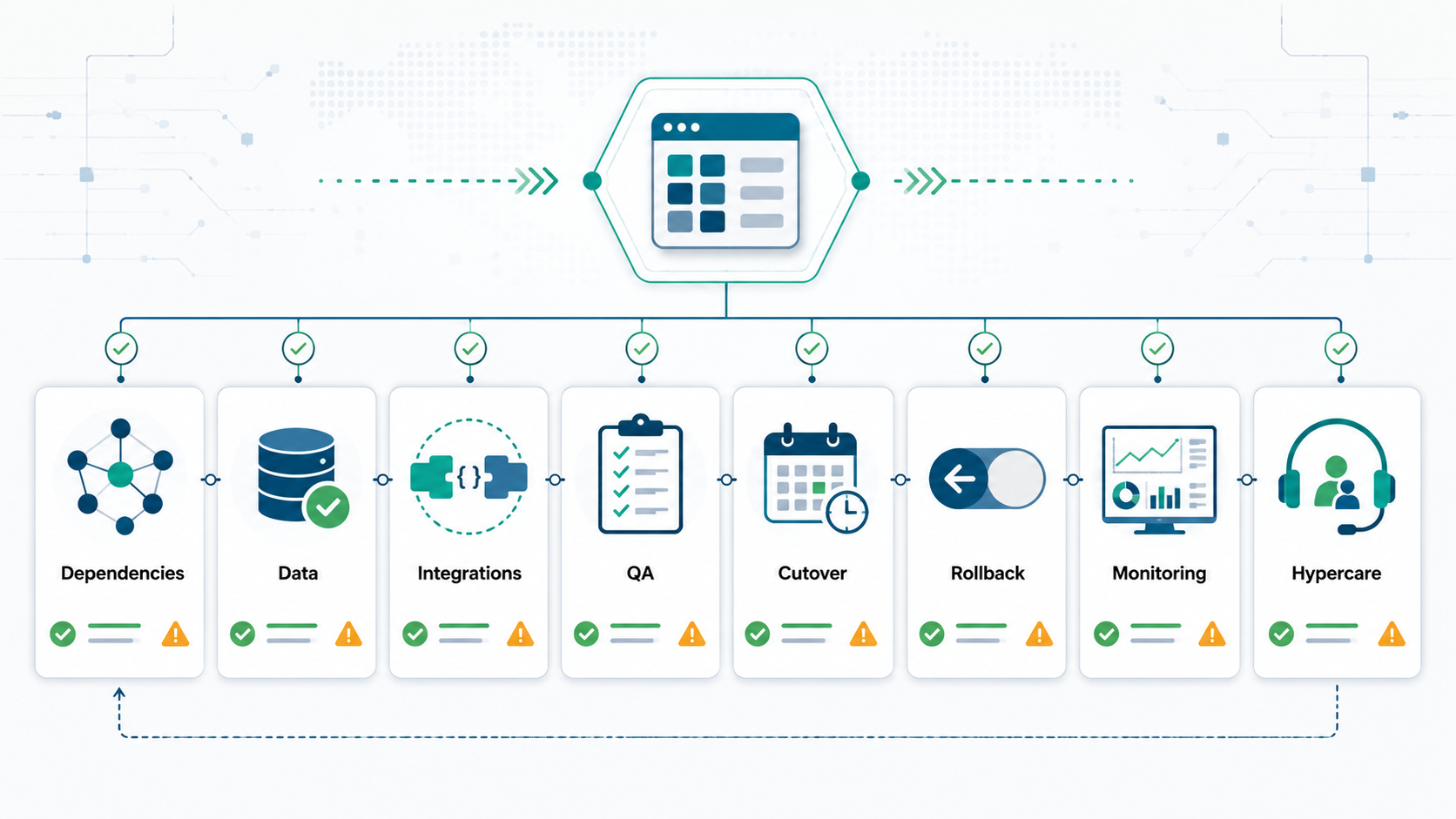
Why Application Migrations Fail
Application migrations usually fail at the edges: an undocumented API, a forgotten cron job, a report that depends on an old database, a file share still used by finance, a hard-coded IP address, a brittle integration contract, a missing backup test, or a rollback plan that was never rehearsed. The OrangeMantra source page highlights dependency mapping, TCO modeling, pilot migration, monitoring, rollback safeguards, and post-migration tuning. Those are useful themes, but teams need a concrete evidence checklist before production risk is accepted.
Current migration guidance from major cloud frameworks also points to the same pattern: assess the estate, plan waves, build foundations, migrate in controlled phases, validate, optimize, and operate. The useful application-level question is: what proof exists for this specific workload?
1. Build A Readiness Scorecard Before Planning Waves
Score every candidate application before it enters a migration wave. A customer portal, internal admin tool, batch processing service, ERP extension, mobile backend, and reporting app have different risk profiles. Grouping them by priority alone creates false confidence.
| Readiness area | What to check | Evidence |
|---|---|---|
| Business impact | Users, revenue, compliance, support load, downtime tolerance. | Owner, critical journeys, SLA/SLO, RTO/RPO, approval stakeholders. |
| Architecture | Runtime, hosting, storage, jobs, queues, caches, third-party services. | Architecture diagram, asset inventory, environment map. |
| Dependencies | Inbound and outbound systems, identity, DNS, certificates, secrets, file shares. | Dependency graph, data-flow map, integration owner list. |
| Data | Data stores, size, quality, retention, migration method, validation plan. | Data inventory, mapping rules, sample checks, reconciliation criteria. |
| Delivery | Build, deploy, config, release approvals, rollback and feature flags. | Pipeline proof, config inventory, rollback runbook. |
| Operations | Monitoring, logging, alerting, support ownership, incident response. | Dashboards, runbooks, alert routes, hypercare roster. |
Applications with missing owners, unclear data paths, unknown integrations, or no rollback evidence should not be placed in an early wave unless the migration goal is discovery and remediation rather than production cutover.
2. Map Dependencies Beyond The Main Application
A useful dependency inventory includes more than the app server and database. List every API, webhook, queue, scheduled job, email path, reporting feed, identity provider, SSO rule, certificate, DNS record, object store, file share, background worker, and operational script. Then classify each dependency as critical, degraded-mode, or optional.
For every dependency, define source system, target system, protocol, owner, environment, data direction, authentication method, failure behavior, monitoring signal, and test case. This is where migration planning often overlaps with cloud migration services and application-level modernization: the hosting move is only safe when the dependent systems still behave correctly.
3. Treat Data Readiness As Its Own Workstream
Data migration risk deserves a separate plan. The application can launch and still fail if customers, orders, inventory, documents, permissions, balances, reports, or audit trails are incomplete. Do not bury data validation inside a generic QA checklist.
Use the data migration checklist approach: inventory source data, map fields, document transformation rules, classify sensitive data, define reconciliation checks, run trial migrations, review error queues, and collect business sign-off. For large or regulated moves, use data migration services support so validation, cutover, and rollback controls are treated as first-class deliverables.
| Data question | Why it matters | Evidence |
|---|---|---|
| What is the source of truth? | Prevents split-brain records during cutover. | System owner, freeze rules, sync direction. |
| What must reconcile? | Protects business-critical records. | Counts, totals, samples, exception report. |
| What can be archived? | Reduces migration load and risk. | Retention policy, archive plan, retrieval process. |
| What fails rollback? | Defines the real point of no return. | Rollback deadline, data replay plan, approval gate. |
4. Validate Integration Contracts Before Cutover
Integration contracts should be tested with production-like payloads, authentication, retries, timeouts, error handling, and monitoring. A mock happy path is not enough. Migrations break when the new environment changes network paths, IP allowlists, TLS certificates, callback URLs, queues, or payload timing.
For ERP, CRM, payment, analytics, and operations systems, document sync direction, frequency, retry logic, duplicate prevention, manual repair process, and owner. If the application migration includes ERP or operational data, ERP integration and modernization services can help coordinate reconciliation and source-of-truth decisions.
5. Build QA Evidence Around Real User Journeys
Migration QA should combine functional testing, regression testing, integration testing, performance checks, security checks, and operational smoke tests. The test set should be built from real user journeys and high-risk business events, not just screens.
- Critical user journeys pass in the target environment.
- Auth, roles, permissions, and session behavior match expectations.
- Reports, exports, background jobs, and notifications still run.
- Data validation passes for migrated and synchronized records.
- Performance is acceptable under realistic traffic and batch load.
- Monitoring, logging, alerting, backup, and restore checks are active.
Keep the evidence in one migration pack: test results, defects, accepted risks, rollback criteria, owner sign-offs, and the final go/no-go decision.
6. Write The Cutover Plan Like A Runbook
A cutover plan should be explicit enough that a new engineer can follow it during a stressful launch window. Include prerequisites, freeze timing, communication plan, responsible owners, commands or deployment steps, DNS or routing changes, data sync, validation checks, smoke tests, monitoring checks, rollback decision point, and hypercare handoff.
| Cutover block | Owner | Pass/fail signal |
|---|---|---|
| Pre-freeze checks | Migration lead | Approvals, backup proof, open issues, and team availability confirmed. |
| Final data sync | Data owner | Control totals and exception report reviewed. |
| Traffic switch | Platform owner | DNS, routing, certificates, and health checks pass. |
| Business smoke test | Product owner | Critical journeys pass with real-like accounts and data. |
| Rollback decision | Executive sponsor or migration lead | Predefined criteria and deadline are evaluated. |
| Hypercare | Support owner | Incident channel, dashboards, and support queue are active. |
For platform-specific cloud moves, the GCP migration checklist shows how this application-level runbook connects to landing zone, runtime, data, security, cost, cutover, and optimization evidence.
7. Define Rollback Triggers Before The Launch Window
Rollback should not be an emotional decision made after users report issues. Define the triggers before cutover: data reconciliation failure, failed smoke tests, unacceptable latency, missing critical integration, security control failure, monitoring blind spot, or support-impact threshold. Also define the deadline after which rollback is harder because new production data has accumulated.
The rollback plan should name what reverts, what data is replayed, who approves, how users are informed, and what gets preserved for root-cause analysis. If rollback is not technically possible, document the fallback path and make the risk explicit before launch.
8. Plan Hypercare And Post-Migration Stabilization
The first days after migration should have named support coverage, dashboards, incident routing, defect triage, business owner availability, and a daily stabilization review. Track incidents, data issues, integration failures, user reports, performance, and cost changes. Then convert findings into a modernization backlog.
Some workloads need only a short hypercare window. Others need monitoring improvements, deployment cleanup, database tuning, security hardening, CI/CD improvements, or legacy decomposition. Readiness does not end at go-live; it shifts into operating discipline.
NextPage's Application Migration Readiness Checklist
- Name the business owner, technical owner, support owner, and approval sponsor.
- Inventory runtime, data stores, jobs, integrations, files, certificates, DNS, and secrets.
- Classify data and define migration, validation, reconciliation, and rollback rules.
- Test integration contracts with realistic payloads and failure behavior.
- Build QA evidence around critical user journeys and operational checks.
- Write the cutover plan as a runbook with owners and timestamps.
- Define rollback triggers, deadline, approval path, and communication plan.
- Prepare monitoring, alerting, incident routing, support queue, and hypercare roster.
- Capture post-migration issues and convert them into a stabilization backlog.
NextPage helps teams move applications with dependency mapping, migration waves, data validation, integration testing, cutover planning, rollback thinking, and post-launch stabilization. Start with application migration services when the workload itself is the risk, and use cloud or data migration support when infrastructure or records need dedicated workstreams.