
Custom ERP development cost usually starts around $60,000 to $150,000 for one focused module and can move beyond $500,000 when the system replaces finance, inventory, procurement, production, HR, reporting, and legacy integrations. The number is not driven by the word ERP. It is driven by how many business workflows the software must control, how many existing systems it must connect, how clean the source data is, and how safely the rollout has to happen.
For most growing companies, the better planning question is not "What does an ERP cost?" It is "Which operating workflow should the first release control, which systems must stay connected, what data must be migrated, and what support model keeps operations running after go-live?" A narrow custom ERP module can be a sensible first step. A full replacement without phased scope, migration evidence, and change management is where budgets break.
If you need a first planning band, use the Custom Software Cost Estimator. If your ERP work already involves legacy modules, brittle exports, accounting sync, warehouse data, ecommerce, CRM, or reporting, pair that with an ERP integration and modernization review before you ask vendors for a fixed quote.
Quick Answer: How Much Does Custom ERP Development Cost?
| ERP Scope | Typical Planning Range | Timeline | Best Fit |
|---|---|---|---|
| Discovery and ERP scope audit | $8,000-$30,000 | 2-6 weeks | Mapping modules, roles, data, integrations, rollout risk, and budget assumptions before build. |
| Single focused module | $60,000-$150,000 | 10-18 weeks | Inventory, procurement, approval workflow, reporting, field operations, or one operational gap. |
| Multi-module ERP MVP | $150,000-$350,000 | 4-8 months | Core operations with admin, roles, reporting, integrations, and migration for one department or site. |
| Custom ERP platform | $350,000-$900,000+ | 8-18 months | Finance, inventory, production, sales, procurement, HR, analytics, permissions, and multiple integrations. |
| Enterprise or regulated ERP transformation | $900,000-$1.5M+ | 12-24+ months | Multi-country, multi-entity, regulated, heavily customized, or phased legacy replacement programs. |
These bands are planning ranges, not quote promises. Current market references commonly show ERP budgets spreading from low five figures for narrow systems to seven figures for complex custom or enterprise ERP programs. ERP Pilot's 2026 pricing guide notes that software licenses are often only 20-40% of total ERP investment, with implementation becoming the larger cost. A 2026 Clockwise Software cost breakdown published by Modern Diplomacy places custom ERP development from $180,000 to $1.5M+ for many full-scope engagements, with integration, data migration, training, and change management materially affecting the final budget.
The ERP Cost Model: What You Are Really Paying For
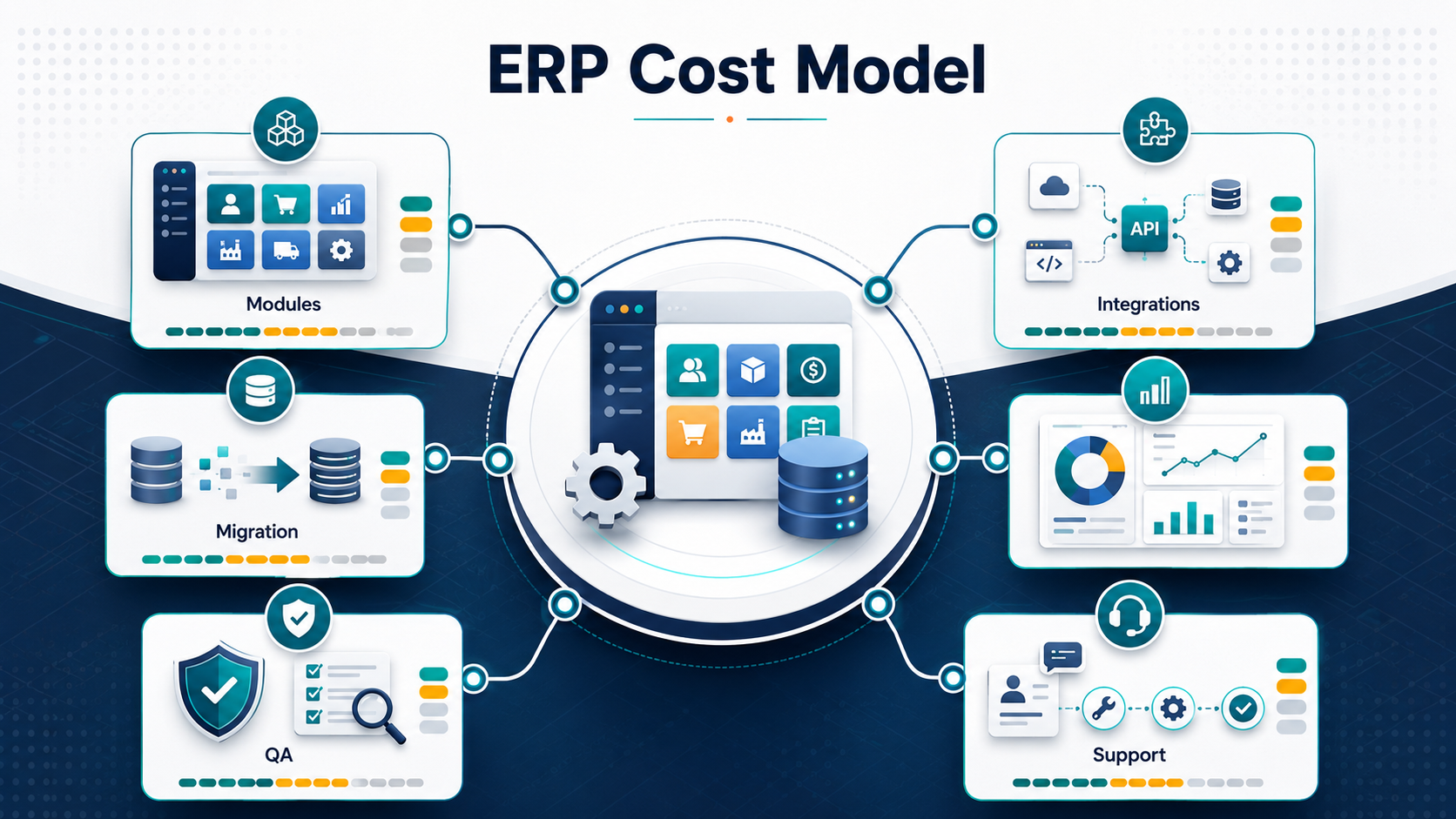
A custom ERP is not just a set of screens. It becomes the operating system for purchasing, inventory, finance, production, service delivery, approvals, reporting, and exception handling. That is why ERP projects cost more than similarly sized web apps. The software has to encode business rules that people currently handle through spreadsheets, approvals, calls, and undocumented judgment.
Estimate the project through seven cost buckets:
- Discovery and process mapping: current workflows, exceptions, role permissions, reporting needs, source systems, and phased release plan.
- Module development: procurement, inventory, sales, production, finance handoffs, HR, assets, service, or industry-specific workflows.
- Integrations: accounting, CRM, ecommerce, warehouse systems, barcode/RFID, payroll, BI, payment, logistics, and supplier/customer portals.
- Data migration: cleansing, mapping, deduplication, validation, historical retention, reconciliation, and cutover.
- Security and permissions: role-based access, audit logs, approval controls, sensitive data boundaries, and compliance evidence.
- QA and rollout: user acceptance testing, parallel runs, rollback planning, training, and launch support.
- Post-launch ownership: bug fixes, reporting changes, new modules, support SLAs, monitoring, and continuous improvement.
ERP Module Scope Drives The First Cost Jump
Every module adds screens, rules, reports, permissions, and exception paths. But the hidden cost is usually the interaction between modules. Inventory touches purchasing, sales orders, production, warehouse movement, finance, and reporting. Procurement touches approvals, vendors, budgets, goods receipt, invoice matching, and audit trails. That coupling is where a "simple module" becomes a larger system.
| Module Area | Cost Drivers | Scope-Control Question |
|---|---|---|
| Inventory and warehouse | Locations, batches, serial numbers, stock adjustments, barcode/RFID, returns, and reporting. | Do we need real-time warehouse scanning in release one, or can we start with controlled stock movement and reconciliation? |
| Procurement | Purchase requests, approvals, vendor records, budgets, PO generation, goods receipt, and invoice handoff. | Which approval paths are legally or financially required on day one? |
| Production or operations | BOMs, work orders, capacity, scheduling, job costing, quality checks, and downtime reporting. | Can we digitize the highest-friction production workflow first instead of rebuilding the whole floor? |
| Finance handoffs | Chart of accounts mapping, invoices, tax logic, payment status, reconciliation, and audit evidence. | Should finance be native in the custom ERP, or should the system integrate cleanly with accounting software? |
| Reporting and dashboards | Data model, KPIs, drilldowns, exports, access rules, historical trends, and executive dashboards. | Which reports are used to make weekly decisions, not just requested once during discovery? |
If manufacturing is part of your scope, read the Manufacturing ERP Implementation Guide before estimating everything as a generic admin platform. Manufacturing ERP adds BOMs, production planning, quality checks, machine/work-center logic, and inventory dependencies that can change both timeline and QA scope.
Integration Scope Can Add More Cost Than Screens
ERP integration cost increases when the custom system must become the source of truth for some records while still syncing with old tools. A clean API integration with one accounting platform is very different from a legacy database export, nightly CSV exchange, warehouse device feed, ecommerce order sync, and custom BI pipeline all running together.
Plan integrations by data ownership, frequency, failure handling, and reconciliation. Do not ask only, "Can these two systems connect?" Ask which system owns customers, products, inventory, invoices, purchase orders, vendor records, employee records, and approvals. Then decide what happens when a sync fails, a field is missing, or two systems disagree. For integration-specific budget bands and hidden cost drivers, use the ERP Integration Cost guide as a companion estimate.
For integration-heavy work, NextPage's ERP Integration And Modernization Services page is the right follow-up because it focuses on API and webhook integrations, batch sync, ETL jobs, reporting pipelines, recovery paths, and legacy ERP modernization.
Data Migration Is A Budget Line, Not A Weekend Task
ERP data migration cost depends on source quality. Clean master data, consistent product codes, usable vendor records, reconciled inventory, and clear financial mappings reduce cost. Years of duplicate customers, spreadsheet-only fields, informal item names, missing units of measure, and mismatched tax/category logic increase it.
A migration budget should cover source inventory, field mapping, transformation rules, test imports, validation reports, reconciliation, rollback planning, and cutover support. If the old ERP will run in parallel during phased rollout, the cost also includes synchronization and reporting across both systems.
Use the ERP Data Migration Checklist to pressure-test the migration plan. For larger moves, the ERP Data Migration Services page explains the migration stack around source systems, validation, cutover risk, and rollback evidence.
Fixed Price, Time-And-Material, Or Dedicated Team?
ERP buyers often want a fixed price because the project feels risky. Fixed price can work for a narrow module with stable rules, clean data, and limited integration. It becomes dangerous when discovery is weak, stakeholders disagree on workflows, or the project includes many legacy unknowns. The vendor will either pad the estimate heavily or push every learning into change requests.
| Delivery Model | Best Use | Risk |
|---|---|---|
| Fixed price | Well-defined module, known workflows, limited integrations, clear acceptance criteria. | Expensive change requests when ERP rules evolve during build. |
| Time and material | Complex discovery, evolving workflows, uncertain data/integration scope. | Needs strong product ownership and budget governance. |
| Dedicated ERP team | Phased ERP roadmap, modernization, multiple modules, ongoing iteration. | Requires internal roadmap discipline and sprint-level prioritization. |
| Hybrid milestone model | Discovery fixed, pilot module capped, next phases estimated from evidence. | Requires honest checkpoints instead of pretending the whole program is known upfront. |
For vendor due diligence, pair this article with the Custom Software Development Company Checklist. ERP vendors should be able to explain discovery, security, QA, migration, integration ownership, and support, not just show module demos.
A Phased ERP Rollout Controls Cost Better Than A Big-Bang Launch
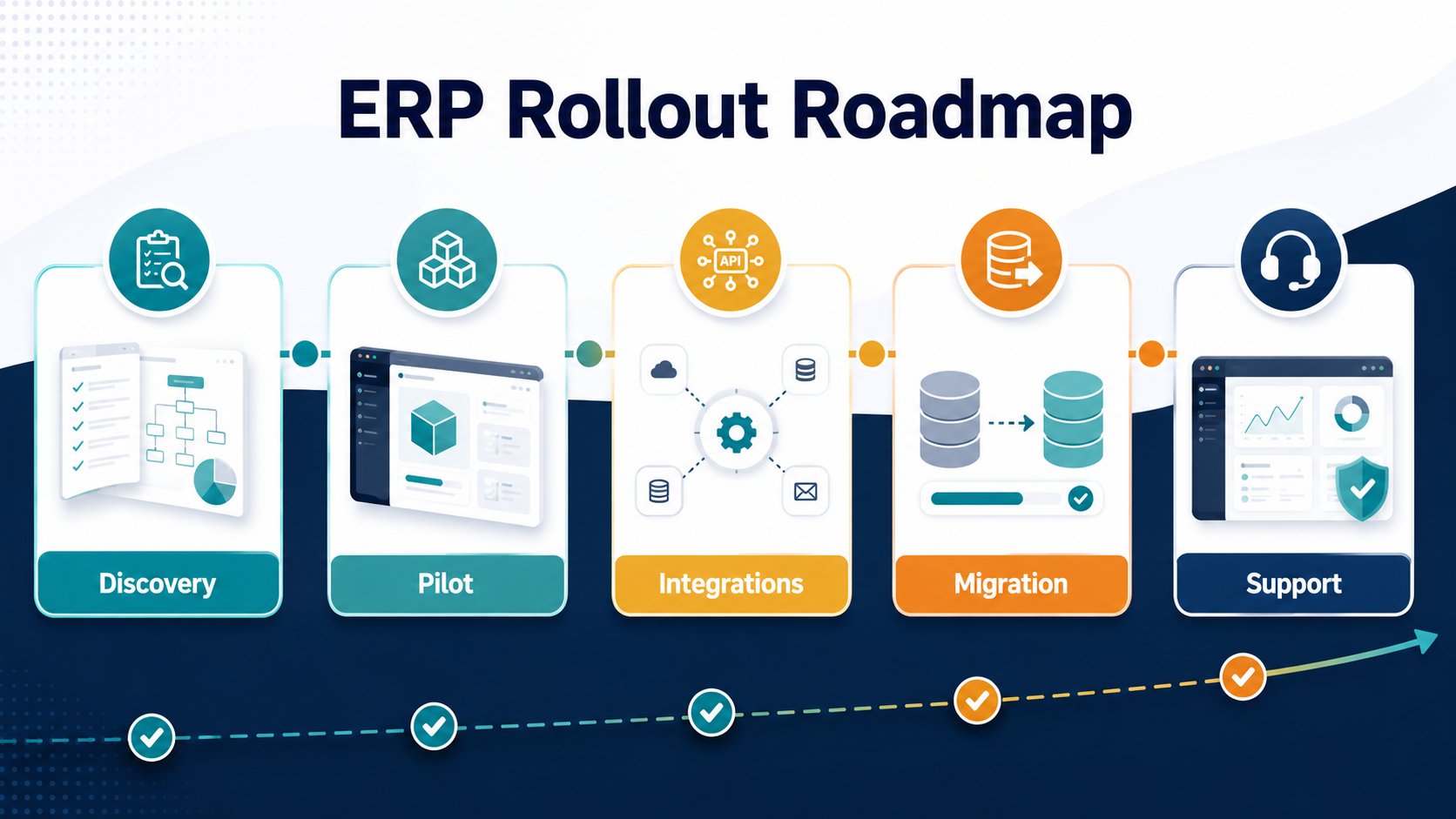
The lowest-risk custom ERP plan usually starts with discovery, then one pilot module or workflow that delivers measurable operational value. Once that module proves data model, permissions, admin workflow, reporting, and integration patterns, the next modules become easier to estimate.
- Discovery: map workflows, roles, reports, source systems, regulatory needs, and current process pain.
- Pilot module: digitize one high-value workflow with enough admin and reporting to operate in production.
- Integration layer: connect accounting, CRM, warehouse, ecommerce, or reporting systems with clear ownership rules.
- Migration and cutover: import clean records, validate totals, run user acceptance testing, and prepare rollback.
- Support and expansion: monitor adoption, fix workflow gaps, then add the next module based on live evidence.
This approach is slower than a sales deck but faster than a failed all-at-once replacement. It also gives finance and operations leaders clearer budget checkpoints.
Plan Ongoing ERP Support Before Go-Live
Custom ERP does not end at launch. The first 90 days after go-live usually uncover reporting changes, edge-case permissions, training gaps, integration failures, and workflow refinements. Budget for hypercare, monitoring, issue triage, minor enhancements, and a roadmap for the next release.
A practical annual support budget often includes production monitoring, bug fixes, security updates, dependency upgrades, small workflow improvements, report changes, data correction support, and periodic architecture review. If the ERP is mission-critical, support should include response-time expectations and ownership for integrations, not just "developer availability."
For broader comparison, the Custom Software Development Cost guide explains how feature complexity, team shape, integrations, and risk affect custom software budgets beyond ERP.
How To Reduce Custom ERP Development Cost Without Creating Rework
- Start with the workflow that removes the most operational drag. Do not rebuild every department because the word ERP sounds complete.
- Separate must-have controls from executive wish-list reports. Reports are valuable, but only decision-making reports belong in release one.
- Keep finance/accounting integration clear. Rebuilding accounting inside a custom ERP can multiply risk unless it is truly required.
- Clean master data before migration. Bad product, customer, vendor, and inventory data becomes expensive when it reaches the new system.
- Prototype permissions early. ERP access rules shape workflows, approvals, audit logs, and admin UX.
- Test exception paths. Returns, cancelled purchase orders, stock corrections, failed syncs, and partial approvals reveal hidden cost.
- Use phased acceptance criteria. Tie budget releases to working modules, validated data, integration evidence, and user readiness.
What A Useful ERP Estimate Should Include
A serious custom ERP estimate should show more than a total price. Ask for assumptions across modules, roles, records, integrations, migration volume, reporting, security, environments, QA, deployment, support, and exclusions. If the estimate hides data migration or post-launch support, the total is not comparable.
At minimum, ask vendors to document:
- Release-one modules and explicit phase-two exclusions.
- User roles, approval flows, and admin permissions.
- Systems to integrate, data ownership, sync frequency, and failure handling.
- Data migration sources, record types, validation rules, and cutover plan.
- Reports and dashboards required for launch.
- Security, audit, compliance, backup, and access-control assumptions.
- QA scope, UAT responsibilities, training, and rollout support.
- Post-launch support model, response times, and enhancement process.
When those assumptions are visible, leadership can make better tradeoffs. You can defer an advanced reporting layer, simplify a workflow, reduce initial roles, or run a phased migration without weakening the core operating value.
How NextPage Helps Estimate And Build Custom ERP Software
NextPage estimates ERP projects from the operating model first. We map the modules, data ownership, integration paths, migration risk, role permissions, reports, QA scenarios, and support responsibilities before treating the work as a build quote. That helps separate a focused module from a full ERP transformation and keeps the first release tied to measurable business value.
If you are early in planning, start with the Custom Software Cost Estimator. If you already know ERP is the right path, review Custom ERP Development Services for module, workflow, reporting, integration, and AI-ready data planning. For legacy systems and connected workflows, the next step is usually an ERP integration and migration discovery call before any fixed build scope is finalized.