
Quick Answer: How To Create An App Like ChatGPT
To create an app like ChatGPT, do not start by training a frontier language model from scratch. Start by defining the assistant workflow, the users it should help, the data it can use, and the actions it is allowed to take. Then build a focused product around a large language model, retrieval-augmented generation, business integrations, safety controls, analytics, and a clear human handoff path.
A practical first release usually includes a conversational interface, authentication, conversation history, prompt and system-instruction design, model integration, knowledge retrieval, file or document ingestion, feedback capture, admin controls, observability, and cost monitoring. Advanced versions can add tool use, workflow automation, multilingual support, personalization, voice, and agentic actions after the core assistant proves useful.
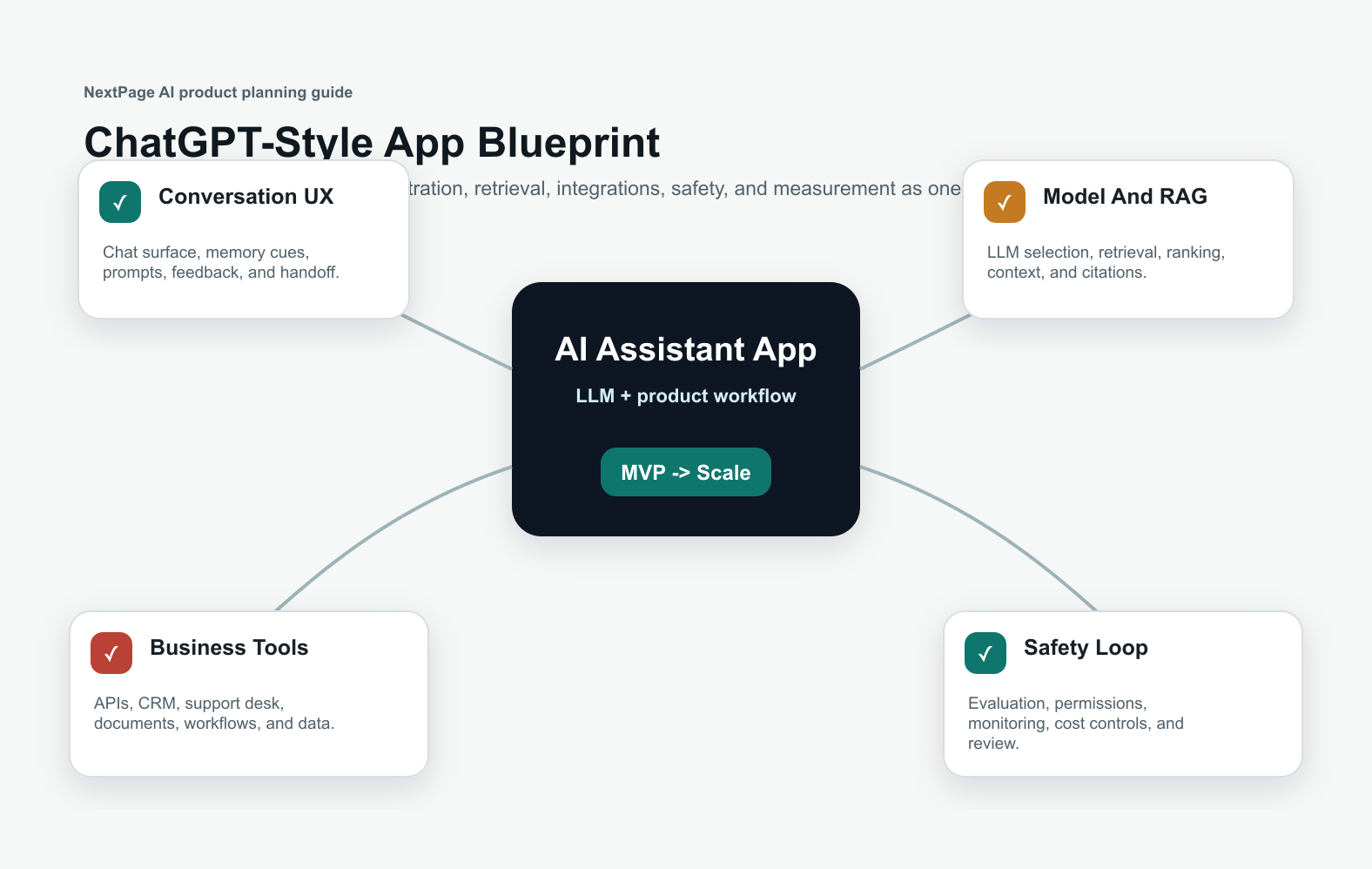
What A ChatGPT-Style App Really Means
A ChatGPT-style app is not just a chat box. It is a software product that uses an LLM to understand user intent, retrieve or reason over context, generate a useful response, and sometimes take action through connected tools. The app may support customer service, sales enablement, internal knowledge search, document analysis, coaching, operations support, or product-specific assistance.
The strongest products are narrow enough to be reliable. A customer support assistant needs current policy and ticket context. A sales assistant needs CRM data and qualification rules. An internal knowledge assistant needs secure retrieval from approved documents. If you are still shaping the opportunity, NextPage's generative AI development team can help define where an LLM product creates measurable value instead of becoming a generic demo.
Core Features For An App Like ChatGPT
| Feature Area | What To Build | Why It Matters |
|---|---|---|
| Conversation UX | Chat interface, streaming responses, prompt examples, history, feedback, and retry controls. | Users need the assistant to feel fast, clear, and recoverable. |
| Model layer | LLM provider integration, model routing, prompt templates, fallback behavior, and latency controls. | The model strategy affects quality, speed, cost, and reliability. |
| Knowledge retrieval | Document ingestion, embeddings, vector search, ranking, citations, and freshness rules. | RAG helps the app answer from business-specific knowledge. |
| Integrations | APIs, CRM, help desk, databases, workflow tools, calendars, and internal systems. | Tool access turns a chatbot into useful software. |
| Safety and governance | Permissions, moderation, audit logs, evaluations, human handoff, and data retention controls. | Production AI needs guardrails before real users depend on it. |
| Analytics | Usage, success rate, deflection, escalation, cost per conversation, latency, and user feedback. | Measurement shows whether the assistant deserves more investment. |
For a support, sales, or internal workflow assistant, pair this feature list with AI chatbot development. If the app needs broader prediction, automation, or workflow intelligence, review AI development services as the larger delivery category.
Architecture For A ChatGPT-Style App
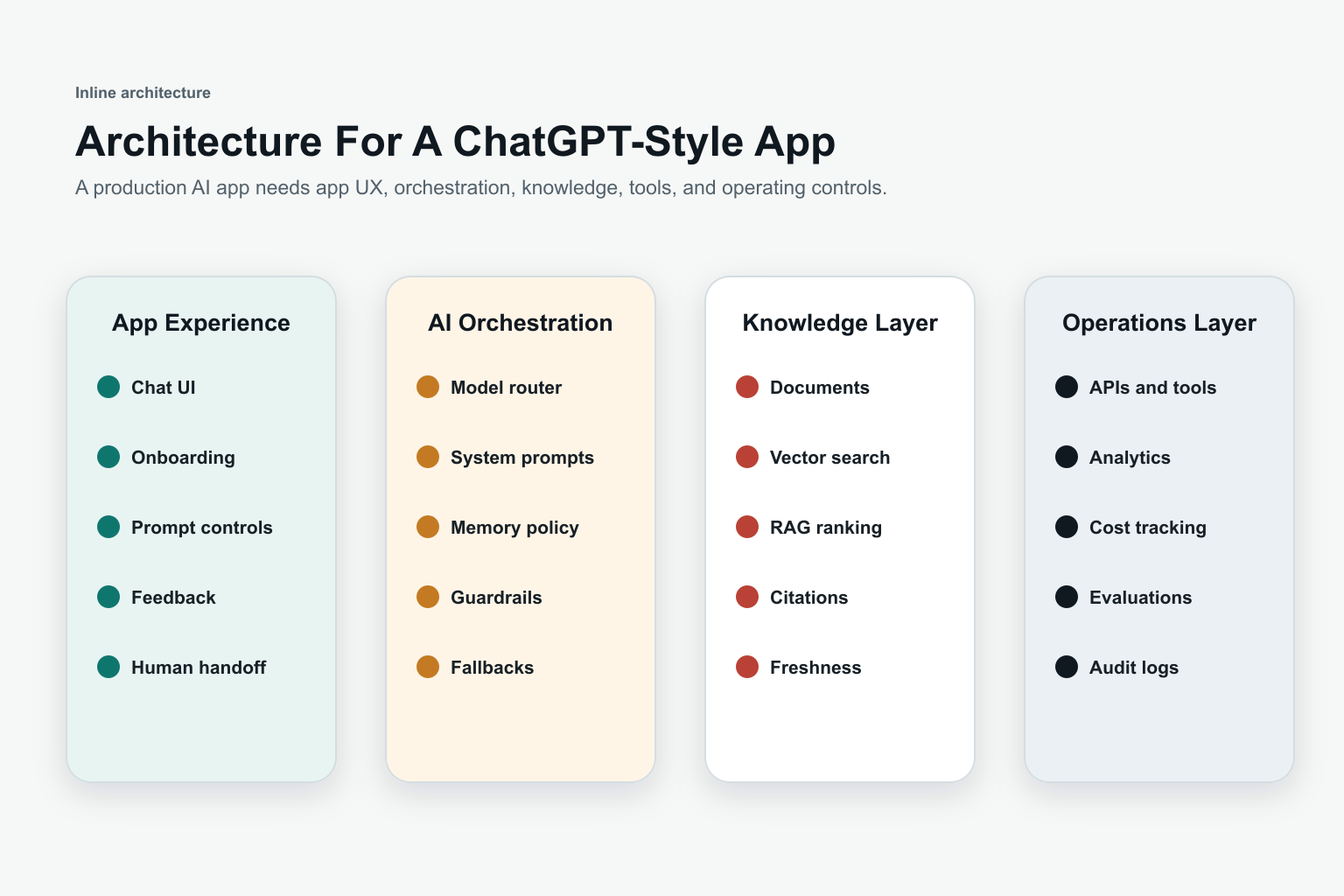
The application layer manages login, user roles, conversation history, UI states, file uploads, feedback, and admin controls. The AI orchestration layer decides which model to call, what system instructions to use, whether retrieval is needed, whether a tool should be called, and how the app should handle low confidence or errors.
The knowledge layer is where many ChatGPT-style apps become genuinely useful. Retrieval-augmented generation connects the assistant to approved documents, FAQs, policies, product data, tickets, records, or knowledge bases. For teams building this layer, LLM development should include retrieval design, evaluations, security, and monitoring rather than only prompt writing.
Development Roadmap From Idea To Launch
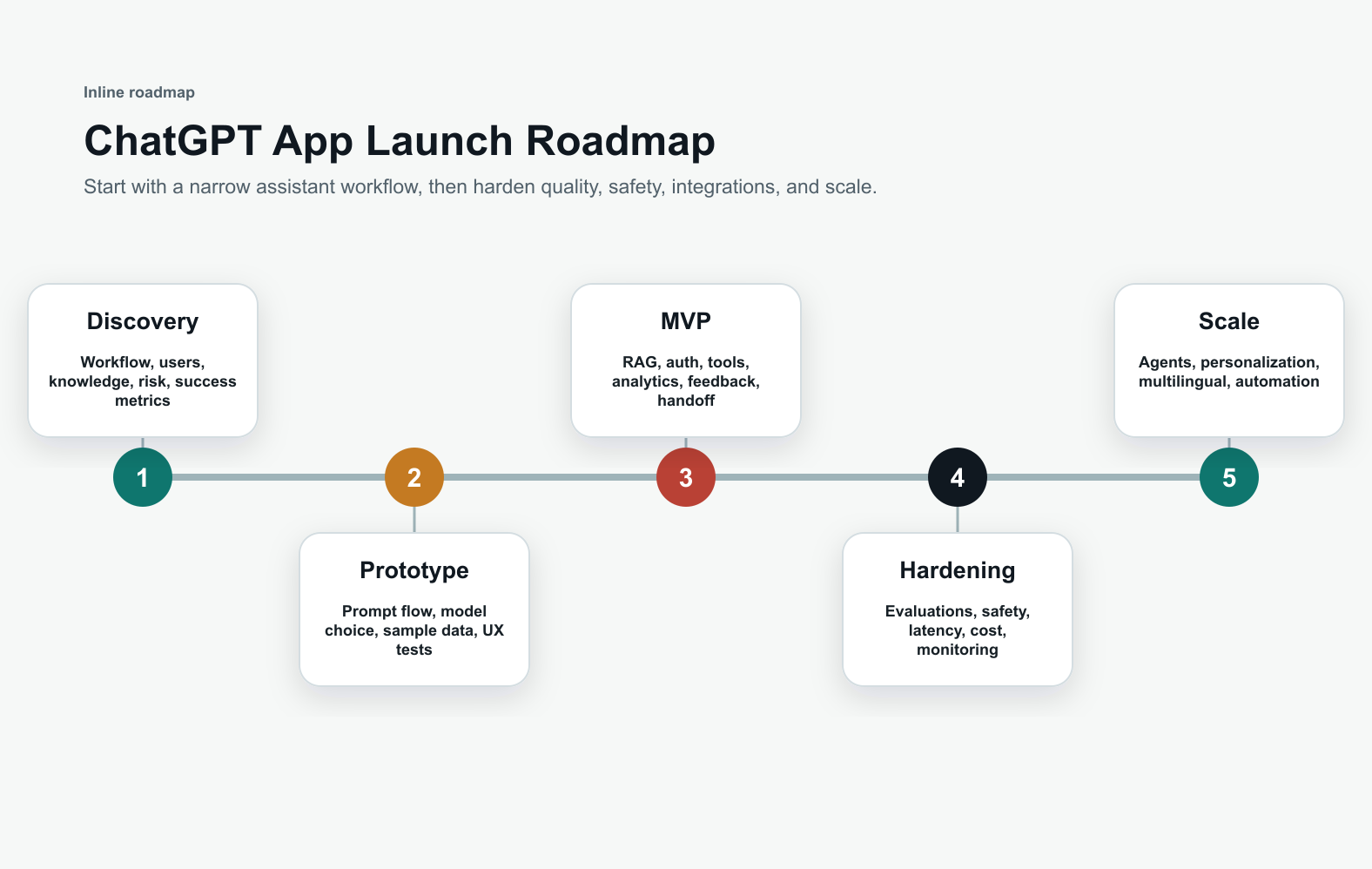
- Discovery: define the workflow, users, source data, risk level, integration needs, success metrics, and human review points.
- Prototype: test prompts, model choices, retrieval samples, response quality, conversation UX, and edge cases with a small dataset.
- MVP: build authentication, chat UI, RAG, file or data ingestion, feedback, analytics, admin controls, and a reliable escalation path.
- Production hardening: add evaluations, monitoring, moderation, audit logs, cost controls, latency tuning, role permissions, and rollback behavior.
- Scale: add tool use, workflow automation, AI agents, personalization, multilingual support, voice, and deeper business-system integrations.
The AI Agent Readiness Assessment can help check whether your workflow and data are ready for tool-using automation. If you need budget framing before choosing the scope, use the Custom Software Cost Estimator.
Model, RAG, And Data Decisions
Most teams should start with a hosted model or model API rather than training a base model. Model choice should consider answer quality, latency, context length, multimodal needs, privacy, pricing, tool support, and provider reliability. Some products use one model for general conversation, another for classification, and a cheaper model for summarization or routing.
RAG is useful when answers must come from your own knowledge. The app should ingest approved documents, split them into useful chunks, create embeddings, search relevant context, rerank results, and pass concise evidence to the model. Add citations or source links when users need to trust the answer. Without retrieval and freshness rules, the app may sound confident while missing current business facts.
Safety, Privacy, And Evaluation
Production AI apps need explicit safety decisions. Define what the assistant is allowed to answer, when it should refuse, when it should ask a clarifying question, and when it should hand off to a person. Sensitive use cases need stricter controls for personal data, financial advice, healthcare information, legal questions, regulated workflows, and irreversible actions.
Evaluation should be part of development, not a final checklist. Build test sets from real scenarios, failed conversations, expected answers, prohibited answers, and integration edge cases. Track hallucination risk, answer helpfulness, source grounding, escalation quality, latency, cost, and user satisfaction. The AI Automation ROI Calculator can help connect automation effort to measurable business value.
Cost Drivers For A ChatGPT-Style App
The cost depends on scope, not the label "AI chatbot." A lightweight prototype with a simple chat UI and one model API is very different from a secure enterprise assistant with document ingestion, vector search, SSO, admin roles, CRM integration, evaluations, observability, and human approval workflows.
Major cost drivers include product design depth, frontend complexity, model usage volume, retrieval pipeline quality, data cleanup, number of integrations, security requirements, analytics, QA coverage, multilingual support, voice or multimodal features, and ongoing monitoring. For custom AI products that must connect to real workflows, the build often overlaps with custom software development.
When To Add AI Agents
An AI agent goes beyond answering questions. It can decide the next step, call tools, update systems, draft records, schedule tasks, or move a workflow forward under defined permissions. This can be valuable, but it should come after the assistant has reliable context, clear guardrails, and measurable value.
For teams comparing chatbots, copilots, and agents, Generative AI vs AI Agents vs Agentic AI explains the differences. If controlled tool use is already part of the roadmap, NextPage's AI agent development work can help design approvals, permissions, and exception handling from the start.
Launch Metrics To Track
Track more than message count. Useful metrics include activation rate, successful answer rate, source-grounded answer rate, escalation rate, fallback rate, repeat usage, task completion, deflection, time saved, cost per conversation, latency, user feedback, and review findings. For customer-facing apps, also monitor support tickets, conversion impact, retention, and complaint patterns.
A ChatGPT-style app should improve with usage, but only if the team reviews failures and ships updates deliberately. Build a feedback loop where conversations can be sampled, categorized, corrected, and turned into new evaluation cases. This keeps the assistant aligned with real business needs as models, users, and workflows change.
Final Recommendation
Create an app like ChatGPT by treating it as a focused AI product, not a generic chatbot experiment. Start with one valuable workflow, connect it to trusted knowledge, design the conversation experience carefully, measure quality, and add integrations only when they help the user complete real work.
The best first step is a scoped AI product plan: who the assistant serves, what data it can use, what actions it can take, how success will be measured, and where human review is required. Once those decisions are clear, the engineering path becomes much more predictable.