
Quick Answer: What Makes A Salon App Design Work?
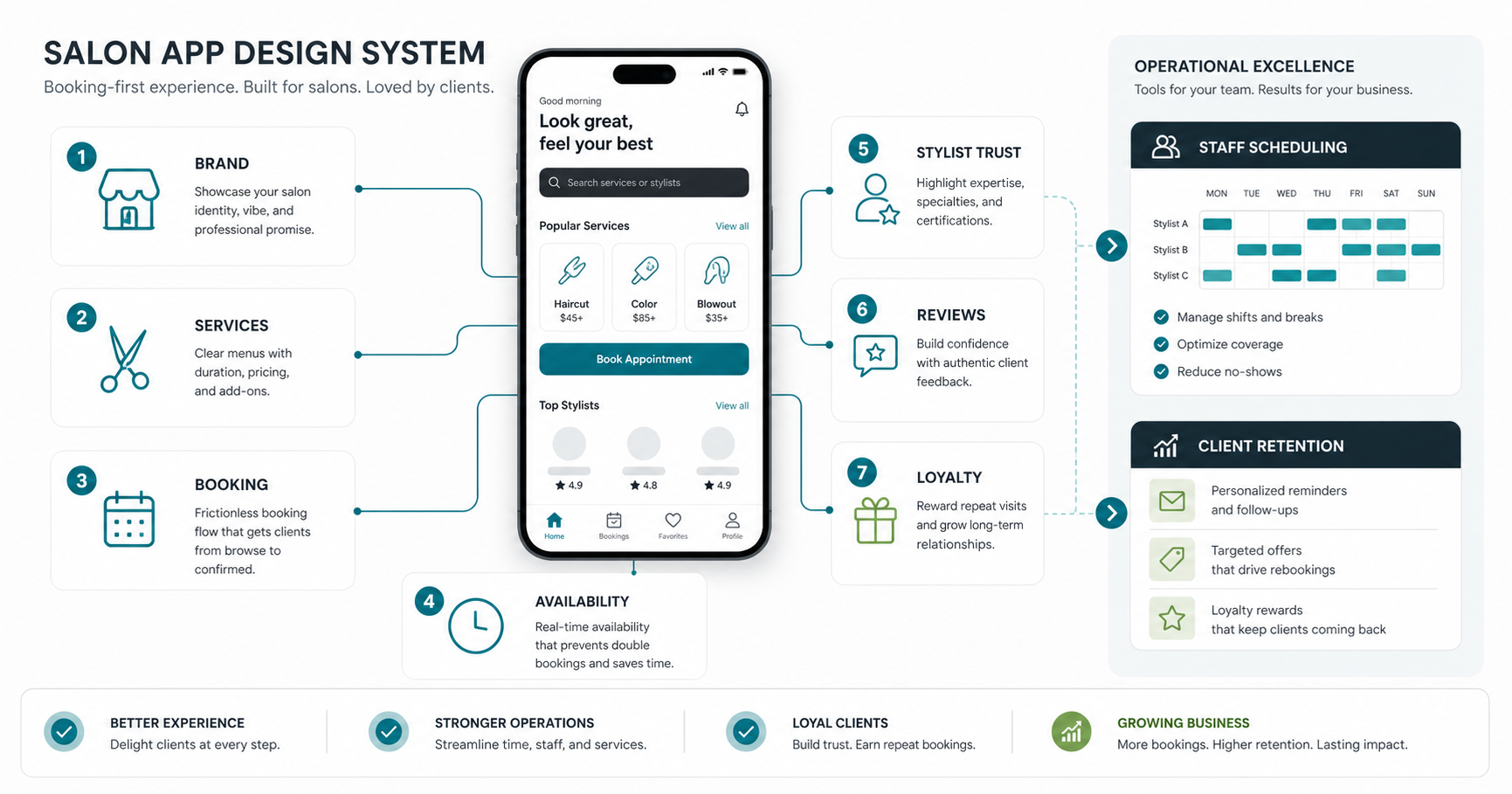
A strong salon app design helps clients make a confident booking quickly while giving staff enough structure to run the day without manual cleanup. The design should make services easy to compare, prices and duration clear, stylist availability trustworthy, reminders visible, and rebooking simple after each visit.
For a salon owner, the goal is not only a beautiful interface. The app has to reduce missed appointments, support upsells without pressure, keep customer records organized, and make repeat visits easier. If you are planning a build with a mobile app development company, use design as the bridge between customer experience and salon operations.
Start With The Salon Operating Model
Before choosing colors, icons, or animations, map how the salon actually works. A single-location salon, multi-branch salon, beauty marketplace, home-service beauty brand, and spa chain all need different app behavior. The design should reflect service duration, stylist skills, chair availability, package rules, deposits, cancellations, add-ons, memberships, and walk-in policies.
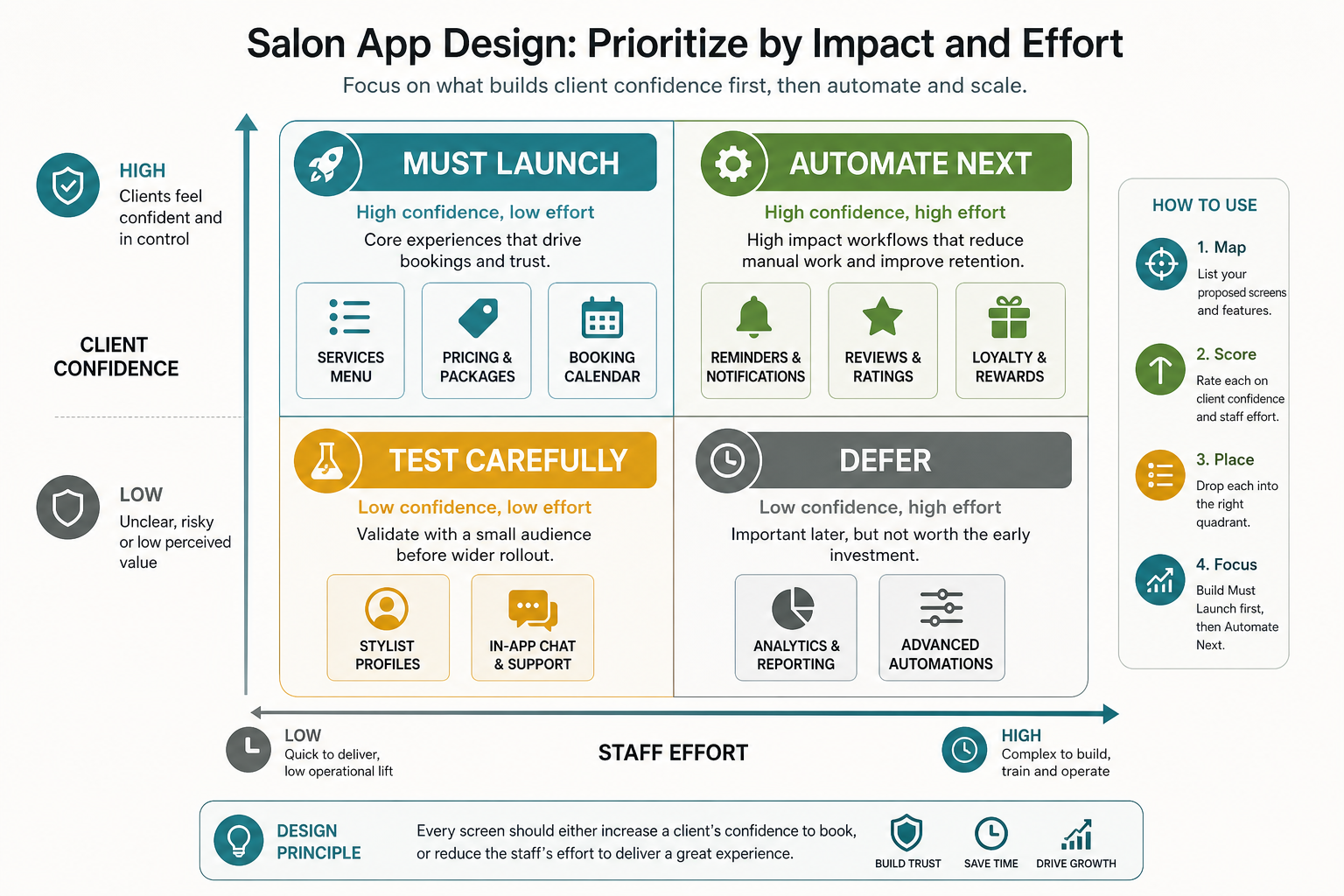
This operating model prevents the app from becoming a pretty booking form that staff still need to fix manually. It also clarifies which flows belong in the first release and which should wait until the salon has enough usage data.
Design Service Discovery Around Real Client Decisions
Clients usually do not open a salon app thinking in database categories. They think in outcomes: haircut, color refresh, bridal makeup, nail repair, skin treatment, styling before an event, or a regular maintenance visit. The service menu should help them choose without calling the salon.
Use clear service names, short descriptions, starting prices, expected duration, preparation notes, and add-on prompts only where they help the decision. The service menu can borrow ideas from broader beauty app features, but it should still feel specific to the salon brand and local customer behavior.
Turn The Service Menu Into A Decision Tool
A better service menu groups services by intent, not only by department. For example, a hair salon might show “quick refresh,” “new look,” “color maintenance,” and “event styling” paths. A spa might show “relaxation,” “skin concern,” and “membership visit” paths. These labels make browsing faster and reduce abandoned bookings.
Pair the menu with guidance from your must-have salon app features: service rules, booking constraints, customer history, staff capability, and rebooking logic should be designed together instead of patched in later.
Make Booking Feel Fast And Certain
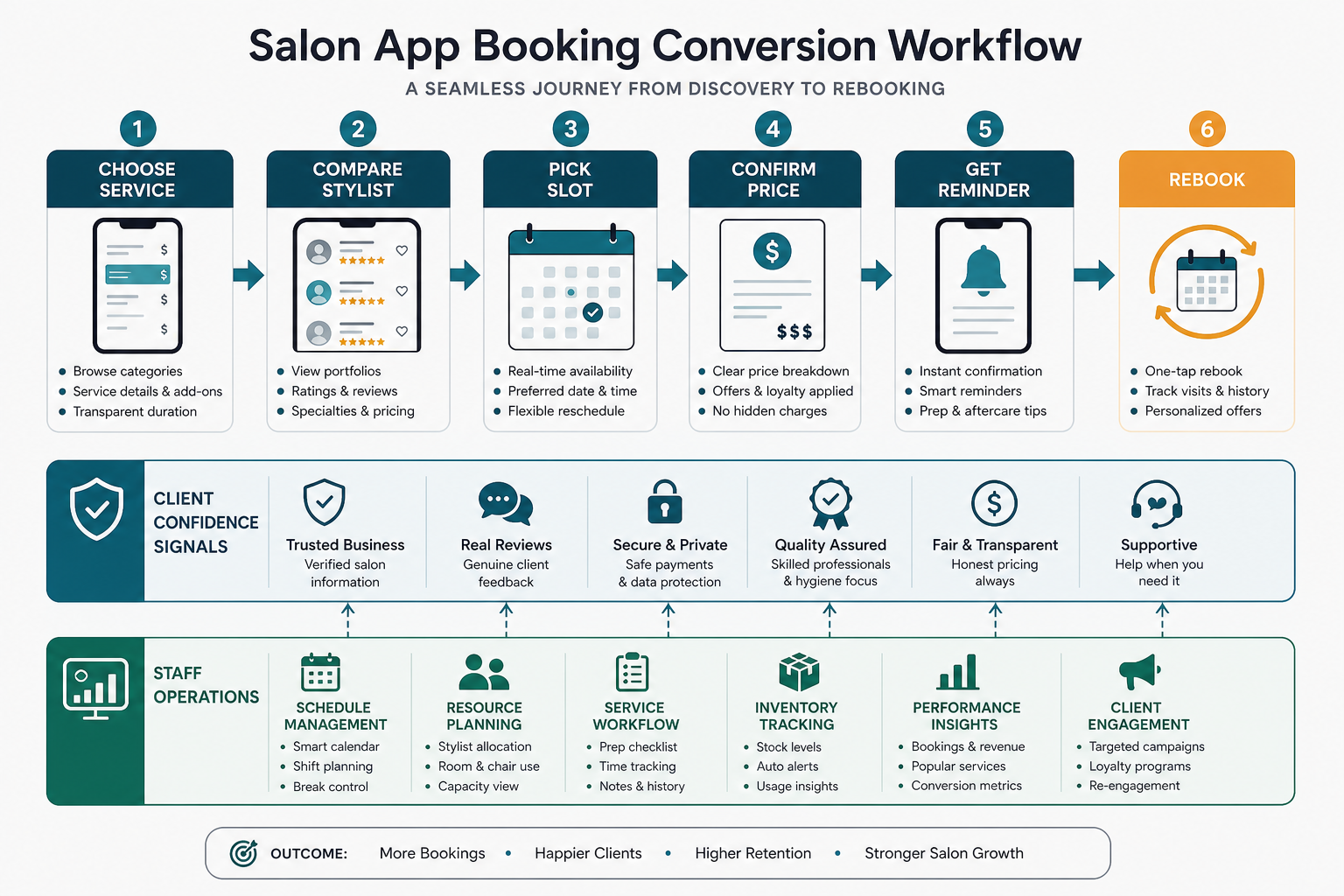
The booking flow is the highest-value part of the app. It should answer five questions without making the client think too hard: what service am I booking, who is available, when can I come, what will it cost, and what happens after I confirm?
Use a short stepper for service, stylist, date, time, and confirmation. Show unavailable states honestly. If a service needs consultation, patch test, deposit, or extra time, explain it before the final screen. Patterns from an appointment booking app apply well here because both experiences depend on trust, time-slot accuracy, reminders, and clear cancellation rules.
Use Stylist Profiles To Build Trust
Stylist profiles should help clients choose confidently without turning the app into a social feed. Include specialties, experience cues, portfolio images, languages, working days, review snippets, and services the stylist can perform. Keep the layout scannable and consistent so users can compare options quickly.
For salons where customers often book by service rather than stylist, let the app recommend “first available,” “best match,” or “same stylist as last visit.” That gives speed to new customers and continuity to returning customers.
Keep Visual Design Premium But Practical
Salon apps need visual polish, but polish should support readability. Use a restrained palette that matches the salon brand, strong contrast for booking actions, consistent spacing, and large touch targets. Service photos should be real, sharp, and current. Avoid burying core actions behind carousels, mood boards, or overly decorative screens.
Designers should test the app under common conditions: one-handed mobile use, low brightness, older phones, slow connections, and customers comparing options while commuting or waiting. A beautiful interface that slows booking will not help revenue.
Design For Accessibility, Trust, And Repeat Use
Accessibility is a commercial requirement, not a compliance footnote. Use readable text sizes, visible focus states, high-contrast buttons, clear error messages, and forms that work with autofill and assistive technologies. The same discipline that improves user experience in sensitive app categories also helps salon customers feel in control.
Trust signals should appear near decisions: cancellation policy on the confirmation screen, price range beside services, deposit rules before payment, and review excerpts near stylist choices. Do not force users to hunt for the information that affects whether they book.
Use Loyalty, Reviews, And Rebooking Without Clutter
Loyalty and review features work best when they appear at the right moment. Ask for a review after the appointment, not during booking. Show loyalty points or membership benefits near checkout, not across every screen. Prompt rebooking when the customer is likely to need the next visit, such as after a color service or recurring treatment.
If loyalty is part of the roadmap, design it as an operating system for retention rather than a points widget. Strong salon app loyalty programs connect visit frequency, reminders, offers, referrals, and customer segments.
Design The Staff And Admin Experience Too
A salon app is only successful if the team can operate it. Staff-facing screens should make schedules, customer notes, service history, deposits, no-show risk, and daily capacity easy to manage. Admins need visibility into booking trends, service demand, stylist utilization, customer retention, and campaign performance.
Do not leave operational tools as an afterthought. If the customer app accepts bookings that the staff dashboard cannot handle cleanly, the salon will fall back to phone calls and spreadsheets.
Common Salon App Design Mistakes
| Mistake | Why It Hurts | Better Design Choice |
|---|---|---|
| Starting with visual style before service rules | The booking flow breaks when duration, staff skills, or add-ons vary. | Map the operating model before final UI screens. |
| Hiding prices until checkout | Customers lose trust or abandon the booking. | Show starting prices, ranges, and consultation notes early. |
| Using generic service categories | Clients cannot connect services to the outcome they want. | Group services by intent and customer goal. |
| Adding loyalty everywhere | The app feels cluttered and promotional. | Place loyalty prompts around checkout, post-visit, and rebooking. |
| Ignoring staff workflows | Bookings create manual work behind the counter. | Design customer and admin flows together. |
Salon App Design Checklist
- Define service rules, stylist skills, duration, add-ons, deposits, and cancellation policies before screen design.
- Make service discovery outcome-led, not just department-led.
- Keep booking to a small number of clear steps with honest availability states.
- Show price, duration, stylist fit, and policy details close to the booking decision.
- Use real service visuals and consistent brand styling without reducing readability.
- Design accessibility, error states, slow-network states, and empty states.
- Connect loyalty, reviews, referrals, and rebooking to the right customer moments.
- Give staff and admins clean operational screens, not only customer-facing polish.
Conclusion
A strong salon app design makes it easier for clients to choose a service, trust the stylist, book the right time, understand the price, and return for the next visit. The best designs are not just visually attractive; they are operationally accurate. When the customer journey and staff workflow are designed together, the app can improve booking conversion, reduce manual coordination, and support long-term retention.