
Quick Answer: Why Doctor Appointment Booking Apps Matter
Doctor appointment booking apps matter because they remove friction from the first healthcare interaction: finding the right provider, choosing an available slot, preparing for the visit, receiving reminders, and following up after care. For clinics and healthcare networks, the same app can reduce phone traffic, improve calendar utilization, lower no-shows, and create a cleaner operating record for staff.
The value is not just a prettier booking screen. A strong appointment platform connects patient access, provider availability, intake forms, reminders, communication, payments when relevant, admin controls, and analytics. If you are planning a healthcare product from scratch, treat appointment booking as a core workflow inside broader mobile app development, not as an isolated feature.
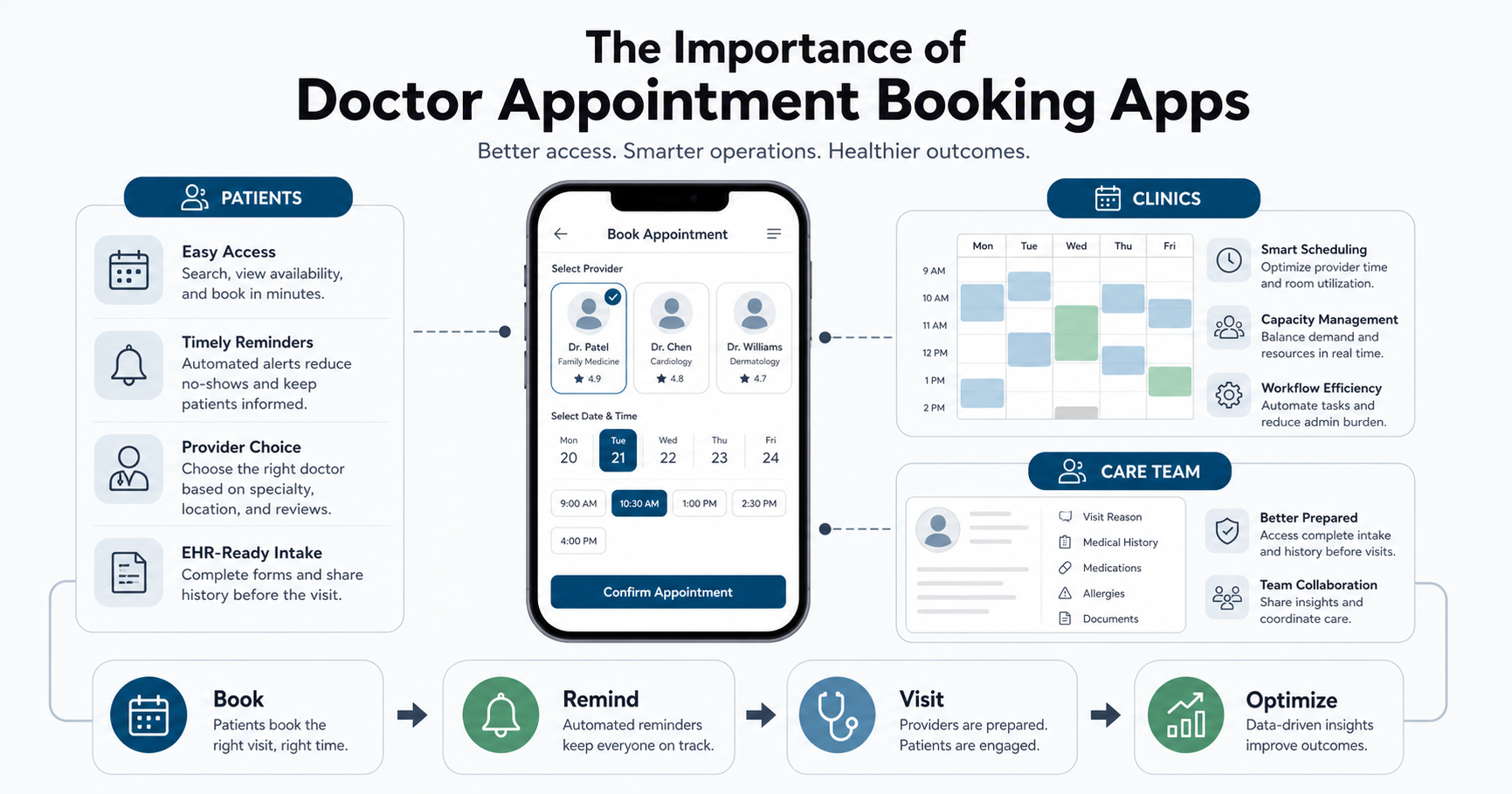
Patient Access Improves Before The First Call
Patients often need care outside office hours, during work breaks, or while comparing providers for a family member. A booking app lets them search by specialty, location, symptoms, insurance fit, language, availability, rating, or visit type without waiting for the front desk. This makes access more predictable for patients and reduces repetitive phone work for staff.
The most useful apps make the next step obvious. Patients should be able to compare providers, see appointment slots, understand consultation mode, submit basic intake details, and receive a confirmation without uncertainty. For implementation depth, the companion guide on how to develop a doctor appointment booking app covers product models, user roles, and build considerations.
The Patient Journey Should Feel Clear And Continuous
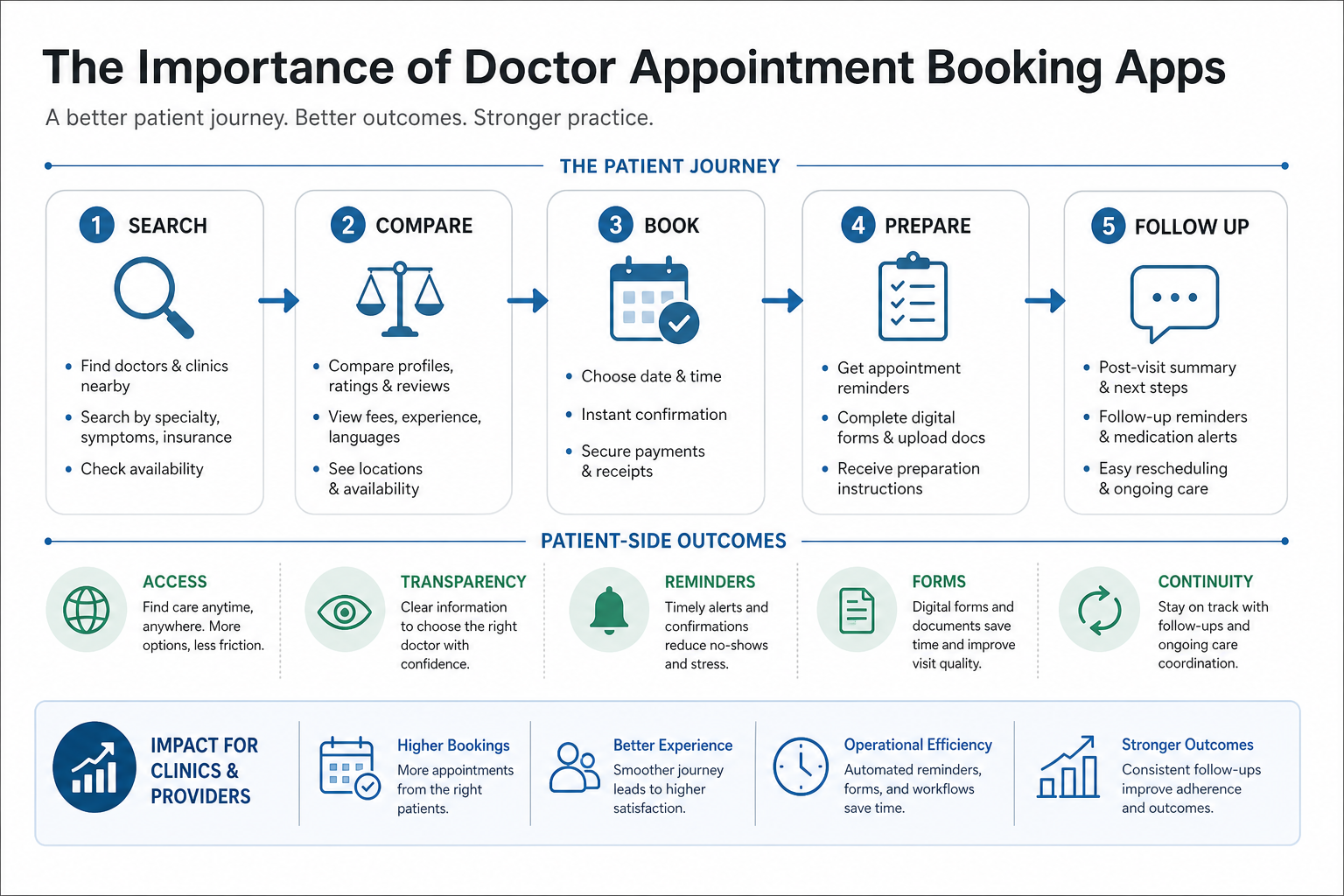
A patient-friendly journey usually includes five stages: search, compare, book, prepare, and follow up. Search helps the patient find care. Comparison builds trust through profiles, reviews, fees, languages, and availability. Booking converts intent into a confirmed slot. Preparation collects intake details, documents, and reminders. Follow-up keeps care instructions, rescheduling, prescriptions, or referrals from getting lost.
This journey should be simple enough for first-time patients and structured enough for complex clinics. If the app handles multiple specialties, departments, or locations, patients need filters and explanations that prevent wrong bookings. A strong feature plan should align with the practical capabilities listed in key features for doctor appointment booking apps.
Clinics Gain Time, Capacity, And Fewer No-Shows
For clinics, appointment apps are important because they protect scarce operational capacity. Live availability, slot rules, appointment duration, provider schedules, buffers, cancellation policies, and waitlists can reduce manual coordination. Staff can focus on exceptions instead of answering the same scheduling questions all day.
Automated reminders are especially important. SMS, email, push notifications, calendar invites, and rescheduling links can reduce missed appointments when the timing and message are useful. The operational details are covered more deeply in scheduling and reminders in doctor appointment booking apps.
Operational Impact Comes From The Admin Layer
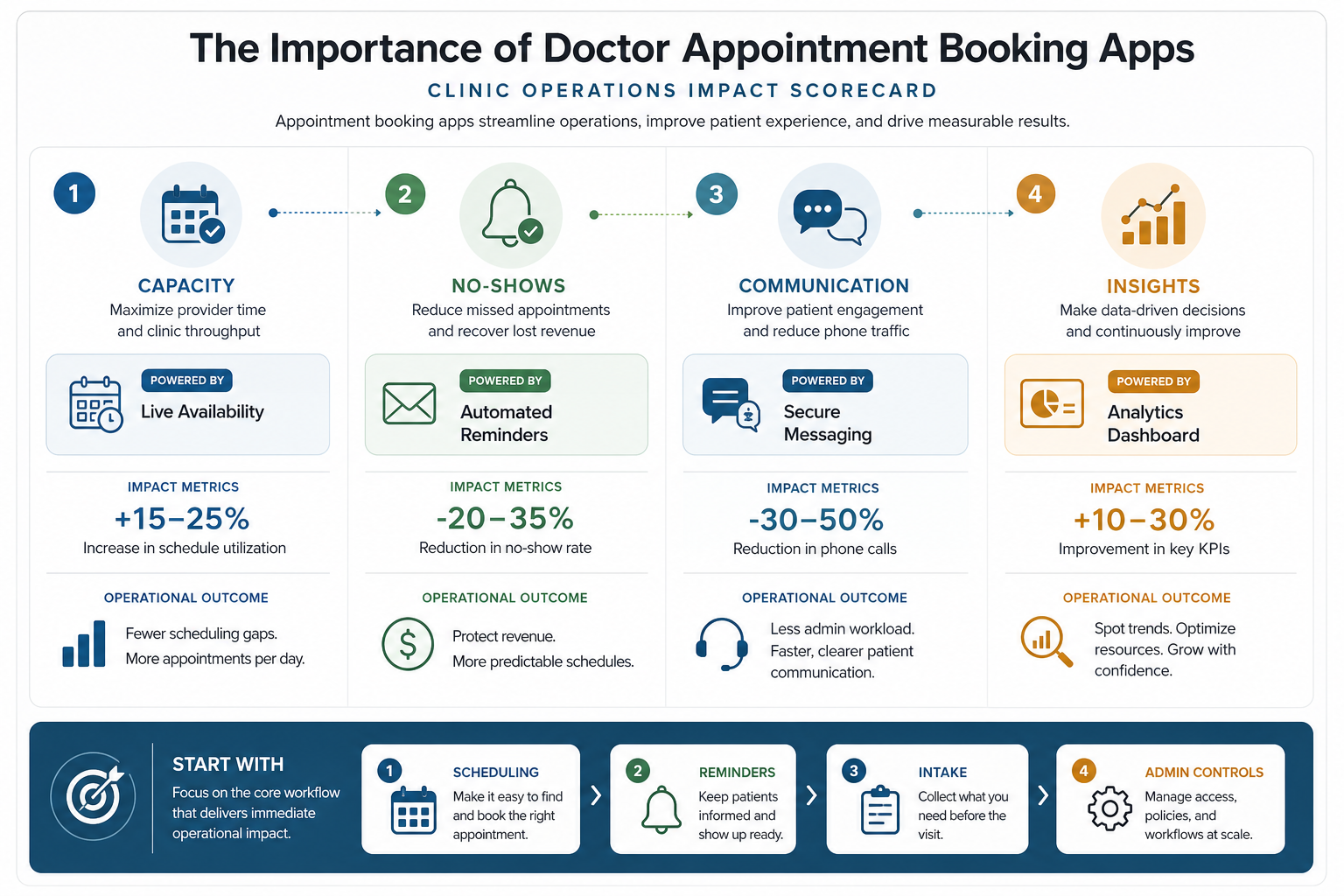
The patient app is only one part of the system. A clinic also needs an admin console for provider schedules, specialty rules, slot templates, leave management, booking approvals, intake review, patient communication, reporting, and support. Larger healthcare networks may need branch permissions, department-level rules, audit trails, role-based access, and integration monitoring.
Without this operations layer, a booking app can create more work than it removes. A clinic may receive bookings that do not match provider availability, appointment types, insurance requirements, or visit duration. A well-planned system keeps business rules visible to both patients and staff.
Health Record And Intake Integration Improves Care Continuity
Appointment booking becomes more valuable when it connects to intake and clinical context. Patients can submit symptoms, visit reason, documents, medication information, prior reports, consent forms, or insurance details before arrival. Doctors and staff can review context earlier, which makes the visit more prepared and less dependent on last-minute paperwork.
Healthcare integrations require careful architecture. Electronic health record connectivity, secure document handling, consent, audit logs, and role-based access should be planned from the beginning. Teams estimating the scope should compare appointment features with broader healthcare app development cost drivers such as compliance, integrations, security, and admin depth.
Trust, Transparency, And Communication Drive Adoption
Patients use appointment apps when they trust the information. Provider profiles, credentials, specialties, languages, clinic location, consultation mode, fees, cancellation rules, ratings, and reviews all reduce uncertainty. Transparent information is especially important for new patients who do not already have a relationship with the clinic.
Communication features should support the visit without replacing clinical judgment. Secure messages, appointment updates, document requests, follow-up instructions, and support threads can prevent confusion. The app should clearly separate administrative messages from medical advice and route sensitive requests to the right care team.
Analytics Help Healthcare Teams Improve Access
Booking data can reveal where the patient journey breaks down. Clinics can track search-to-booking conversion, slot utilization, cancellation rate, no-show rate, reminder performance, provider load, wait time, repeat visits, and patient feedback. These insights help teams adjust schedules, add providers, improve reminder timing, and identify underserved locations or specialties.
Analytics should be practical, not ornamental. A useful dashboard helps operations teams answer questions such as which slots are underused, which providers are overloaded, which appointment types are frequently rescheduled, and which reminders reduce no-shows. This turns the app into a management tool rather than a static booking form.
MVP Checklist For Doctor Appointment Booking Apps
| Area | What To Include First | Why It Matters |
|---|---|---|
| Patient access | Signup, provider search, specialty filters, location, profile pages, available slots, and confirmation. | Helps patients move from care intent to a booked visit quickly. |
| Scheduling rules | Provider calendars, appointment types, duration, buffers, holidays, cancellation windows, and rescheduling. | Prevents bookings that the clinic cannot deliver reliably. |
| Communication | Email, SMS, push reminders, calendar invites, intake prompts, and support messages. | Reduces no-shows and keeps patients prepared. |
| Admin controls | Role-based access, staff dashboard, booking management, provider setup, audit logs, and reports. | Gives the clinic control over daily operations. |
| Healthcare readiness | Secure data handling, consent, document upload, intake forms, integration planning, and privacy controls. | Supports safer expansion into clinical workflows. |
When the budget or timeline is still unclear, use the Custom Software Cost Estimator to frame likely complexity, team shape, timeline, and integration assumptions before committing to a build.
Common Mistakes To Avoid
The biggest mistake is treating appointment booking as a simple calendar widget. Healthcare scheduling has rules around provider availability, specialty fit, visit type, preparation, cancellations, patient privacy, and staff workload. Another mistake is launching a patient app without enough admin control, which leaves staff correcting bad bookings manually.
Teams should also avoid adding advanced features before the core workflow is dependable. AI recommendations, chatbot triage, complex integrations, or multi-location automation are useful only when provider data, slot rules, intake flows, and support operations are already clean.
Final Recommendation
Doctor appointment booking apps are important because they improve both sides of the healthcare access problem. Patients get a clearer path to care, while clinics get better scheduling control, fewer repetitive calls, fewer missed appointments, and more useful operational data.
Start with a dependable MVP: provider discovery, live availability, booking, reminders, intake, admin controls, and reporting. Then expand into deeper EHR integration, payments, telehealth, analytics, and multi-location workflows once the core scheduling system is reliable.