Portfolio case study

GuideTrack: Outdoor Membership And Permit Reminder Mobile App

A mobile outdoor membership app that connects account registration, subscription preferences, state drawing reminders, profile management, address workflows, photo uploads, and API-backed notification settings.

Name changed to respect NDA.

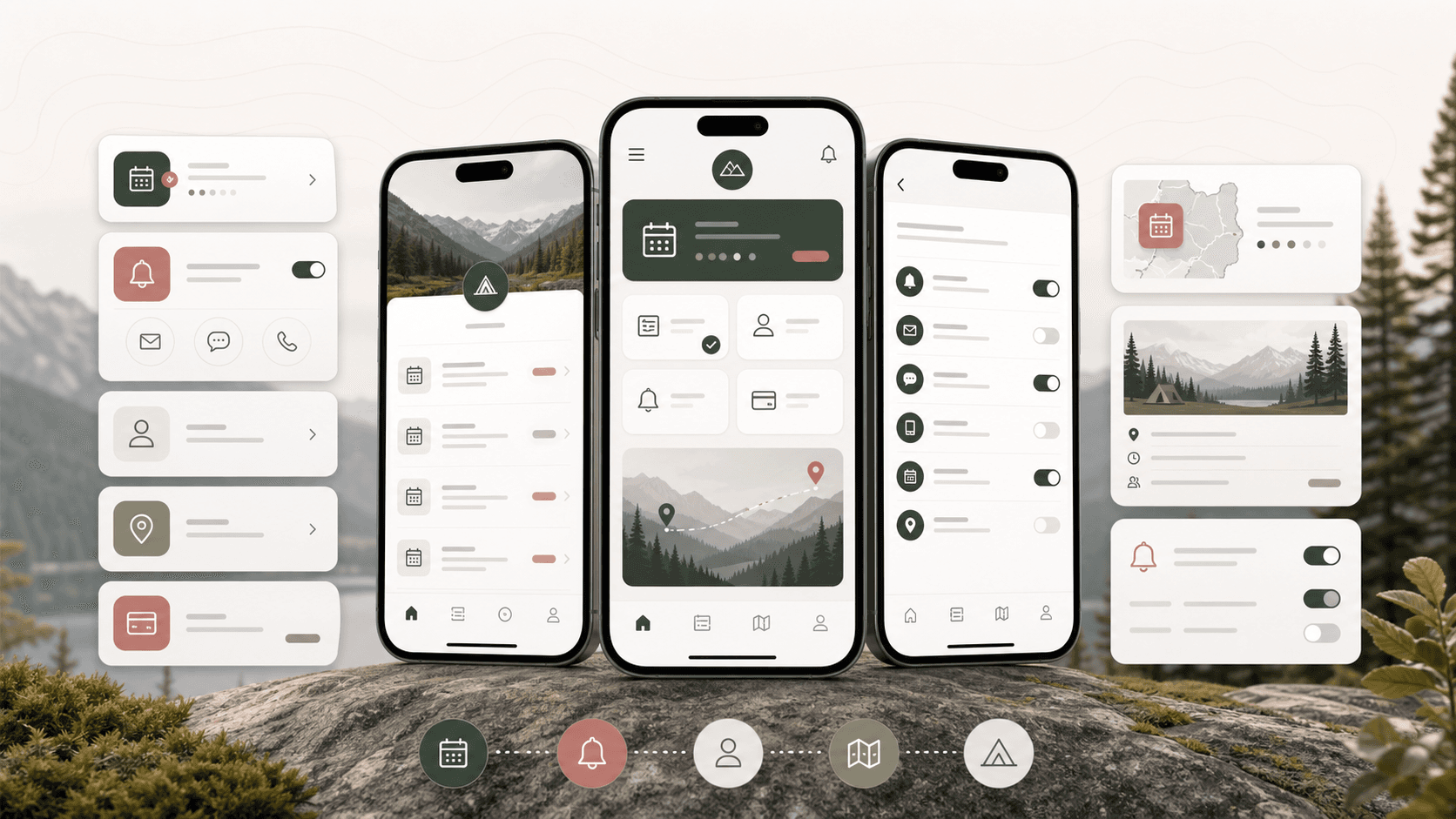
Outdoor membership mobile app visual with phone screens for state reminders, subscriptions, profile management, notifications, and trip planning cards
Project scope

Mobile product engineering for an Ionic and Angular account app with registration, reminders, notification preferences, profile editing, image upload, and authenticated API workflows

Ionic
cross-platform mobile surface
50 states
state-based reminder selection
4 steps
profile and address update flow
API
authenticated reminder and subscription sync

Timeline

Mobile membership and reminder workflow delivery for an outdoor commerce and services product

Outdoor customers needed account tools beyond a storefront

The product needed a mobile account layer where members could register, manage profile details, choose content preferences, track state drawing reminders, and keep notification settings current without relying on manual support.

  • Members needed login, registration, profile, subscription, reminder, and logout flows in one mobile shell
  • State drawing reminders needed current, upcoming, and all-reminder views with selectable state preferences
  • Profile updates had to collect identity, phone, physical address, mailing address, and shipping address details across a guided sequence
  • Notification preferences needed to connect email, text, newsletter, product, rifle, and hunt interest settings back to the API

A focused Ionic mobile app for membership, reminders, and preferences

GuideTrack turns the customer account into a practical mobile operating layer, pairing simple Ionic navigation with authenticated API calls, local profile staging, state selection, image upload, and clear reminder/subscription screens.

  • Ionic and Angular route structure for login, registration, profile, subscriptions, reminders, common headers, custom headers, and side navigation
  • Reminder dashboard with current, upcoming, and all reminder segments plus state selection and email/text preference updates
  • Subscription preference management for newsletters, product specials, hunt specials, and rifle specials
  • Multi-step profile workflow for personal details, physical address, mailing address, shipping address, and profile image handling

Product surfaces

What the platform brought together

The work spanned core product operations, daily user workflows, data-heavy coordination, and resilient platform management.

Member onboarding and authentication

The app gives customers a direct route into the membership account experience with validation, loading states, error alerts, and authenticated API state.

  • Login and registration screens with email validation, credential checks, API calls, and root navigation into reminders
  • Local authenticated state for request headers, user identifiers, profile image state, and account context
  • Side navigation for profile, subscriptions, reminders, and logout so recurring account tasks stay easy to reach

State drawing reminder center

Members can select states, review relevant reminder categories, and update how they want to be notified about time-sensitive outdoor application windows.

  • Current, upcoming, and all reminder segments for drawing and application deadlines
  • State picker and selected-state management across a full U.S. state list
  • Email and text notification settings saved through the reminder API workflow

Subscription preference management

The account area lets members opt into the content and offer categories that matter to them while keeping notification flags synchronized with the backend.

  • Newsletter, product, hunt, and rifle preference toggles
  • Support for new users with empty preference records and returning users with existing subscription data
  • Unified update payload that preserves reminder notification settings while changing subscription preferences

Profile, address, and image workflows

The profile flow stages customer data across multiple screens before syncing it as one account update, reducing friction on small mobile screens.

  • Personal details screen for name, email, phone, and profile photo actions
  • Physical, mailing, and shipping address steps with state selection and validation
  • Camera and photo library integration for profile image capture, upload, update, and cross-screen refresh events

Buyer priorities

What mattered most to the people evaluating the platform

Prospective buyers want to know whether the work solved real workflow, adoption, reliability, data, and operations problems. These priorities shaped the product decisions.

Retention through practical utility

Outdoor commerce apps can become recurring-use products when account data, reminders, and preferences are useful between purchases.

  • State reminders give members a reason to reopen the app during application seasons
  • Subscription preferences help the business send more relevant content and offers
  • Profile and address tools reduce support work around account maintenance

Mobile-first account control

The app keeps common account actions reachable from a small-screen navigation model instead of forcing customers back to desktop workflows.

  • Side menu exposes profile, subscriptions, reminders, and logout
  • Guided profile steps keep long account forms manageable on mobile
  • Alert and loading states make API-backed changes feel predictable

API-aligned operations

The mobile app was structured around backend endpoints for login, users, reminders, notifications, and file uploads so account workflows remain synchronized.

  • Authenticated headers and token-aware API calls connect mobile actions to account records
  • Local staging avoids losing multi-step profile edits between screens
  • Event-based updates keep side navigation and profile images in sync after changes

System model

How the platform connects roles, workflows, and product surfaces

The product architecture brings every role into the same operating model, with shared data moving cleanly between web, mobile, media, and notification layers.

Membership app operating model

Registration, authenticated API state, reminder preferences, subscription settings, profile data, and image uploads work as one account layer.

Reminder preference workflow

Members choose states, review current and upcoming reminders, set email or text preferences, and save updates back to their account.

Member account roles

The mobile surface connects members, support teams, marketing operations, and backend account systems around the same profile and preference data.

Technology

The Stack We Used And Why

The stack section is written for buyers who need to understand the product architecture, operational trade-offs, and long-term maintainability of the system.

Mobile app framework

Used to deliver a cross-platform account app with mobile navigation, native plugins, form screens, and deployable iOS/Android packaging.

IonicAngularTypeScriptCordovaRxJS

Native mobile capabilities

Used for profile image capture, gallery access, keyboard handling, splash/status bar behavior, and device-ready mobile UX.

Ionic Native CameraPhoto LibraryDiagnostic permissionsIonic KeyboardCordova plugins

Account and reminder APIs

Used to synchronize authentication, user data, reminder selections, notification preferences, subscription updates, profile updates, and image records.

REST APIsAngular HttpClientAuthenticated headersLocal storageEvent bus updates

Mobile interface layer

Used to create segmented reminder views, ion-select state lists, profile steps, subscription toggles, side navigation, loading states, and alerts.

Ionic UI componentsAngular FormsSassjQuery helpersResponsive mobile layout

Why Ionic And Angular

The product needed a cross-platform mobile account experience with familiar web engineering patterns and access to native device capabilities.

  • Ionic provided mobile-ready navigation, forms, menus, alerts, loading states, and native plugin integration
  • Angular supported route-based screens, shared services, dependency injection, forms, and API integration
  • Cordova plugins gave the app camera, photo library, keyboard, splash, status bar, file, and webview capabilities

Why Segment Reminders And Preferences

Reminder and subscription data are recurring engagement loops, so the app separated them into quick screens rather than hiding them inside profile settings.

  • Reminder segments helped members distinguish current deadlines from future and historical reminders
  • Subscription toggles made preference updates fast enough for mobile use
  • State selection matched the business logic around location-specific drawing windows

Why Stage Profile Data Locally

Profile and address records can be long, especially on mobile, so the app staged each section before submitting the final account update.

  • Separate profile steps reduced form density and kept validation focused
  • Local staging preserved data while members moved through address screens
  • A final update payload combined identity, physical address, mailing address, and shipping address details

Delivery

How the product came together

The work moved from domain modeling to core platform delivery, mobile adoption, and operational hardening.

1

Map account journeys

Break the account experience into onboarding, reminders, subscriptions, profile, address, and logout flows.

2

Connect API-backed screens

Implement mobile services for login, registration, user records, reminders, notification updates, image records, and profile updates.

3

Shape mobile interaction states

Use Ionic components for loading, alerts, menus, selects, segments, toggles, and guided form movement.

4

Add native profile support

Integrate camera and photo library permissions so profile images can be captured, uploaded, refreshed, and reused across screens.

Operational depth

What made the platform usable after launch

The strongest case studies are not only feature lists. They show how the system is operated, monitored, governed, and improved when real users depend on it.

Reminder-led retention loop

State drawing reminders turn account preferences into a recurring customer touchpoint instead of a static profile page.

  • Current, future, and all reminder categories
  • State preference selection and removal
  • Email and text reminder flags saved with the member account

Preference-driven outreach

Subscription toggles help the business understand which content and offer categories should reach each member.

  • Newsletter and product preference controls
  • Hunt and rifle interest categories
  • New-user and returning-user preference handling

Complete account maintenance

The app handles identity, addresses, photos, contact data, and profile updates so members can maintain the record the business depends on.

  • Personal details and phone validation
  • Physical, mailing, and shipping address steps
  • Profile image capture, update, and shared display state

Results

The measurable and observable lift from the work

The strongest improvements are the ones a buyer can connect to daily work: fewer disconnected tools, safer operations, clearer workflows, and more reliable product behavior.

3 loops

Engagement Surfaces

Reminders, subscriptions, and profile updates give members recurring account reasons to use the app.

50 states

Reminder Targeting

State selection supports location-specific drawing and application reminder preferences.

4 screens

Profile Flow

Personal details plus physical, mailing, and shipping addresses are staged as a guided mobile workflow.

Native-ready

Device Capabilities

Camera, photo library, keyboard, splash, and status bar integrations prepared the app for mobile device usage.

Outcome

A stronger operating system for outdoor membership and permit reminder mobile app

The platform reduced tool fragmentation and gave each role a clearer path from live activity to day-to-day action.

A mobile account app that brings login, registration, reminders, subscriptions, profile updates, addresses, and image upload into one customer-facing surface

A reminder center for state-based outdoor application deadlines with current, future, and all-reminder views

A preference layer for newsletters, product specials, hunt specials, rifle specials, email reminders, and text reminders

A public-safe portfolio page that positions the work as an outdoor membership and reminder platform without exposing real app names, private URLs, tokens, source screenshots, or client identifiers

FAQ

Frequently Asked Questions About GuideTrack

Answers about the outdoor membership and permit reminder mobile app scope, platform model, technology choices, operational workflows, and related build patterns.

What Kind Of Platform Does GuideTrack Represent?

GuideTrack represents a mobile outdoor membership and permit reminder app with account registration, login, state drawing reminders, subscription preferences, profile management, address workflows, and profile image upload.

Why Would An Outdoor Business Need A Custom Membership App?

A custom app can connect account data, location-specific reminder windows, customer preferences, and recurring outreach in ways that a standard storefront or email list cannot handle cleanly.

Can This Pattern Support Other Membership Or Reminder Products?

Yes. The same pattern fits clubs, associations, permit systems, regulatory reminders, seasonal commerce, and account-based customer communities where preferences and deadlines drive repeat engagement.

What Should A Buyer Prepare Before Building A Similar App?

Useful inputs include account fields, reminder rules, location/state logic, subscription categories, notification channels, profile image requirements, API contracts, and customer support workflows.

Related services

Build a similarly ambitious product without starting from a blank page.

We can help scope the web, mobile, AI, media, and operating layers needed for your own platform.

Start a project inquiry