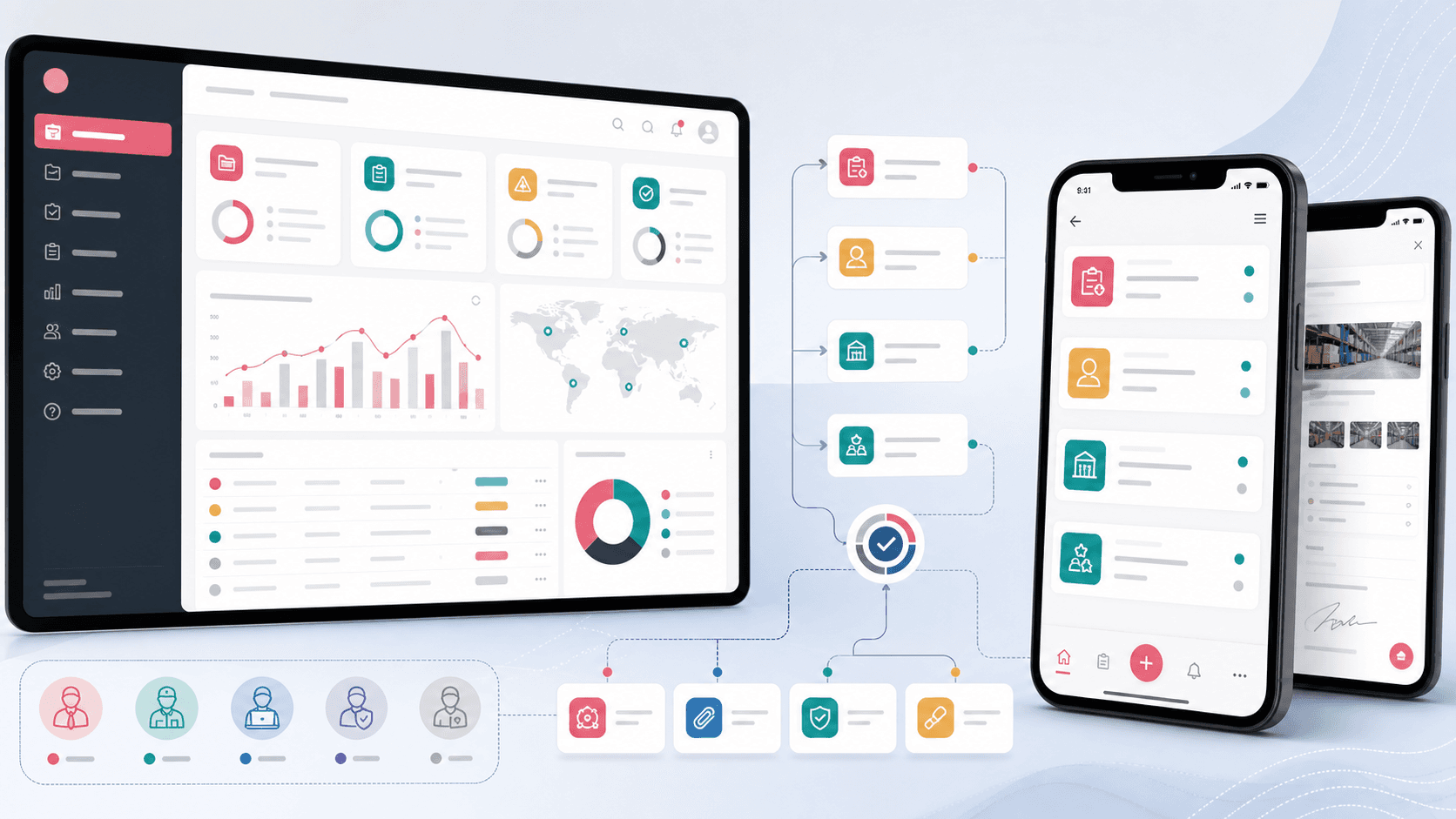
QualityHub: Supplier quality and field service operations platform
A supplier quality and field service operations platform that connects service requests, customer complaints, samples, dock audits, supplier evaluations, 8D corrective action reports, attachments, approvals, and role-aware mobile work.
Product engineering across React administration, Ionic React mobile app, service workflow forms, supplier quality reporting, attachments, role access, and notification-ready operations
Quality work was split across forms, files, follow-ups, and field teams
Supplier quality teams needed a shared system for service requests, complaints, audits, supplier evaluations, sample handling, images, and corrective action reporting without making mobile users depend on a dense desktop admin console.
Field and client users needed a mobile way to submit and track operational requests
Administrators needed a browser workspace for users, settings, reports, products, and workflow oversight
Quality records needed attachments, statuses, pagination, filtering, and detail views
Corrective action and supplier evaluation workflows needed enough structure to support review and accountability
A connected admin and mobile platform for supplier quality operations
QualityHub pairs a React admin console with an Ionic React and Capacitor mobile app so operational records can move from field capture to review, approval, reporting, and follow-up.
Admin routes for service requests, customer complaints, users, product settings, data types, dock audits, supplier evaluation reports, and 8D reports
Mobile routes for users, service requests, complaints, dock audits, supplier evaluations, 8D reports, analysis forms, details, and logout workflows
Shared API patterns for authenticated CRUD operations, filtered lists, detail records, status changes, uploads, images, and report-specific endpoints
Role-aware navigation for administrators, clients, employees, lab assistance, and sales-style users
Product surfaces
What the platform brought together
The work spanned core product operations, daily user workflows, data-heavy coordination, and resilient platform management.
Service request operations
Teams can create, filter, review, and update service requests with product/customer context and supporting evidence.
Service request lists with status filtering, pagination, search, and detail navigation
Create and edit flows for mobile users and admin users
Image and file upload paths tied back to the service request record
Complaint and corrective action workflows
Customer complaints and 8D reports give quality teams a structured loop for issue intake, response, and follow-up.
Complaint lists, complaint forms, complaint details, and complaint image handling
8D report list and detail workflows across admin and mobile surfaces
Response report forms with date, checkbox, select, textarea, document, picture, and attachment sections
Dock audits and supplier evaluations
Operational audit and supplier evaluation modules support assigned work, submissions, approvals, and evidence capture.
Dock audit forms, submissions, assigned-to-me views, status toggles, and approval actions
Supplier evaluation reports with list, detail, form, delete, sales-owner, and attachment workflows
Status-aware endpoints and filtering so review queues stay manageable
Administration and configuration
The admin console gives teams the control layer needed to manage users, products, data types, and repeatable quality workflows.
User management with role selection, create, edit, and delete workflows
Product and data-type settings that let admins maintain operational taxonomy
Authenticated API client, token handling, retry behavior, route guards, and reusable table/filter controls
Buyer priorities
What mattered most to the people evaluating the platform
Prospective buyers want to know whether the work solved real workflow, adoption, reliability, data, and operations problems. These priorities shaped the product decisions.
Field execution
The mobile app needed to be useful for non-desk users who create, review, and update quality records while work is happening.
Ionic components kept the experience mobile-friendly across service, complaint, audit, and evaluation forms
Capacitor packaging supported Android and iOS delivery from one React codebase
Push-notification plumbing gave the platform a path for operational alerts and follow-up nudges
Review control
Quality records are only useful when managers can see status, context, evidence, and next actions in one place.
Admin detail pages, lists, filters, and report forms gave reviewers a browser-based operating layer
Image and attachment modules kept supporting evidence tied to the right workflow
Approval and status transitions helped move audits and reports through review
Workflow coverage
The platform covered the common quality operations loop instead of solving only one intake form.
Service requests, complaints, samples, dock audits, supplier evaluations, and 8D reports shared one application context
Role access reduced clutter for clients, employees, lab support, sales, and admin users
Settings and taxonomy controls helped the system adapt as product and data categories changed
System model
How the platform connects roles, workflows, and product surfaces
The product architecture brings every role into the same operating model, with shared data moving cleanly between web, mobile, media, and notification layers.
Quality record lifecycle
Service requests, complaints, audits, evaluations, and 8D reports move from intake to evidence, review, approval, and follow-up.
Admin and mobile surfaces
A React admin console and Ionic mobile app share the same operating data, attachments, statuses, and user roles.
Role-aware quality operations
Admins, clients, employees, lab assistance, and sales users each see the workflows that match their responsibilities.
Technology
The Stack We Used And Why
The stack section is written for buyers who need to understand the product architecture, operational trade-offs, and long-term maintainability of the system.
Admin console
Used for dense browser-based quality operations, reporting, settings, user control, and review workflows.
ReactReact RouterMaterial UIAxiosSassReact Select
Mobile app
Used for field and client workflows where forms, lists, approvals, uploads, and notifications needed to work on mobile devices.
The product needed mobile access without rebuilding the same quality workflows separately for each platform.
Ionic gave mobile-friendly forms, list views, headers, menus, and action controls
Capacitor provided a native packaging path while preserving a React codebase
Shared route and API patterns made admin and mobile behavior easier to align
Why A Separate Admin Console
The browser surface handled heavier workflows that are awkward on a phone, such as settings, reports, user management, and operational review.
React Router supported focused admin routes for each operations module
Material UI and reusable table controls kept dense lists scannable
Settings screens let teams maintain products and data types without code changes
Why Workflow-first APIs
The platform centered on operational records that need status, evidence, and follow-up across multiple modules.
Authenticated endpoints supported users, roles, service requests, complaints, audits, evaluations, and reports
Upload and image endpoints kept evidence attached to the right record type
Filtered and paginated reads kept mobile and admin queues responsive as data grew
Delivery
How the product came together
The work moved from domain modeling to core platform delivery, mobile adoption, and operational hardening.
1
Map quality workflows
Identify the operational records, roles, statuses, attachments, and review steps that needed to be represented in software.
2
Build the operating surfaces
Create the admin console and mobile app around the highest-value quality modules and shared API behavior.
3
Add evidence and reporting loops
Connect images, attachments, 8D response sections, supplier evaluation forms, and dock audit approvals to the core records.
4
Prepare for ongoing operations
Add settings, reusable controls, pagination, filters, notification plumbing, and role-aware navigation for daily use.
Operational depth
What made the platform usable after launch
The strongest case studies are not only feature lists. They show how the system is operated, monitored, governed, and improved when real users depend on it.
Evidence stays attached to the workflow
Uploads and image endpoints were shaped by record type, so supporting proof stays connected to the right service, complaint, audit, or evaluation item.
Dedicated image handling for service requests, complaints, dock audits, and supplier evaluations
Document and picture sections inside 8D response workflows
Reusable upload controls across mobile forms
Queues are built for review
Quality teams needed lists that could be filtered, paginated, and opened into details instead of static forms that disappear after submission.
Status filters for service requests, audits, and report-style workflows
Paginated API reads for larger operational queues
Detail pages and edit flows for follow-up work
Roles shape the navigation
The same platform supports administrators, clients, employees, lab support, and sales users without showing every workflow to every person.
Menu access rules by role
Different default landing behavior for admin and non-admin users
User and role administration in the control console
Results
The measurable and observable lift from the work
The strongest improvements are the ones a buyer can connect to daily work: fewer disconnected tools, safer operations, clearer workflows, and more reliable product behavior.
2 surfaces
Admin And Mobile Coverage
Quality teams received both a browser console for oversight and a mobile app for field/service workflows.
6+ modules
Operational Breadth
Service requests, complaints, samples, dock audits, supplier evaluations, 8D reports, users, settings, and attachments sit in one product context.
5 roles
Access-aware Navigation
Admin, client, employee, lab assistance, and sales-style roles shaped what users could see and act on.
Evidence-led
Quality Records
Images, files, form sections, statuses, and detail views helped teams move from intake to review with context intact.
Outcome
A stronger operating system for supplier quality and field service operations platform
The platform reduced tool fragmentation and gave each role a clearer path from live activity to day-to-day action.
A shared supplier quality operations system spanning admin review and mobile field workflows
Structured service request, complaint, dock audit, supplier evaluation, sample, and 8D corrective action modules
Attachment and image workflows that keep evidence connected to the right operational records
Role-aware navigation and settings that make the platform usable for administrators, clients, employees, lab support, and sales teams
FAQ
Frequently Asked Questions About QualityHub
Answers about the supplier quality and field service operations platform scope, platform model, technology choices, operational workflows, and related build patterns.
What Kind Of Platform Does QualityHub Represent?
QualityHub represents a supplier quality and field service operations platform with service requests, customer complaints, samples, dock audits, supplier evaluations, 8D corrective action reports, attachments, roles, and mobile workflows.
Why Build Both Admin And Mobile Apps?
The admin console supports dense review, settings, reporting, and user management, while the mobile app supports field users who need fast access to forms, evidence capture, statuses, and approvals.
How Does The Platform Support Quality Evidence?
It ties uploads, images, document sections, picture sections, statuses, and detail views back to specific service, complaint, audit, supplier evaluation, and 8D report records.
Can This Pattern Support Other Supplier Or Manufacturing Workflows?
Yes. The same platform pattern can support manufacturing quality, supplier onboarding, inspection workflows, corrective action management, service operations, and field evidence collection.
Related services
Build a similarly ambitious product without starting from a blank page.
We can help scope the web, mobile, AI, media, and operating layers needed for your own platform.