
Quick Answer: What A Cordova To Capacitor Migration Must Cover
A Cordova to Capacitor migration should cover seven areas before the team commits to a release: plugin inventory, native iOS and Android project setup, permissions and SDK requirements, WebView behavior, build pipeline changes, QA evidence, app-store readiness, and rollback planning. The goal is not simply to replace one wrapper with another. The goal is to prove that the app's real workflows still work on current devices, meet current store expectations, and can be maintained after the migration.
Capacitor is often the right modernization path when the existing web app is still useful but the Cordova or PhoneGap shell, plugins, native projects, or release pipeline have become risky. Capacitor's migration guidance recommends treating the move as a deliberate branch-based migration, and its migration strategy notes that teams can migrate over time or fully replace Cordova depending on app complexity. That makes the checklist a release-risk exercise, not just a framework swap.
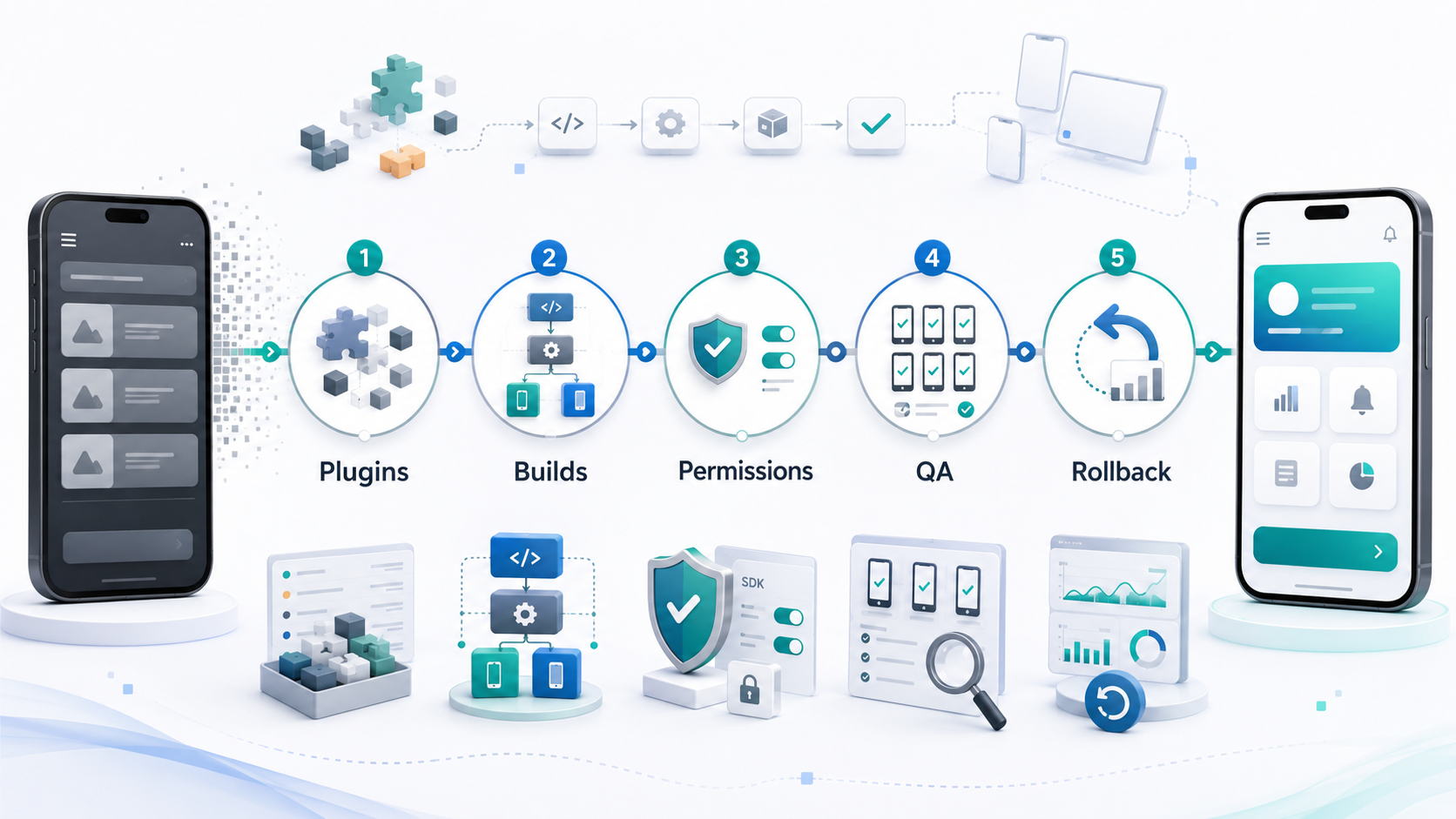
This guide is for product owners, founders, engineering managers, and technical leads responsible for an existing Cordova, PhoneGap, or older Ionic app. If you need a technical audit before choosing a path, NextPage's PhoneGap and Cordova app migration services can review the app package, plugins, native projects, SDKs, permissions, store issues, and release risk.
When Migration Is Better Than Patching Cordova
Some legacy hybrid apps only need a dependency update and a targeted store submission. Others are past that point. Migration becomes the better option when releases are blocked by old build tooling, unmaintained plugins, target SDK requirements, WebView issues, unsupported PhoneGap-era assumptions, or a QA process that cannot prove the app is safe on current devices.
| Signal | What It Means | Recommended Response |
|---|---|---|
| Plugin no longer maintained | Core workflows may break during SDK or OS updates. | Replace with a Capacitor plugin, native bridge, or product-scope cut. |
| Build pipeline is fragile | Releases depend on old Gradle, Xcode, signing, or CI assumptions. | Rebuild native projects and document the release pipeline. |
| Play Store or App Store warnings | The app may be blocked by SDK, privacy, or policy requirements. | Plan migration around store-readiness evidence, not only code changes. |
| Old UX and poor performance | The app may technically run but feel unreliable to users. | Combine migration with focused UX, accessibility, and performance QA. |
| Business-critical app | A failed migration affects revenue or operations. | Use staged rollout, monitoring, and rollback criteria. |
If the app's product experience also needs a major redesign, compare migration with a broader mobile app development or rebuild path. Migration is strongest when the existing web code and product flows still have value. A full rebuild is usually better when the current UX, backend contracts, performance model, or offline behavior no longer supports the business.
1. Build A Plugin And Native Capability Inventory
Start by listing every Cordova plugin, custom native bridge, WebView setting, permission, hook, config entry, and native dependency. Treat this as the migration risk register. A checkout, push notification, camera upload, wallet, map, analytics, biometric login, file storage, or deep-link plugin can block release if it has no compatible replacement.
For each plugin, record the business workflow it supports, the migration option, and the release evidence required before it can be trusted in production. Use this inventory to separate easy replacements from app-store, security, and rollback risks.
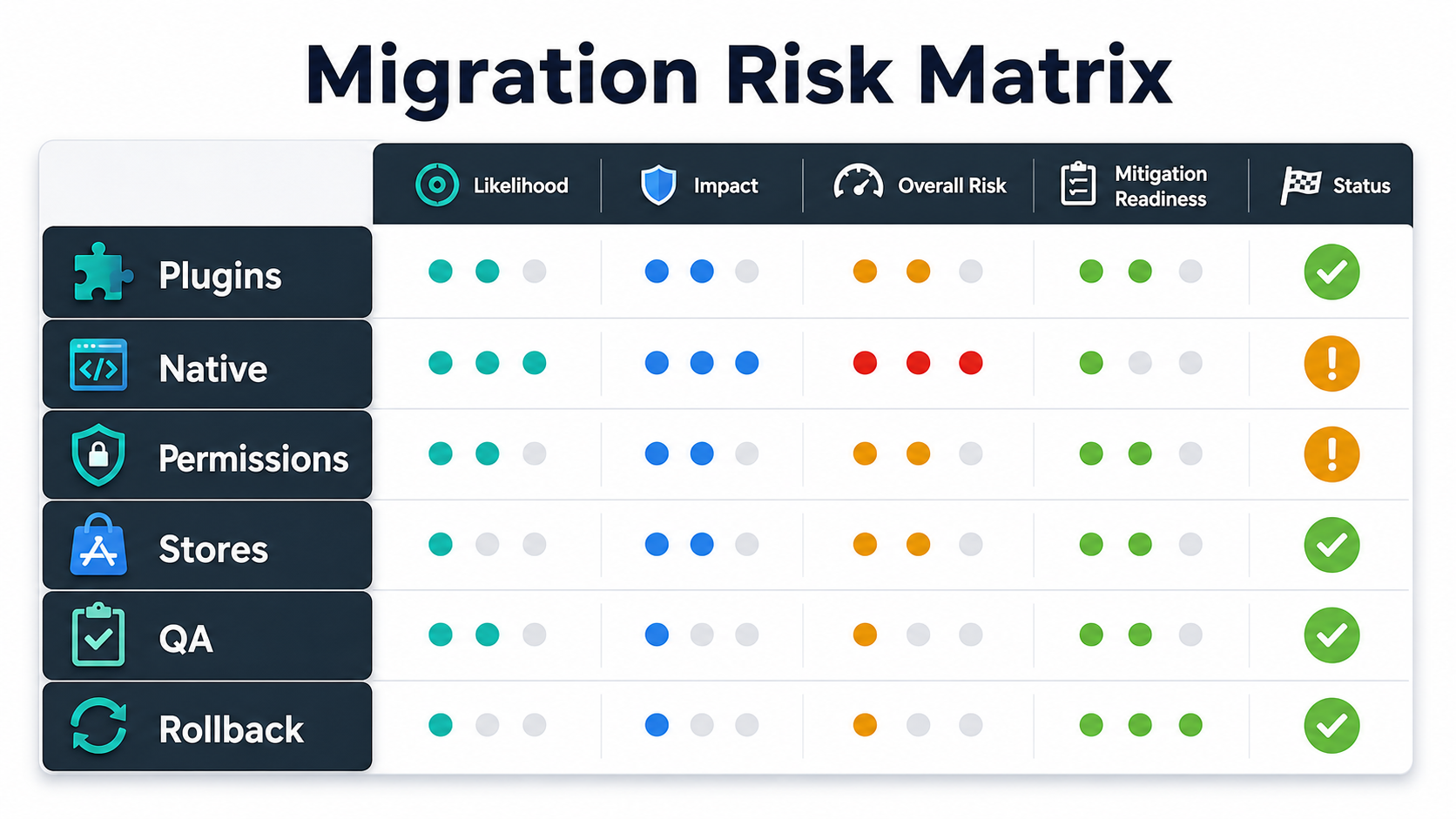
For each plugin, record:
- Current package name, version, owner, and maintenance status.
- Whether a Capacitor equivalent exists and is actively maintained, or whether the feature needs a custom native bridge.
- Whether the plugin touches permissions, background work, payments, identity, files, media, location, Bluetooth, notifications, or secure storage.
- Whether the feature is required for launch or can move to a later phase.
- Test cases needed to prove the replacement works.
Do not migrate plugins blindly. Replace high-risk plugins one at a time, isolate custom bridges, and remove features that no longer serve the product. The mobile app maintenance checklist is useful after launch because plugin and SDK review should become routine, not a one-time rescue.
2. Rebuild Native Projects Deliberately
Capacitor changes how teams manage native projects. Instead of treating iOS and Android folders as disposable artifacts, plan them as maintained parts of the codebase. That means reviewing Xcode and Android Studio setup, signing, app identifiers, package names, schemes, build variants, icons, splash screens, deep links, environment configuration, CI, and release artifacts.
A practical migration plan should include a clean project setup, then a controlled move of web assets and native configuration. Keep the old Cordova app available for comparison until the migration passes workflow-level QA. The Apache Cordova Android guide is still useful for understanding the old platform requirements you are retiring, while Capacitor expects native iOS and Android projects to become maintained source assets instead of disposable build output.
| Area | Migration Check | Evidence To Keep |
|---|---|---|
| Android project | Gradle, Android Gradle Plugin, Kotlin/Java settings, target SDK, signing, package name. | Successful release build and Play Console pre-check notes. |
| iOS project | Xcode version, signing, bundle ID, entitlements, capabilities, Info.plist, schemes. | Archive/export evidence and TestFlight smoke test. |
| Assets | Icons, splash screens, adaptive icons, status bar, safe areas, dark mode. | Device screenshots across supported breakpoints. |
| Configuration | Environment variables, API URLs, deep links, analytics keys, privacy declarations. | Build matrix and config checklist. |
3. Review Permissions, SDKs, And Store Policies
Older Cordova apps often accumulate permissions that are no longer necessary. A migration is the right time to remove them, update user-facing permission explanations, and test denial behavior. Review location, camera, microphone, storage, contacts, notifications, Bluetooth, background tasks, biometric auth, and file access.
On Android, target SDK changes can alter runtime behavior and store eligibility. Google Play currently requires new apps and updates to target Android 15/API level 35 or higher for standard mobile apps, with platform-specific exceptions for Wear OS, Android Automotive OS, and Android TV. On iOS, entitlement, privacy manifest, tracking, push notification, and background-mode assumptions may need cleanup. Apple also expects accurate App Store privacy details and privacy manifests for required third-party SDK scenarios, so migration should include SDK disclosure review instead of only build fixes. If the app collects sensitive data, add a security review alongside migration. NextPage's mobile app security hardening services can help with data-flow review, sensitive paths, permission boundaries, and release gates when the app handles payments, health, employee, identity, or financial data.
4. Test Workflows, Not Just Screens
A migrated app can open successfully and still fail the business. The QA plan should test complete workflows: login, onboarding, search, checkout, booking, upload, payment, push notification, deep link, offline recovery, support contact, and any role-specific admin or field flow.
Use a device and OS matrix that reflects actual users. Include older supported devices, current Android and iOS versions, slow networks, app background/foreground transitions, permission denial, fresh install, update from the live app, and crash/ANR monitoring. The mobile app QA launch checklist is a good release gate because migration is not complete until the team has evidence that the app is ready for real users. Pair it with a tactical mobile app testing checklist when plugins touch payments, uploads, maps, notifications, authentication, or offline work.
- Run side-by-side tests against the current live app.
- Test every replaced plugin with success, failure, denial, and retry paths.
- Validate analytics, crash reporting, deep links, push notifications, payment callbacks, and any vendor SDK behavior covered by the mobile app integrations checklist.
- Confirm accessibility basics: labels, focus order, large text, touch targets, and contrast.
- Capture screenshots, logs, build hashes, and test notes for release approval.
For high-risk releases, use mobile app testing services or QA staff augmentation to get broader device coverage before rollout.
5. Prepare App-Store Release Readiness
Store readiness should be planned early. The final week is too late to discover that app IDs, signing, SDK policies, privacy declarations, screenshots, tracking permissions, target SDK requirements, or reviewer notes are wrong. Treat store readiness as a migration workstream with an owner, not as a launch-week admin task.
| Release Item | What To Verify |
|---|---|
| Build identity | Version, build number, bundle/package ID, signing certificates, release channel. |
| Policy data | Privacy policy, data safety forms, app privacy details, tracking declarations, SDK review. |
| Store assets | Screenshots, descriptions, icons, release notes, support URL, category, localization. |
| Monitoring | Crash/ANR dashboards, analytics events, support inbox, rollback triggers. |
| Rollout | TestFlight/internal track, staged rollout, smoke test, approval owner, go/no-go checklist. |
If the migration changes the app's core UX, combine technical release readiness with support and customer communication. Users should not discover the migration through broken flows.
6. Define A Rollback Plan Before Launch
Migration rollback is harder than a normal UI update because native projects, plugins, permissions, and store submissions may all change. Decide what rollback means before release. Can you halt staged rollout? Can you ship the previous Cordova build? Did data formats, local storage, API contracts, or analytics events change? Will users who installed the migrated version be able to downgrade safely?
Define rollback triggers such as crash rate, payment failures, login errors, push notification failures, support ticket volume, or conversion drop. Keep a release owner, monitoring dashboard, support escalation path, and hotfix branch ready during launch. Decide whether the previous Cordova build can still be rebuilt and submitted, or whether rollback means halting staged rollout while a Capacitor hotfix is prepared.
A Practical Migration Roadmap
A safe migration is phased. Phase one audits the app and proves feasibility. Phase two migrates the shell, native projects, and highest-risk plugins. Phase three runs workflow QA and store readiness. Phase four launches gradually and monitors production. Use the roadmap below as a delivery model for sequencing people, environments, QA evidence, and release approvals.
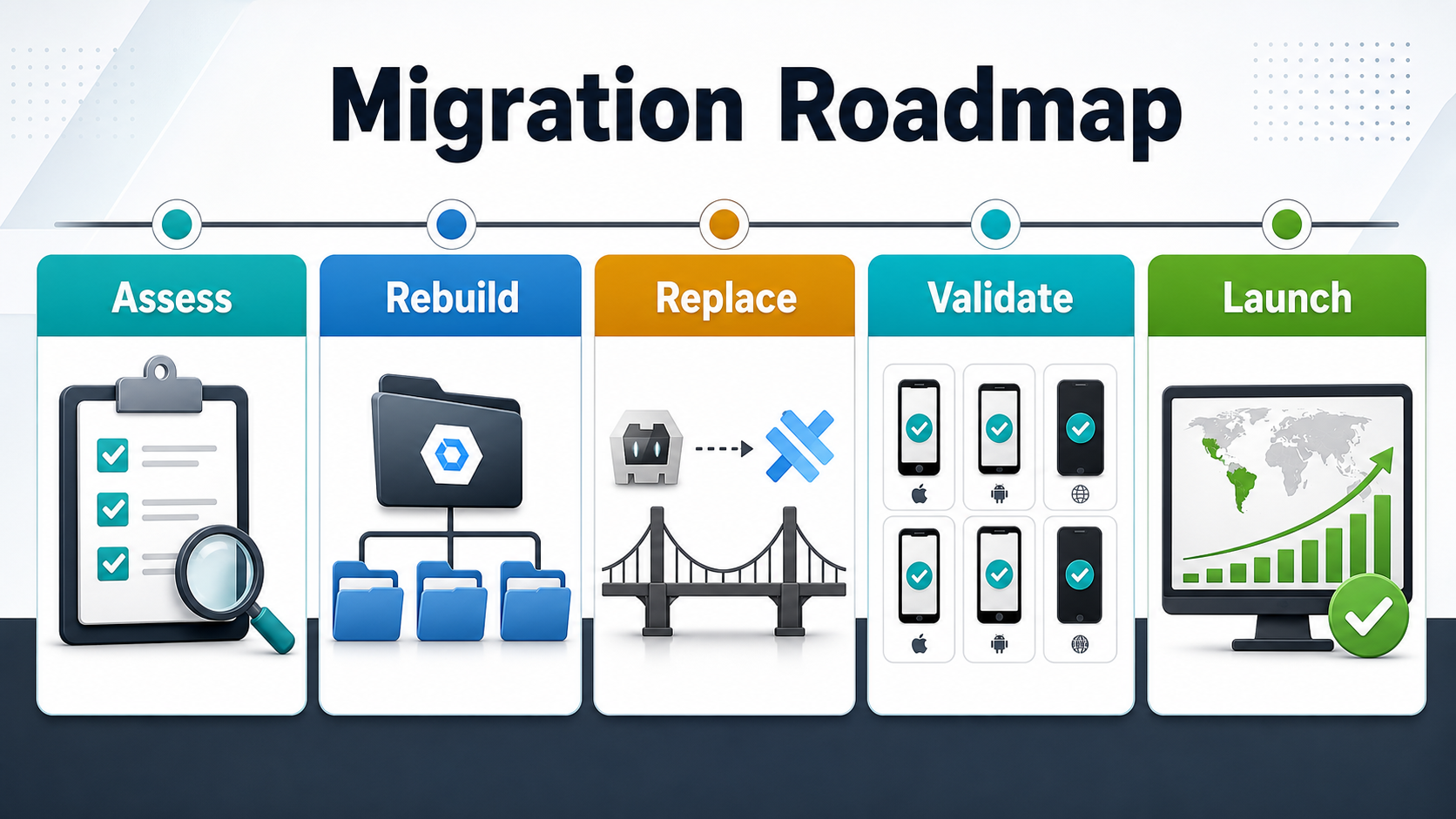
| Phase | Goal | Deliverables |
|---|---|---|
| Assess | Understand migration risk. | Plugin inventory, build audit, store warnings, QA scope, migration estimate. |
| Rebuild | Create maintainable native projects. | Capacitor setup, iOS/Android projects, signing, config, CI updates. |
| Replace | Move or rebuild native capabilities. | Plugin replacements, custom bridges, permission cleanup, test cases. |
| Validate | Prove workflows and release readiness. | Device matrix, app-store checks, regression evidence, monitoring setup. |
| Launch | Release without losing control. | Staged rollout, rollback triggers, support plan, post-launch maintenance. |
If your team lacks internal hybrid app capacity, NextPage can support the migration as part of a broader IT outsourcing services engagement, pairing mobile developers, QA, backend support, and release management. For early budget planning, the custom software cost estimator can help frame the effort before a technical audit.
How NextPage Helps With Cordova And PhoneGap Migrations
NextPage helps teams decide whether to patch, migrate, or rebuild legacy hybrid apps. A practical first step is a migration assessment that reviews the existing app package, plugin list, native projects, build pipeline, SDK usage, permissions, backend dependencies, release history, and store risk.
From there, NextPage can plan the Capacitor migration, replace plugins, rebuild native projects, run device QA, harden sensitive flows, prepare app-store evidence, and support staged rollout. If your Cordova or PhoneGap app is still valuable but hard to release, use this checklist to separate must-fix migration risks from nice-to-have modernization work.